Skip to content
View in the app

A better way to browse. Learn more.

LCPDFR.com

A full-screen app on your home screen with push notifications, badges and more.

To install this app on iOS and iPadOS
  1. Tap the Share icon in Safari
  2. Scroll the menu and tap Add to Home Screen.
  3. Tap Add in the top-right corner.
To install this app on Android
  1. Tap the 3-dot menu (⋮) in the top-right corner of the browser.
  2. Tap Add to Home screen or Install app.
  3. Confirm by tapping Install.

New South Wales Police Blue Uniform (TRG, Riot Squad, Police)

(0 reviews)

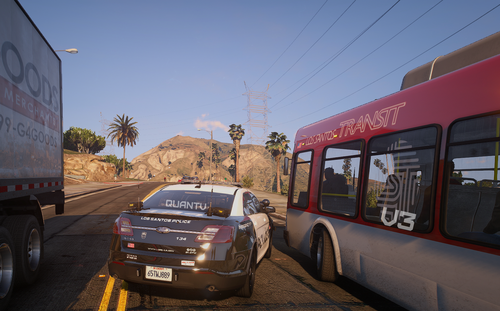
7 Screenshots

Here is a blue uniform with TRG/Police/Public Order and Riot Squad.

!! I DID NOT MAKE THE MODEL, I ALSO DIDN'T MAKE UPPER 3 AND 4 !!

Please don't upload and edit with out permission

User Feedback

Recommended Comments

BroCop

Members

Oh, gosh, that's pretty bright. Does this department's riot squad wear neon blue coloring? I recommend toning down the color a lot, if not.

East Coast Mods

Members

Oh, gosh, that's pretty bright. Does this department's riot squad wear neon blue coloring? I recommend toning down the color a lot, if not.

*department* its Australia

Boz

Members

Oh, gosh, that's pretty bright. Does this department's riot squad wear neon blue coloring? I recommend toning down the color a lot, if not.

Of course they don't, they have navy blue uniforms, seen here:riot-squad.jpg

Create an account or sign in to comment

Account

Navigation

Search

Search

Configure browser push notifications

Chrome (Android)
  1. Tap the lock icon next to the address bar.
  2. Tap Permissions → Notifications.
  3. Adjust your preference.
Chrome (Desktop)
  1. Click the padlock icon in the address bar.
  2. Select Site settings.
  3. Find Notifications and adjust your preference.