



khorio
Members
-
Joined
-
Last visited
Everything posted by khorio
-
 I'll check, thanks for the report! Edit: from looking at the code it still played landmarks if you had them disabled but had DontAlwaysTryToFindLandmarks enabled, will be fixed in the next update. For now you can probably get around it by making sure DontAlwaysTryToFindLandmarks is disabled and DisableLandmarks is enabled (either through the menu or the ini) That shouldn't happen and I've never seen that happen either, can you upload your ragepluginhook.log if this happens again, it sounds like the hook is failing somewhere on load.
- 637 comments
- 51 reviews
-
More radio chatter doesn't check for anything so it plays randomly no matter if the lspdfr/xscanner playback engine is busy, probably easiest to remove it as it's not being updated either.
- 637 comments
- 51 reviews
-
-

- 1
-
-
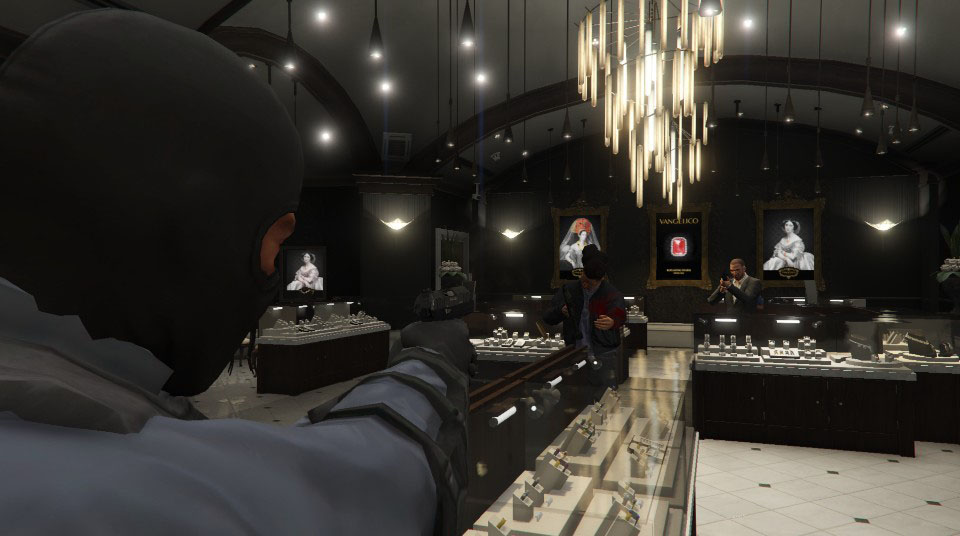
can you upload your log or ini if its still using them even after turning it off? And yes, the landmark range is based on its size/height/visibility (rough estimate), for example: FIB Tower: 1000m LS River: 500m Subway stations: 100m Morgue: 250m Up 'n Atom: 100m Vangelico: 80m
- 637 comments
- 51 reviews
-
Dispatch will still use them if its not turned off, it just lowers the amount of times it uses it. and Mirror park is east of the ls river and the fib tower
- 637 comments
- 51 reviews
-
It has to do with the game focus checking, its not a big issue but very unexpected. Meanwhile I ended up implementing this as well.: Updating in a bit.
- 637 comments
- 51 reviews
-
I am aware, it's an issue I already fixed by accident a few hours after the update without realizing it, will upload the update later today.
- 637 comments
- 51 reviews
-
-

- 3
-
-
Will look into the fps issues tomorrow even though I haven't encountered any while testing before updating. Your crash is unrelated to XScanner, spotlight and lspdfr native invocation caused a crash, most likely resulting from a faulty mod (vehicles etc) that corrupted memory.
- 637 comments
- 51 reviews
-
You are correct, the parser is using the wrong datatype by mistake apparently, will try and push an update today.
- 637 comments
- 51 reviews
-
-
-
- 2
-
-
-
if you enable "Play from shoulder" it will play from your player character instead of a car and you will hear it always. You can also try increasing the volume as most streams are pretty low volume.
- 637 comments
- 51 reviews
-
-
-
 Hello each time I drag the crazypersuits.dll into the gta this happens how to fix?? also sometimes it makes getting attacked by crazy man in underpants??? he try run fast for lumberjack website
- 47 comments
- 10 reviews
-
-
- 3
-
-
You can either use broadcastify to get infinite chatter or just add files named xchattr_xxx where xxx is any number in plugins\lspdfr\xscanner\audio\
- 637 comments
- 51 reviews
-
-
- 2
-
-
-
if you look in the screenshot in the post above you will notice there is a save settings key on the bottom right Outside of that there is an update coming this weekend that will remind you to save if you close the menu without saving, and an option to autosave. it will try to validate the stream you manually enter and if it encounters an error it will not set it, could be a variety of reasons why. stream might be down or experiencing issues at that particular time. If you walk around near police vehicles and "Disable on other vehicles" is not checked then you will still hear it from other police vehicles
- 637 comments
- 51 reviews
-
-
- 1
-
-
after you change settings in the menu you need to hit the save button (Space/ControllerX)
- 637 comments
- 51 reviews
-
-
- 1
-
-
You either use the button indicated on the topright of the screen when you have the broadcastify id (or region broadcast id) selected in the menu to show you a list of the current top50 streams, if you want to manually select one you go to the broadcastify page of the stream you want and make note of the number at the end of the url if you go into the menu it will tell you to select the item to enter the id manually If you press enter you will be able to input the id
- 637 comments
- 51 reviews
-
-

-
- 2
-
-
-
-
-
You probably want to change your broadcastifyid in the ini to a more active broadcast like 32602 or disable broadcastify if you want to use the local files.
- 637 comments
- 51 reviews
-
Can you upload your ragepluginhook.log ? Alternatively you can come ask for help in #gta_support on the rph discord
- 637 comments
- 51 reviews
-
You can already change the stream ingame by using the console command, I could add some menu in the future.
- 637 comments
- 51 reviews
-
You can change it to whatever you like Section: [General] IntroSound This is the squelch before each call on the scanner, change this to whichever sound you want it to play OutroSound Same but at the end of each call There are more in Grand Theft Auto V\lspdfr\audio\scanner\RESIDENT
- 637 comments
- 51 reviews
-
-
- 1
-


