



khorio
Members
-
Joined
-
Last visited
Everything posted by khorio
-
 You just place the files from the Grand Theft Auto V folder inside your game folder.
- 637 comments
- 51 reviews
-
XScanner is an LSPDFR Scanner replacement/addon. Features: Full XAudio2 support. Multiple output device support, play background scanner on one device and police scanner on another. Multiple audio emitters to choose from; player, player vehicle, police vehicles. Customizable distortion effects for the police scanner. LSPDFR relay. Broadcast quick selection. Broadcast presets; Top50, Newest Streams, Official Streams, Manual stream input, search for streams. Supports all known audio formats, and then some. Police Scanner playback (frontend and 3d). Background Scanner playback (frontend and 3d) (local files or stream). Preferred audio folder; for dispatch replacements. Audio redirects; for dispatch replacements. The prettiest animated menu around with theming support. There is the possibility of editing the ini manually, but I do not recommend it due to the complexity of this plugin. Everything can be changed through the menu (default: F8) If you already have something bound to F8 you can either: change the menu key through the consolecommand SetXScannerMenuKey manually open the menu through the consolecommand and change the menu key from within the menu. OpenXScannerMenu Installation: Place files from the "Grand Theft Auto V" folder into your game installation folder. ⚠️ Known Issues ⚠️ None ⚠️ DISCLAIMER ⚠️ Not providing support in the comments anymore. Support can be found on my Discord or on the ULSS Discord.
- 637 comments
- 51 reviews
-
-

-

-

- 101
-
-
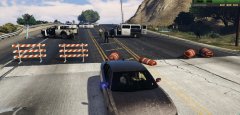
Been kind of busy with Automatic Roadblocks2 and swat revamped betas lately, but it's slowly getting there.
-
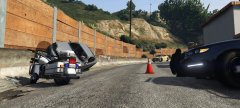
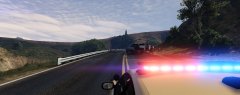
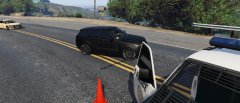
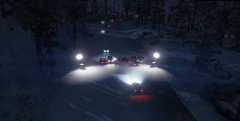
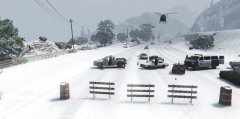
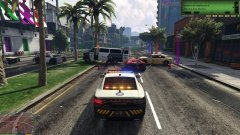
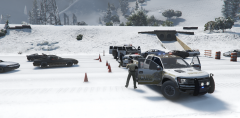
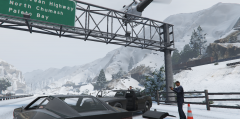
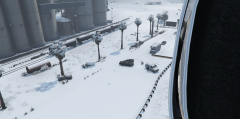
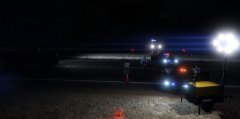
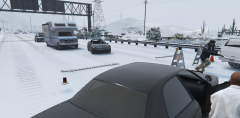
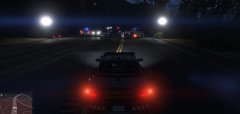
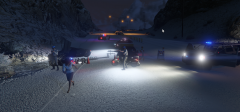
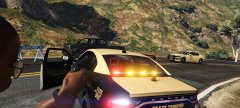
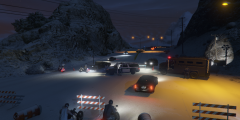
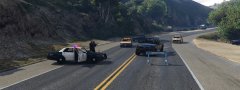
Development pictures of Automatic Roadblocks
-
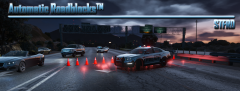 stfrd.png
-
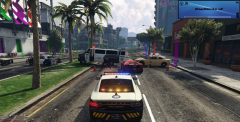 newui.png
-
 df53f673f103d530d5fb384c15717f12.jpg
-
 de1494b8bf4366ac06fc8234d0ebd90d.jpg
-
 afaab4469f48b0a785085775c80cca01.jpg
-
 a6ba36e48e614854f84a831ec0773906.jpg
-
 9a66fac8daf811cb392aabe4cfb82fa5.jpg
-
 8.png
8.png
-
 7ec3cce5b367351968629adfb9e157e8.jpg
-
 7.png
7.png
-
 6.png
6.png
-
 5.png
5.png
-
 4c804ce3dfdcd63e0b8d1fee65fb1850.jpg
-
 4.png
4.png
-
 382a6f2085a722b55e1a640b4115263d.jpg
-
 3.png
3.png
-
 252b625d97cfd413b4be9bdc88400389.jpg
-
 2.png
2.png
-
 1f7bb365fe3eee400207b109a6ee02c9.jpg
-
 1cc4e57884ff96a373a5debe27a0122c.jpg
-
-
From the album: Automatic Roadblocks Development
-
It will crash because you tell the ped to perform a task with a vehicle while he could very well not be inside the vehicle yet (which is obviously the case here).
-
By all means, feel free not to use it.
-
Riots will be a part of SWAT: Revamped
-
Mmmm steakouts
-
Trafficstop+ is coming soon. Also includes other things like better pullover positioning (no longer in the middle of the road) and ambient cops performing traffic stops.
-
I'd rather not associate any of my stuff with LSRD. You mean YouTube mode? :p sure I can add an option for that.
-
This was something I was working on for S.W.A.T.: Revamped, but since it will take a while before that goes public I might just release this sooner on its own, if there is enough interest. Ever get sick of hospital restarts? Video is self explanatory: More info coming soon
-
-
-
-
-
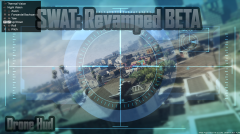
From the album: SWAT: Revamped Development
-
On it
-
Wrong forum people
-
From the album: Automatic Roadblocks Development
-
Honestly I have no idea and I have never used RDE. If it's not it's an issue on RDE's end.
-
That would be helpful, I haven't had time to try to extract them myself. I've started work on the next version, so it should be fixed then.
-
You can use ped.Fireweaponat() to make them attack entities, and changing their relationship to make them hostile toward groups of people
-
Looks pretty Generic
-



