



khorio
Members
-
Joined
-
Last visited
Everything posted by khorio
-
From the album: Automatic Roadblocks Development
© khorio
-
From the album: Automatic Roadblocks Development
© khorio
-
From the album: Automatic Roadblocks Development
© khorio
-
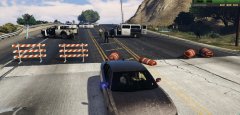
From the album: Automatic Roadblocks Development
© khorio
-
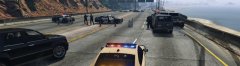
From the album: Automatic Roadblocks Development
© khorio
-
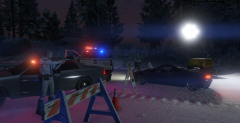
From the album: Automatic Roadblocks Development
© khorio
-
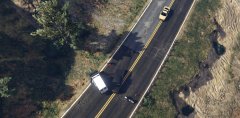
From the album: Automatic Roadblocks Development
© khorio
-
In the famous words of 3drealms: Aiming for the end of this week.
-
you can easily clear all notifications too if you want to block out the messages popping up
-
Shouldn't be too much of a problem, can't promise it will be included in the initial release, but it will most likely be included in the next version.Vehicle.Rotation = new Rotator(180f,0f,0f);what it says
 Like I said in the description, some will still act like idiots. Peds on foot will flee as normal, i did not alter that behaviour, and as for fps drops, it is highly unlikely this comes from the changed meta
- 29 comments
- 21 reviews
They will most likely run you over/flee if you aim a weapon at them or their car.- 29 comments
- 21 reviews
For people who are still getting sick from being ran over by drivers freaking out because of gunshots, StopShittingbricks® might be the answer. StopShittingBricks® stops peds in cars from, well, shitting bricks / freaking out and running you over. StopShittingBricks® is not a plugin but a file modification, so performance drops are non-existent. StopShittingBricks® will stop most peds in vehicles from freaking out when shots are fired, they will still react when being shot at. Peds on foot are unchanged. Please note that this is an alpha version, and it is not perfect yet, some cars might still freak out. Place the included events.meta in update/update.rpf/common/data using OpenIV. A backup file is also provided.- 29 comments
- 21 reviews
-
-

- 34
-
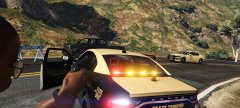
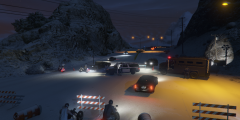
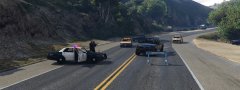
Basic county/area customisation is already in the default xml file. <CarPack> <Department>BCSO</Department> <Zone>DEFAULT</Zone> <Description>Blaine County Sheriff's Office</Description> <Vehicles> <Vehicle PrimaryColor="default" SecondaryColor="default" Livery="-1" Extras="-1" isVan="false">SHERIFF</Vehicle> <Vehicle PrimaryColor="default" SecondaryColor="default" Livery="-1" Extras="-1" isVan="false">SHERIFF2</Vehicle> </Vehicles> <Peds> <Ped Variation="0,1,0|2,0,1">S_F_Y_SHERIFF_01</Ped> <Ped Variation="random">S_M_Y_SHERIFF_01</Ped> </Peds> <Weapons> <Weapon>WEAPON_PISTOL</Weapon> <Weapon>WEAPON_PUMPSHOTGUN</Weapon> </Weapons> </CarPack> You can already customise quite a bit in this, BCSO will be picked when the area is in blaine county, you can also add custom zones as a custom carpack: <CarPack> <Department>CUSTOM</Department> <Zone>DELPE</Zone> <Description>Del Perro PD</Description> <Vehicles> <Vehicle PrimaryColor="default" SecondaryColor="default" Livery="2" Extras="-1" isVan="false">POLICE2</Vehicle> </Vehicles> <Peds> <Ped Variation="random">S_F_Y_COP_01</Ped> <Ped Variation="random">S_M_Y_COP_01</Ped> </Peds> <Weapons> <Weapon>WEAPON_PISTOL</Weapon> <Weapon>WEAPON_PUMPSHOTGUN</Weapon> </Weapons> </CarPack> The way Automatic Roadblocks is constructed it will be quite a task to read it from backup.xml without a wrapper that CustomBackup can quite easily provide.Yes, but it will require Custom Backup, and it will require PNWParksFan to return from vacation so he can add it to the API.For people who are still getting sick from being ran over by drivers freaking out because of gunshots, StopShittingbricks® might be the answer. StopShittingBricks® stops peds in cars from, well, shitting bricks / freaking out and running you over. StopShittingBricks® is not a plugin but a file modification, so performance drops are non-existent. An early version can be found here:I have 2 people on youtube showcasing it atm, thanks for the offer though :) Added more customisation to the vehicles (I know some people will like this)I'll have to change my answer on this, yes you will be able to customize regions in the xml as shown in the example below:Not as of yet, the county vehicles will be customizable in the initial version, further customization will be added later on. For now, these are the options you will have (roadblocks will automatically select the vehicles and suitable peds from this xml depending on the location):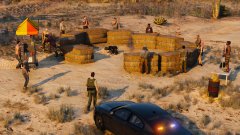 I wouldn't have the slightest ideaFrom the shed that has been raided multiple times by SWAT units and where the Rednecks crawled out of, the following is coming to your patrols soon; Automatic Roadblocks is a plugin that creates dynamic roadblocks while you're in a pursuit, these can be toggled on/off as needed. Automatic Roadblocks will automatically guess where the best position for a roadblock is, no messing around with pausing your pursuit to guess where to place a roadblock next. Roadblocks will automatically be elevated based on how aggressive the pursuit is, and how many roadblocks have been dodged during the pursuit. You can check out the development album right here; Automatic Roadblocks v2 Development:
 Thanks Cyan, it also happens when other people reply to a comment in your file post with an attached file (rph log for example), editing your main post will also show this file to be suddenly in your attached files list.

