




ineseri
Friends of LSPDFR
-
Joined
Everything posted by ineseri
-
MODERATOR NOTICE Thread moved to GTA IV Development Suggestions and Requests. Please read the pinned "About This Section" thread before posting in the showroom forums: '?do=embed' frameborder='0' data-embedContent>>
-
^Brilliant
-
Use LCPDFR 1.0 instead.
-
Hello there -- welcome to LCPDFR.com and thanks for trying out LCPDFR. You failed to read the instructions before posting in this forum. So we'll remind you of them. Please do the following: Make sure you aren't using a crack - We don't support cracks Update GTA IV to 1.0.7.0 (the latest version of the game, or 1.1.2.0 for EFLC) - This sometimes fixes a wide variety of issues Make sure that you run the game as an administrator. Make sure that your GTA IV root folder (and every subdirectory) is not set to "read-only" Ensure that ScriptHook.dll, ScriptHookDotNet.asi and Dsound.dll OR Xlive.dll are in the GTA IV ROOT folder Ensure that there is a folder titled 'LCPDFR' in the ROOT GTA IV folder. Check that all the above files exist, if they do not, reinstall LCPDFR with the MANUAL installation. Ensure that you are using up to date versions of every LCPDFR dependency and LCPDFR itself. Install these: .Net Framework 4.5, Microsoft Visual C++ Redist 2012 If your problem has been solved after following these basic instructions, hit 'Mark Solved' next to this post. If not, please now reply to this thread, and make sure that you do the following: Give a clear, detailed description of the problem. Explain any circumstances surrounding the problem. State what solutions you have tried. Post ALL relevant logs (LCPDFR.log, Scripthook.log, ScriptHookDotNet.log, AdvancedHook.log). Include as much information as possible. Post your system specifications. Post what other mods you are using. This includes car and script mods. Please note that failure to follow these instructions may cause this thread to be closed.
-
MODERATOR NOTICE Moving from GTA IV Script Modifications Showroom to GTA IV Support Requests. Please read the pinned "about this section" before posting in the Scripting Showroom.
-
I think you are missing the most important group. Members. Because without Members, this site wouldn't be as good as it is today :)
-
MODERATOR NOTICE Thread moved to GTA IV Development Suggestions and Requests. Please read the pinned "About This Section" thread before posting in the showroom forums: '?do=embed' frameborder='0' data-embedContent>>
-
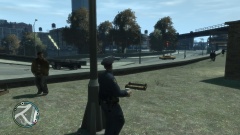
From the album: ineseris LCPDFR images
-
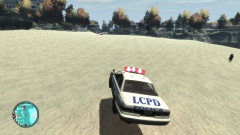
From the album: ineseris LCPDFR images
-
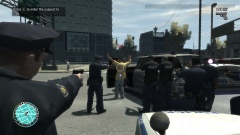
From the album: ineseris LCPDFR images
-
-
-
No problem :) Glad I could help :)
-
I haven't tried it yet :)
-
I wouldn't recommend any virus software lol. I recommend you using the anti-virus software called Avast. Works for me :)
-
What's the error?
-
Well LCPDFR on its own is pretty realistic.
-
Or just wait and see what future versions of LCPDFR bring :)
-
The only virus you have is Norton. Norton is complete crap.
-
Have you looked at the download page + in the downloaded files? There should always be a readme, if it isn't: Use another more serious mod.
-
Lol "SWAT Services". Let me serve you some swat :D
-
1. It happens from time to time, as far as I know it doesn't happen in the testing versions of LCPDFR. 2. That is a third party mod, something that isn't supported by LCPDFR. For stabilities sake, we do not support third-party mods. The mod you listed was developed for 0.95RC2, a mod which is now obsolete and no longer supported but kept on the site for legacy purposes. You will get the latest hook with the LCPDFR installation. Consider using the manual one.
-
It would be nice to say how you solved it. Let me guess, you didn't have access to the folder and so you turned off "Read Only" by right-clicking the GTA IV folder.. or did you turn off UAC?
-
Are you using ELS cars? Have you read all the read me + manuals?
-
Fort Carson Roleplay, LCPDFRs own San Andreas multiplayer server (which is down and probably never will return). Further reading: http://bonecounty.com



