




ineseri
Friends of LSPDFR
-
Joined
Everything posted by ineseri
-
As far as I know, you can use the old one.
-
I know of the mod, I just don't know the problem he is experiencing. Sorry.
-
Um, I have no idea what you are talking about then.
-
Wait, you're not talking about Virtual Audio Cable? Which is the normal usage of VAC?
-
MODERATOR NOTICE Moving to GTA IV Support Requests. The LCPDFR Support Requests section is for issues related to the LCPDFR modification only.
-
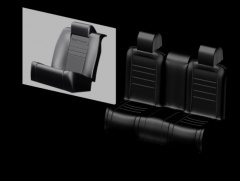 Doing nice work with it, definitely should try doing this proffesionally.
 -
Right, let's stick to the topic at hand :P Is this for GTA IV?
-
Hello there -- welcome to LCPDFR.com and thanks for trying out LCPDFR. You failed to read the instructions before posting in this forum. So we'll remind you of them. Please do the following: Make sure you aren't using a crack - We don't support cracks Update GTA IV to 1.0.7.0 (the latest version of the game, or 1.1.2.0 for EFLC) - This sometimes fixes a wide variety of issues Make sure that you run the game as an administrator. Make sure that your GTA IV root folder (and every subdirectory) is not set to "read-only" Ensure that ScriptHook.dll, ScriptHookDotNet.asi and Dsound.dll OR Xlive.dll are in the GTA IV ROOT folder Ensure that there is a folder titled 'LCPDFR' in the ROOT GTA IV folder. Check that all the above files exist, if they do not, reinstall LCPDFR with the MANUAL installation. Ensure that you are using up to date versions of every LCPDFR dependency and LCPDFR itself. Install these: .Net Framework 4.5, Microsoft Visual C++ Redist 2012 If your problem has been solved after following these basic instructions, hit 'Mark Solved' next to this post. If not, please now reply to this thread, and make sure that you do the following: Give a clear, detailed description of the problem. Explain any circumstances surrounding the problem. State what solutions you have tried. Post ALL relevant logs (LCPDFR.log, Scripthook.log, ScriptHookDotNet.log, AdvancedHook.log). Include as much information as possible. Post your system specifications. Post what other mods you are using. This includes car and script mods. Please note that failure to follow these instructions may cause this thread to be closed.
-
MODERATOR NOTICE Moving to GTA IV Support Requests. The LCPDFR Support Requests section is for issues related to the LCPDFR modification only.
-
Are they for GTA IV? :)
-
You go to the link provided and press 'Download'. Further, this is not a support thread and Support Requests goes into the LCPDFR Support Requests Section. Thank you.
-
Do read the readmes before using any mods.
-
MODERATOR NOTICE Moving to GTA IV Support Requests. Make sure to back your game up, downloading files off the internet to use as a backup is not recommended.
-
MODERATOR NOTICE Moved to General & Miscellaneous Discussion. Can you please explain your issue in more detail?
-
MODERATOR NOTICE Moving to GTA IV Discussion and Media. Please read the pinned "about this section" topic before posting in the showroom section.
-
By support I mean that the LCPDFR Modification isn't supposed to be working with a crack, and if you are still using a crack when asking for support, that is grounds for your topic to be closed.
-
Cracks aren't supported. Are you running as administrator?
-
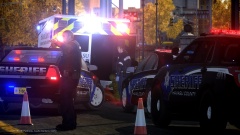 No :(((((((((((((((((((((((((((( https://www.facebook.com/lcpdfr/photos/a.609874359106869.1073741825.185574198203556/645841582176813/?type=3
 -
I think LMS is better off answering this haha.
-
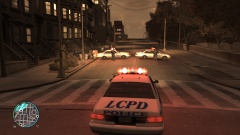 Crashes doesn't really depend on ELS, but on the car mods most of the time. Nice pic btw! :)
 -
You will have to add it yourself, as the .ini isn't updated.
-
I'd consider removing the car mods and see if the issue still persists.
-
As stated before, it's not a bug, it's a feature and it is hardcoded into the game.
-
Not sure if we have those lying around though.
-
Did you read the readme provided by CryEnb?

