




ineseri
Friends of LSPDFR
-
Joined
Everything posted by ineseri
-
Please use the search button. Here is a link to the search-results: http://www.google.com/cse?cx=partner-pub-7935261044099979%3A6364234123&q=old%20versions%20of#gsc.tab=0&gsc.q=old%20versions%20of&gsc.page=1
-
MODERATOR NOTICE Your thread has been moved to GTA IV Discussion & Media. The General & Miscellaneous Discussion section is a general purpose forum for all forms of miscellaneous discussion not catered for by any subject-specific forum.
-
There is, and it is just as serious offence as driving a car, atleast where I live.
-
Drinking and driving is no joke though. Drink responsibly, and stay away from the wheel!
-
MODERATOR NOTICE This is not a suggestion for the LCPDFR Modification, which is what the LCPDFR Suggestions forum is for. Topic moved to GTA IV Discussion & Media.
-
MODERATOR NOTICE Take a look around the Suggestions & Requests forum, I am sure there's someone wanting a skin to be made: https://www.lcpdfr.com/forum/802-suggestions-requests/
-
Are you actually pressing 'Y' to accept the callout when you first get it displayed to you?
-
Hello there -- welcome to LCPDFR.com and thanks for trying out LCPDFR. You failed to read the instructions before posting in this forum. So we'll remind you of them. Please do the following: Make sure you aren't using a crack - We don't support cracks Update GTA IV to 1.0.7.0 (the latest version of the game, or 1.1.2.0 for EFLC) - This sometimes fixes a wide variety of issues Make sure that you run the game as an administrator. Make sure that your GTA IV root folder (and every subdirectory) is not set to "read-only" Ensure that ScriptHook.dll, ScriptHookDotNet.asi and Dsound.dll OR Xlive.dll are in the GTA IV ROOT folder Ensure that there is a folder titled 'LCPDFR' in the ROOT GTA IV folder. Check that all the above files exist, if they do not, reinstall LCPDFR with the MANUAL installation. Ensure that you are using up to date versions of every LCPDFR dependency and LCPDFR itself. Install these: .Net Framework 4.5, Microsoft Visual C++ Redist 2012 If your problem has been solved after following these basic instructions, hit 'Mark Solved' next to this post. If not, please now reply to this thread, and make sure that you do the following: Give a clear, detailed description of the problem. Explain any circumstances surrounding the problem. State what solutions you have tried. Post ALL relevant logs (LCPDFR.log, Scripthook.log, ScriptHookDotNet.log, AdvancedHook.log). Include as much information as possible. Post your system specifications. Post what other mods you are using. This includes car and script mods. Please note that failure to follow these instructions may cause this thread to be closed.
-
Hello there -- welcome to LCPDFR.com and thanks for trying out LCPDFR. You failed to read the instructions before posting in this forum. So we'll remind you of them. Please do the following: Make sure you aren't using a crack - We don't support cracks Update GTA IV to 1.0.7.0 (the latest version of the game, or 1.1.2.0 for EFLC) - This sometimes fixes a wide variety of issues Make sure that you run the game as an administrator. Make sure that your GTA IV root folder (and every subdirectory) is not set to "read-only" Ensure that ScriptHook.dll, ScriptHookDotNet.asi and Dsound.dll OR Xlive.dll are in the GTA IV ROOT folder Ensure that there is a folder titled 'LCPDFR' in the ROOT GTA IV folder. Check that all the above files exist, if they do not, reinstall LCPDFR with the MANUAL installation. Ensure that you are using up to date versions of every LCPDFR dependency and LCPDFR itself. Install these: .Net Framework 4.5, Microsoft Visual C++ Redist 2012 If your problem has been solved after following these basic instructions, hit 'Mark Solved' next to this post. If not, please now reply to this thread, and make sure that you do the following: Give a clear, detailed description of the problem. Explain any circumstances surrounding the problem. State what solutions you have tried. Post ALL relevant logs (LCPDFR.log, Scripthook.log, ScriptHookDotNet.log, AdvancedHook.log). Include as much information as possible. Post your system specifications. Post what other mods you are using. This includes car and script mods. Please note that failure to follow these instructions may cause this thread to be closed.
-
MODERATOR NOTICE Your thread has been moved to the GTA IV Support Requests forum, as it is not an LCPDFR support request.
-
Welcome to the forums :) The mod called Callouts+ has this feature. It's an API Plugin for LCPDFR 1.0, which means it will work without much configuration and will intergrate into LCPDFR seamlessly. '?do=embed' frameborder='0' data-embedContent>> Give it a shot :)
-
^ I see what you did there.
-
MODERATOR NOTICE Your thread has been moved to GTA IV Development Suggestions and Requests. Please read the "Showroom Style Forums" announcement before posting in the showroom forums: https://www.lcpdfr.com/forum-792/announcement-11-showroom-style-forums/
-
The OP hasn't been online since October last year, so I'd say no. Please do not bump old topics in the future. If the OP should return, please report this post and the topic shall be re-opened. Nothing to see here! This topic has been closed by LCPDFR.com staff. If you feel that this topic has been closed in error, please report this post.
-
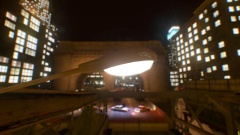 Really liking these! Awesome stuff.
 -
Wait and see :)
-
Minimum specifications: OS: Windows 8.1 64 Bit, Windows 8 64 Bit, Windows 7 64 Bit Service Pack 1, Windows Vista 64 Bit Service Pack 2* (*NVIDIA video card recommended if running Vista OS) Processor: Intel Core 2 Quad CPU Q6600 @ 2.40GHz (4 CPUs) / AMD Phenom 9850 Quad-Core Processor (4 CPUs) @ 2.5GHz Memory: 4GB Video Card: NVIDIA 9800 GT 1GB / AMD HD 4870 1GB (DX 10, 10.1, 11) Sound Card: 100% DirectX 10 compatible HDD Space: 65GB DVD Drive Recommended specifications: OS: Windows 8.1 64 Bit, Windows 8 64 Bit, Windows 7 64 Bit Service Pack 1 Processor: Intel Core i5 3470 @ 3.2GHZ (4 CPUs) / AMD X8 FX-8350 @ 4GHZ (8 CPUs) Memory: 8GB Video Card: NVIDIA GTX 660 2GB / AMD HD7870 2GB Sound Card: 100% DirectX 10 compatible HDD Space: 65GB DVD Drive
-
Ew. Seriously. Ew :(
-
MODERATOR NOTICE You topics has been merged. There is no need to create more than 1 topic for the same request.
-
MODERATOR NOTICE Your thread has been moved to GTA IV Suggestions & Requests. The LCPDFR Suggestions forum is intended for LCPDFR suggestions only, and not for other modifications.
-
Hello there -- welcome to LCPDFR.com and thanks for trying out LCPDFR. You failed to read the instructions before posting in this forum. So we'll remind you of them. Please do the following: Make sure you aren't using a crack - We don't support cracks Update GTA IV to 1.0.7.0 (the latest version of the game, or 1.1.2.0 for EFLC) - This sometimes fixes a wide variety of issues Make sure that you run the game as an administrator. Make sure that your GTA IV root folder (and every subdirectory) is not set to "read-only" Ensure that ScriptHook.dll, ScriptHookDotNet.asi and Dsound.dll OR Xlive.dll are in the GTA IV ROOT folder Ensure that there is a folder titled 'LCPDFR' in the ROOT GTA IV folder. Check that all the above files exist, if they do not, reinstall LCPDFR with the MANUAL installation. Ensure that you are using up to date versions of every LCPDFR dependency and LCPDFR itself. Install these: .Net Framework 4.5, Microsoft Visual C++ Redist 2012 If your problem has been solved after following these basic instructions, hit 'Mark Solved' next to this post. If not, please now reply to this thread, and make sure that you do the following: Give a clear, detailed description of the problem. Explain any circumstances surrounding the problem. State what solutions you have tried. Post ALL relevant logs (LCPDFR.log, Scripthook.log, ScriptHookDotNet.log, AdvancedHook.log). Include as much information as possible. Post your system specifications. Post what other mods you are using. This includes car and script mods. Please note that failure to follow these instructions may cause this thread to be closed.
-
This. Medical advice from the internet is potenitally dangerous.
-
A bottle of Scotch isn't really a drink now is it? :P Old Fashioned for me, If I have to chose an absolute favorite.
-
Since Collauje/Hurricane/Thatcher/Thatch (whatever his/her name is) is banned, there is no need to keep this topic open. Nothing to see here! This topic has been closed by LCPDFR.com staff. If you feel that this topic has been closed in error, please report this post.
-
MODERATOR NOTICE Your thread has been moved to GTA IV Discussion & Media, as it is not an LCPDFR Discussion thread.


