




ineseri
Friends of LSPDFR
-
Joined
Everything posted by ineseri
-
Welcome to the forums! If you mean the LCPDFR mod, this is all you need: '?do=embed' frameborder='0' data-embedContent>> There are a plethora of other mods in our downloads section: https://www.lcpdfr.com/files/ Keep in mind that no third-party mod is officially supported with LCPDFR, and may cause issues. If you have a support request, be sure to search the forums. There's a huge chance that your question has been asked and answered before by someone else :)
-
MODERATOR NOTICE Your thread has been moved to the GTA IV Modding Tutorials and Questions forum. Please read the "Showroom Style Forums" announcement before posting in the showroom forums: https://www.lcpdfr.com/forum-792/announcement-11-showroom-style-forums/
-
Yeah, let's not start a wild witch hunt here. Theft accusation is a serious allegation not to be taken lightly, and not even supposed to be taken up here.
-
MODERATOR NOTICE Your thread has been moved to GTA IV Discussion & Media. The General & Miscellaneous Discussion section is a general purpose forum for all forms of miscellaneous discussion not catered for by any subject-specific forum.
-
Indeed, the launcher was never updated by Rockstar.
-
This beauty <3
-
Nothing to see here! This thread has been closed by LCPDFR.com staff, because it has been created in an incorrect forum section. We require that LCPDFR support requests are created in the LCPDFR Support Requests forum, so that users are presented with the troubleshooter. Please use that forum and follow the clearly presented instructions. If you feel that this topic has been closed in error, please report this post.
-
On topic though, can't go wrong with the 1974 Dodge Monaco sedan.
-
I mean, I got to prom in the family Skoda Octavia (lololololololol) and then we all took the bus to the party place (old fortress near the ocean). Wasn't much space to show off cars.
-
This may be a dumb and completely unrelated question... but... is it such a big deal? :P Wasn't for me, or anyone else. Different cultures I suppose.
-
Nothing to see here! This thread has been closed by LCPDFR.com staff, because it has been created in an incorrect forum section. We require that LCPDFR support requests are created in the LCPDFR Support Requests forum, so that users are presented with the troubleshooter. Please use that forum and follow the clearly presented instructions. If you feel that this topic has been closed in error, please report this post.
-
MODERATOR NOTICE Your thread has been moved to the GTA IV Support Requests forum, as it is not an LCPDFR support request.
-
Hello there -- welcome to LCPDFR.com and thanks for trying out LCPDFR. You failed to read the instructions before posting in this forum. So we'll remind you of them. Please do the following: Make sure you aren't using a crack - We don't support cracks Update GTA IV to 1.0.7.0 (the latest version of the game, or 1.1.2.0 for EFLC) - This sometimes fixes a wide variety of issues Make sure that you run the game as an administrator. Make sure that your GTA IV root folder (and every subdirectory) is not set to "read-only" Ensure that ScriptHook.dll, ScriptHookDotNet.asi and Dsound.dll OR Xlive.dll are in the GTA IV ROOT folder Ensure that there is a folder titled 'LCPDFR' in the ROOT GTA IV folder. Check that all the above files exist, if they do not, reinstall LCPDFR with the MANUAL installation. Ensure that you are using up to date versions of every LCPDFR dependency and LCPDFR itself. Install these: .Net Framework 4.5, Microsoft Visual C++ Redist 2012 If your problem has been solved after following these basic instructions, hit 'Mark Solved' next to this post. If not, please now reply to this thread, and make sure that you do the following: Give a clear, detailed description of the problem. Explain any circumstances surrounding the problem. State what solutions you have tried. Post ALL relevant logs (LCPDFR.log, Scripthook.log, ScriptHookDotNet.log, AdvancedHook.log). Include as much information as possible. Post your system specifications. Post what other mods you are using. This includes car and script mods. Please note that failure to follow these instructions may cause this thread to be closed.
-
Whichever one you choose, don't pick the one Ben picked! You're good to go!
-
Indeed, multiple partners is included in the release of LCPDFR 1.0d.
-
Nothing to see here! This thread has been closed by LCPDFR.com staff, because it has been created in an incorrect forum section. We require that LCPDFR support requests are created in the LCPDFR Support Requests forum, so that users are presented with the troubleshooter. Please use that forum and follow the clearly presented instructions. If you feel that this topic has been closed in error, please report this post.
-
MODERATOR NOTICE Moved topic to GTA V Discussion. The General & Miscellaneous Discussion section is a general purpose forum for all forms of miscellaneous discussion not catered for by any subject-specific forum. I'm excited. Time to quit work and start living the American Dream in LS! :D
-
Hello there -- welcome to LCPDFR.com and thanks for trying out LCPDFR. You failed to read the instructions before posting in this forum. So we'll remind you of them. Please do the following: Make sure you aren't using a crack - We don't support cracks Update GTA IV to 1.0.7.0 (the latest version of the game, or 1.1.2.0 for EFLC) - This sometimes fixes a wide variety of issues Make sure that you run the game as an administrator. Make sure that your GTA IV root folder (and every subdirectory) is not set to "read-only" Ensure that ScriptHook.dll, ScriptHookDotNet.asi and Dsound.dll OR Xlive.dll are in the GTA IV ROOT folder Ensure that there is a folder titled 'LCPDFR' in the ROOT GTA IV folder. Check that all the above files exist, if they do not, reinstall LCPDFR with the MANUAL installation. Ensure that you are using up to date versions of every LCPDFR dependency and LCPDFR itself. Install these: .Net Framework 4.5, Microsoft Visual C++ Redist 2012 If your problem has been solved after following these basic instructions, hit 'Mark Solved' next to this post. If not, please now reply to this thread, and make sure that you do the following: Give a clear, detailed description of the problem. Explain any circumstances surrounding the problem. State what solutions you have tried. Post ALL relevant logs (LCPDFR.log, Scripthook.log, ScriptHookDotNet.log, AdvancedHook.log). Include as much information as possible. Post your system specifications. Post what other mods you are using. This includes car and script mods. Please note that failure to follow these instructions may cause this thread to be closed.
-
MODERATOR NOTICE Your thread has been moved to GTA IV Development Suggestions and Requests. Please ensure to read the forum descriptions BEFORE posting. The Gaming section isn't the right section for requests.
-
Take a look around the forums, I am sure there is someone looking for a texture to be made.
-
MODERATOR NOTICE Your thread has been moved to GTA IV Development Suggestions and Requests. Please read the "Showroom Style Forums" announcement before posting in the showroom forums: https://www.lcpdfr.com/forum-792/announcement-11-showroom-style-forums/
-
Hello there -- welcome to LCPDFR.com and thanks for trying out LCPDFR. You failed to read the instructions before posting in this forum. So we'll remind you of them. Please do the following: Make sure you aren't using a crack - We don't support cracks Update GTA IV to 1.0.7.0 (the latest version of the game, or 1.1.2.0 for EFLC) - This sometimes fixes a wide variety of issues Make sure that you run the game as an administrator. Make sure that your GTA IV root folder (and every subdirectory) is not set to "read-only" Ensure that ScriptHook.dll, ScriptHookDotNet.asi and Dsound.dll OR Xlive.dll are in the GTA IV ROOT folder Ensure that there is a folder titled 'LCPDFR' in the ROOT GTA IV folder. Check that all the above files exist, if they do not, reinstall LCPDFR with the MANUAL installation. Ensure that you are using up to date versions of every LCPDFR dependency and LCPDFR itself. Install these: .Net Framework 4.5, Microsoft Visual C++ Redist 2012 If your problem has been solved after following these basic instructions, hit 'Mark Solved' next to this post. If not, please now reply to this thread, and make sure that you do the following: Give a clear, detailed description of the problem. Explain any circumstances surrounding the problem. State what solutions you have tried. Post ALL relevant logs (LCPDFR.log, Scripthook.log, ScriptHookDotNet.log, AdvancedHook.log). Include as much information as possible. Post your system specifications. Post what other mods you are using. This includes car and script mods. Please note that failure to follow these instructions may cause this thread to be closed.
-
Hello there -- welcome to LCPDFR.com and thanks for trying out LCPDFR. You failed to read the instructions before posting in this forum. So we'll remind you of them. Please do the following: Make sure you aren't using a crack - We don't support cracks Update GTA IV to 1.0.7.0 (the latest version of the game, or 1.1.2.0 for EFLC) - This sometimes fixes a wide variety of issues Make sure that you run the game as an administrator. Make sure that your GTA IV root folder (and every subdirectory) is not set to "read-only" Ensure that ScriptHook.dll, ScriptHookDotNet.asi and Dsound.dll OR Xlive.dll are in the GTA IV ROOT folder Ensure that there is a folder titled 'LCPDFR' in the ROOT GTA IV folder. Check that all the above files exist, if they do not, reinstall LCPDFR with the MANUAL installation. Ensure that you are using up to date versions of every LCPDFR dependency and LCPDFR itself. Install these: .Net Framework 4.5, Microsoft Visual C++ Redist 2012 If your problem has been solved after following these basic instructions, hit 'Mark Solved' next to this post. If not, please now reply to this thread, and make sure that you do the following: Give a clear, detailed description of the problem. Explain any circumstances surrounding the problem. State what solutions you have tried. Post ALL relevant logs (LCPDFR.log, Scripthook.log, ScriptHookDotNet.log, AdvancedHook.log). Include as much information as possible. Post your system specifications. Post what other mods you are using. This includes car and script mods. Please note that failure to follow these instructions may cause this thread to be closed.
-
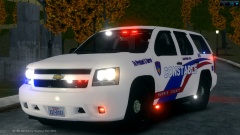 I am sure you find it completely acceptable to post this in your own forums, but on LCPDFR.com we remain proffesional. You could have easily said the same constructive thing, without the abuse. Next time, think before posting. Just because you may be right, does not give you the right to act abusive.
 -
MODERATOR NOTICE Your thread has been moved to LCPDFR Discussion. The General & Miscellaneous Discussion section is a general purpose forum for all forms of miscellaneous discussion not catered for by any subject-specific forum.


