



BlueOrange
Members
-
Joined
-
Last visited
Everything posted by BlueOrange
-
There is a link to a YouTube video on the mods page. This is the video
-
Lightbars are not simple to convert. Its mainly the lighting system GTA V uses is more complex, and is just some polys moving backwards and forwards and increasing and decreasing in size.@F5544 created a topic with more information on the lights for GTA V http://www.lcpdfr.com/forums/topic/53854-exploring-custom-lightbar-gtav-siren-lightsels/
-
This is appropriate. https://www.youtube.com/watch?v=dYHVUrXOwbI
-
-
playing LSPDFR since I have backups of all old versions
-
 Sure I havent had a chance to update it since I have no money for a zmodeler license
- 7 comments
- 2 reviews
-
In the Vehicles.meta file the LOD distances for the car are increased. This means that you have to walk further to get to a lower LOD.
- 7 comments
- 2 reviews
-
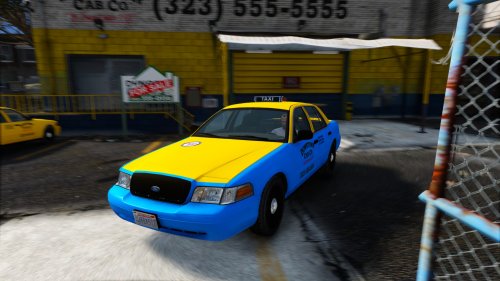
2008 Crown victoria taxi for GTA V by BlueOrange Changelog: 1.0: Initial Relase 1.1: Updated Vehicles.meta 1.2: Updated vehicles.meta, multiple liveries support Installation: Place all taxi files (taxi.yft, taxi.ytd, taxi_hi.yft, taxi_hi.ytd) into x64e.rpf > levels > gta5 > vehicles.rpfPlace vehicles.meta file into update > update.rpf > common > data > levels > gta5 -- If you have already modified your vehicles.meta, inside the vehicles.meta FOLDER there is a .txt file with the settings for the taxi. -- Put them in your vehicles.meta Thanks to Cj24 for allowing me to convert and release this model for GTA V. If you want to make a reskin, a template is included in template folder. Credits: - Converted to GTA V from IV by BlueOrange - Skin by BlueOrange - Model is Ford Crown Victoria from Driver SF, converted to GTA IV by F5544, modified by KevinDV and Cj24. - Wheels from NFS:MW and converted by trewq34, Textures by GreenAid. - Honeycomb Grill made by KevinDV, Steering Wheel by EVI.
- 7 comments
- 2 reviews
-
-

- 1
-
-
-
Vehicles.meta, it has to have the flag "FLAG_HAS_LIVERY" or something like that.
-
-
Im currently making a couple of callouts, but I want to give vehicle mods to a couple of cars that you chase. I have no idea how to do it. By vehicle mods, I mean engine, breaks, transmission, turbo, etc Thanks
-
*insert its happening gif here*
-
-
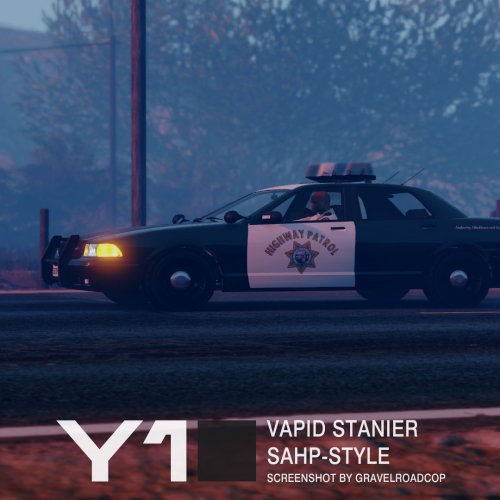 From what I have gathered, poly count doesnt matter in GTA V. I saw a screenshot on gtapolicemods where they had high poly antennas on the back of their crown vic.
- 53 comments
- 9 reviews
-
If it is a custom model, you have to UV map it in ZModeler. If it is a model which is already ingame, you still have to UV map it in Zmodeler.
-
-
-
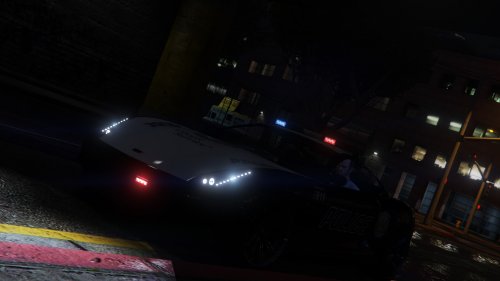 A police version of the massacro. Features: Fully UV Mapped skin Includes template Custom light textures Known issues: Dials in first person dont work, working on a fix Windows dont break -- All should be fixed in next update (couple of days)
- 5 comments
- 2 reviews
-
-
- 1
-
-
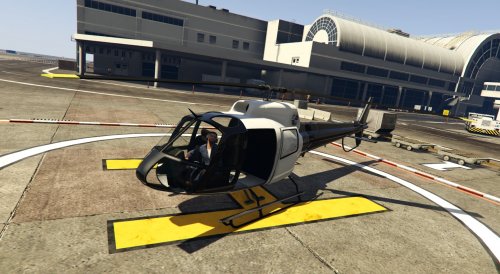 This mod is an edited version of the police maverick, which I presume is the 2nd gen version. This maverick isnt just a reskin. The rope attach points have been removed, aswell as the spotlight. Think of it as a decommissioned version.
 -
Maybe. I'll PM you.
-
Thanks. I have a semi video preview. The lights are bugged out and I am trying to fix it.
-
The car will be standalone OR replace a police car. It will be a choice, as some people might not know how to add a new car. I can add a pushbar. Just gonna look like a pile of shit on this, and I dont know if it will fit.
-
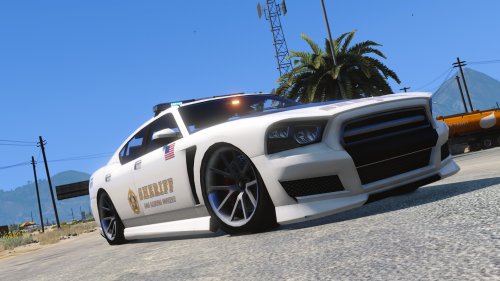
I recently started work on a Highway patrol jester. Some pictures are attached. Suggestions are welcome.
.thumb.jpg.a2e3b7e939dd8bdad3dd6fff6363af50.jpg)
.thumb.jpg.866a373e33e5f8535c0f93ad08f9067e.jpg)
-

.jpg.8339959d9e907c2d830f4a85890b4e4e.jpg)
.jpg.9d53cff7641adeb4b3522e1bf865df55.jpg)