


Piarulli246
Members
-
Joined
-
Last visited
Everything posted by Piarulli246
-
-
-
-
Thanks Firefighter, I don't really like bugs' cvpi since it is really high poly. I think the dsf is very nice.
- 39 comments
- 6 reviews
-
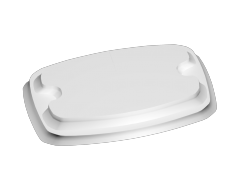
=============================================== Stealth Deck Bar =============================================== Felt I should release something for development since I never did before. It isn't the best since I made this very quick in 3ds for my Slicktop Caprice. I hope you enjoy and you will see more for me. Stealth Deck Bar Scratch Made by Foward Texturing by Trewq34 ADDITIONAL NOTES: This model is provided to you unlocked. Please credit properly and don't credit yourself for minor changes. So for example you move a vertice doesn't mean you "heavily modified" this lightbar. It fades away the original author(s) and makes it look like all work has been done by you. -Foward
- 2 comments
- 1 review
-
-

- 1
-
-
-
-
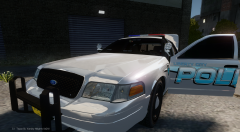 Available Here: '?do=embed' frameborder='0' data-embedContent>>
 -
================================================ ELS 8 Marked 2008 Ford Crown Victoria by Foward ================================================ Feel free to message me or comment on the download if there are any concerns/problems with this mod. Back you game up, I am not responsible for anything that happens to your game. Model Overview: Name: ELS 8 Marked 2008 Ford Crown Victoria. Version: 1.0. Light Bar: Code 3 21TR Other Lighting: Whelen, Code 3. Equipment: Antennas, Prisoner Divider, Panasonic Toughbook, Spotlights, Radar, Trunk Equipment. Multiple Liveries: Yes. Optimized For: [all] Status: Open Model - Model is Ford Crown Victoria from Driver SF, converted to GTA IV by F5544, modified by Cj24. - Wheels from NFS:MW and converted by trewq34, Textures by GreenAid. - Hubcap Rims by Bxbugs. - Honeycomb Grill made by KevinDV, Steering Wheel by EVI, HQ Interior fitted by trewq34. - Window Template by Foward -Code 3 21TR by Deco. -Whelen Dual Talon by Foward. -Whelen LIN3 made by Foward. -Whelen Raiders by Foward. -Light Texturing by RobertB -Whelen Ions by CommanderHurricane(Lccop) -Fire Extinguisher, First Aid Kit, Cones by Foward -Antennas by Foward -Caution Tape, Stop Sticks by CommanderHurricane(Lccop) -Par 46 Spotlights, Setina PB-200 Rambar by deco. -Panasonic Laptop by RidgeRunner. -Setina Cage by LifePak. -Radar by Bxbugs123. Additional Notes: Assembled by Foward Skins by Thehurk https://www.youtube.com/watch?v=DtrHaKg18nE ================================================================================================================ INSALLATION INSTRUCTIONS - SparkIV (by Aru) is required for installation. - Before proceeding, locate and BACKUP your vehicles.img file located in your ...Grand Theft Auto IVpcmodelscdimages directory. - Depending on what vehicle you plan on replacing, either preserve the names of the files provided or rename them according to the vehicle you intend to replace (all the while preserving the “.wft
- 39 comments
- 6 reviews
-
Oh not sure. I think windows bars are in the DEV section on here.
-
The download was taken down it seems like.
-
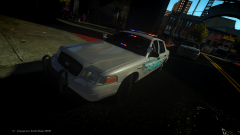 Hahahah "The Love Master" lol <3
 -
Shanks!
-
From the album: Foward's WIP
Releasing this tonight. -
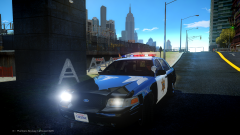 Nice Kevin!
 -
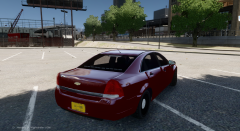 Yep.
Yep. -
-
Thanks Thanks Haha lol! :)
-
![Foward's 2012 Caprice! [WIP]](//s3-gallery.int-cdn.lcpdfrusercontent.com/gallery/album_2938/sml_gallery_25138_2938_1645086.png) Nope.
Nope. -
Niceee!
-
From the album: Foward's WIP
Featuring my new Stealth Bar which is going to be released unlocked. -
 I win:)
 -
Whelen M2 Super LED Lighthead.
-
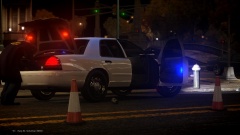 Nice picture. Always nice pictures.
 -
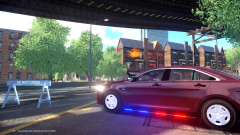 That is XBR's FPI.

![Foward's 2012 Caprice! [WIP]](http://s3-gallery.int-cdn.lcpdfrusercontent.com/gallery/album_2938/sml_gallery_25138_2938_1645086.png)
