


Piarulli246
Members
-
Joined
-
Last visited
Everything posted by Piarulli246
-

From the album: Foward's WIP
-
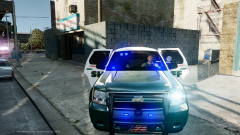 Thanks Firefighter!
 -
Thanks!
-
Good call. Well whenever I do release this I will have two versions with and without the dog because I don't use the K-9 script so if someone does they will have no dog. Thanks also.
-
So nice foward, love all of it, light set up is perfect too. Just wish it was traditional R l B, but that's just cause that's how I like em'. Nice car nonetheless though! Thanks and yes I know ya like R/B but deal with it :) You might have to get down because Kevin and McAwesome are wild.
-
From the album: Images by Foward
Everything scratch made by Foward(except spotlight, rambar, laptop, and truck) -
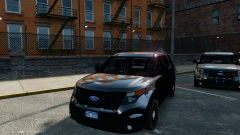 "The Hammer". If you know what I mean.
 -
From the album: Foward's Releases
Released so look around on some sites and you'll find it. -
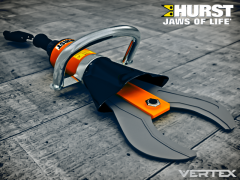 Or the tool or the hurst tool.
 -
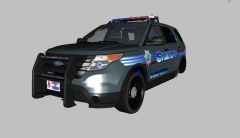 I think it is too much and looks a bit stupid. You have a full lightbar so why use an interior bar also?
 -
 Looks good so far Grant! Make some nice clouds too because I like when the sky looks nice in a game.
 -
 Thanks
 -
:P
-
From the album: Foward's WIP
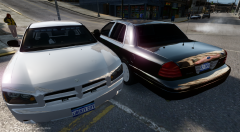
Made the Charger to match my CVPI. The Charger might have random spawning ALPRs and a Spotlight if I get around to making the ALPRs. Will be released soon. -
 How u do dis.
 -
 Lmao
Lmao -
You'll have to ask Kevin and McAwesome lmao.
-
Alright no need to spam it. We got it the first time.
-
You'll have to fight lol.
-
I like the look of the halogen idky. '' target='_blank'>> Thanks peeps!
-
-
From the album: Foward's WIP
Will be released on another site. -
 The model is not to be released. He could make a new one now with a different model and release it but I don't know what he wants to do.
 -
Marked CVPI: 66K Slicktop CVPI: 54K Unmarked CVPI: 49K It will differ depending on the model. The highest poly models will be the Caprice and the Taurus which will be around 99-110K since they're high poly to start off. The Taurus shouldn't be too bad but will be up close to 100K. I will keep everyone updated.
-


