


Piarulli246
Members
-
Joined
-
Last visited
Everything posted by Piarulli246
-
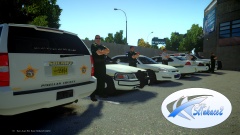 Don't think he is releasing.
 -
<3. I couldn't really answer the question since not that many people made ELS v8 cars yet. Not to be conceded but I think my car came out pretty nice and it has that trunk equipment which makes it very realistic for pictures.
-
-
-
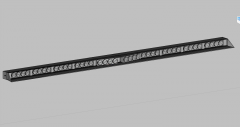 Thanks everyone.
 -
From the album: Scratch Made Parts by Foward
Scratch made this for my upcoming Slicktop Chevy Caprice. Might be released unlocked. Poly Count: 887 (w/o ELS) -
-
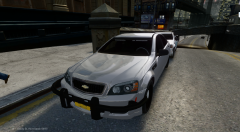 Thanks! I will have more pictures soon. I am scratch making a deck bar for the vehicle so if the bar gets done tonight then I will have more pictures up tonight.
 -
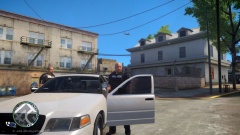 Nice picture but you should take your HUD and radar off so it doesn't ruin the picture.
 -
-
 Released here:
 -
 Released here
 -
![Foward's Caprice [WIP]](//s3-gallery.int-cdn.lcpdfrusercontent.com/gallery/album_2938/sml_gallery_25138_2938_339058.png) Lol nahh
Lol nahh -
Not sure yet bro.
-
Lmao sorry. I wanted to do this for a while:)
-
From the album: Foward's WIP
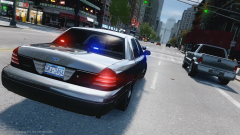
Early WIP as of now. If everything goes good I will release this thing. The fender wrap is under extra 10 so it spawns randomly. -
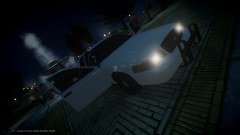
======================================================== ELS 8 Slicktop 2008 Ford Crown Victoria by Foward ======================================================== Feel free to message me or comment on the download if there are any concerns/problems with this mod. Back you game up, I am not responsible for anything that happens to your game. Model Overview: Name: ELS 8 Slicktop 2008 Ford Crown Victoria. Version: 1.0. Light Bar: N/A. Other Lighting: Whelen, Sound Off. Equipment: Antennas, Prisoner Divider, Panasonic Toughbook, Spotlights, Radar, Trunk Equipment. Multiple Liveries: Yes. Optimized For: [all] Status: Open Model - Model is Ford Crown Victoria from Driver SF, converted to GTA IV by F5544, modified by Cj24. - Wheels from NFS:MW and converted by trewq34, Textures by GreenAid. - Honeycomb Grill made by KevinDV, Steering Wheel by EVI, HQ Interior fitted by trewq34. -Whelen Dual Talon by Foward. -Whelen LIN3 made by Foward. -Sound Off Intersectors by Foward. -Whelen Raiders by Foward. -Whelen Ions by CommanderHurricane(Lccop) -Fire Extinguisher, First Aid Kit, Cones by Foward -Antennas by Foward -Caution Tape, Stop Sticks by CommanderHurricane(Lccop) -Par 46 Spotlights, Setina PB-200 Rambar by deco. -Panasonic Laptop by RidgeRunner. -Setina Cage by LifePak. -Radar by Bxbugs123. Additional Notes: Assembled by Foward License Plates by Cj24 *Please Note: In the video the reverse lights have strobes but I switched them with flashing coronas. It looks way better:) ================================================================================================================ INSALLATION INSTRUCTIONS - SparkIV (by Aru) is required for installation. - Before proceeding, locate and BACKUP your vehicles.img file located in your ...Grand Theft Auto IVpcmodelscdimages directory. - Depending on what vehicle you plan on replacing, either preserve the names of the files provided or rename them according to the vehicle you intend to replace (all the while preserving the “.wft
- 31 comments
- 10 reviews
-
-
What's so funny?
-
Well since I was working on this before ELS v8 came out it has some lights where it didn't matter where they were since the doors did not open when the lights are on. If I were going to release what I have now it would not be optimized for ELS v8. If you opened the doors there would be floating lights flashing. Like I said, it is just better to start over again.
-
It would be kind of unrealistic since in real life you don't just have a key to press to shut down a car. But if you want to do it then whatever but IMO its unrealistic.
-
So after thinking for a little, I decided I was going to redo the pack again but with some different touches. I think it will be better to redo it since ELS v8 has more features and I can now use the coronas which will look better. I might change things also but not sure what I want to do yet. Sorry for the wait but I think it will be worth it and many people will like this pack. Thanks for the support!! <3
-
Thanks bro!
-
Yea. I just need to give it to my tester to see if everything is good. Everything should be fine for release tonight.
-
From the album: Images by Foward
To be released tonight. Sorry for the delay, was a little busy :)


![Foward's Caprice [WIP]](http://s3-gallery.int-cdn.lcpdfrusercontent.com/gallery/album_2938/sml_gallery_25138_2938_339058.png)