


Piarulli246
Members
-
Joined
-
Last visited
Everything posted by Piarulli246
-
-
 But is very high poly.
 -
For now it just looks like a cylinder. The glass and the LED should be smaller and a little smaller height wise and then a little bit fatter. Also there is not much detail also. I would work on it a little more, I am sure you can make it nice.
- 7 comments
- 2 reviews
-
 I think he was using the ugly NFS model before.
 -
 You will soon man, very soon! :)
 -
Nice pictures!
-
 Really doesn't. Nice picture btw McA!
 -
So irrelevant to the picture dude. PM him if you want to talk.
-
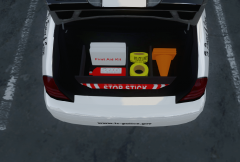 You wish dude
 -
![[TEASER - DAY #5] "Medical run"](//s3-gallery.int-cdn.lcpdfrusercontent.com/gallery/album_547/sml_gallery_2101_547_381900.png) This looks like it is going to be good. Wish you the best of luck on this script, I bet it will be awesome!
This looks like it is going to be good. Wish you the best of luck on this script, I bet it will be awesome! -
She is better than my vehicle!
-
Nope.
-
From the album: Foward's WIP
-
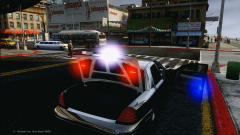 </3
</3 -
From the album: Foward's WIP
Added Things: Interior Door Lights Spotlights Radar Panasonic Toughbook Setina Cage Antennas Might be released tonight or tomorrow. -
-
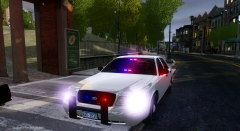 :)
:) -
Thanks ed. Imma add a bunch of equipment today.
-
It is awesome and a little difficult at the same time but I'm glad you enjoy.
-
From the album: Images by Foward
For Release! Most likely tomorrow or Tuesday. -
So as you all probably know ELS v8 came out yesterday. ELS v8 is very awesome with all these new features but it makes some things difficult now. Now that v8 has damage it makes the lights on the door and mirror that I put in my vehicles floating when the doors are open. I am going to have to make some changes to all the vehicles. Change #1: Making the Intersectors ELS open with the door- The marked version will no longer have the Intersectors. The slicktop versions will have them but under extra_7 & extra_9 so that will make it able to go under the door it goes with. Change #2: Will have to make a change to the door lights on the slicktop so they are not floating. Will probably find a place to connect it to the body so it doesn't move with the door. If there are anymore things to change I will find them but for now that is it. Have fun and enjoy ELS v8!
-
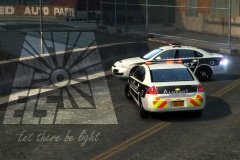 Yea the are the same. Just used my vehicles that are optimized for 7 but worked fine.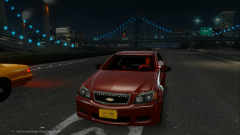
From the album: Images by Foward
Check this out: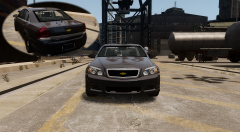 Who's model? Pretty sketchy.

![[TEASER - DAY #5] "Medical run"](http://s3-gallery.int-cdn.lcpdfrusercontent.com/gallery/album_547/sml_gallery_2101_547_381900.png)

