




Bxbugs123
Members
-
Joined
Everything posted by Bxbugs123
-
.thumb.jpg.54f04afcd6ae69e17f1388b62a696d8b.jpg) This work is licensed under a Creative Commons Attribution-NonCommercial-NoDerivatives 4.0 International License. By downloading this file you agree to the TERMS OF USE AND DISTRIBUTION, If you can not abide by those terms then do not download this file.
This work is licensed under a Creative Commons Attribution-NonCommercial-NoDerivatives 4.0 International License. By downloading this file you agree to the TERMS OF USE AND DISTRIBUTION, If you can not abide by those terms then do not download this file.- 68 comments
- 29 reviews
-
-

- 16
-
-
.thumb.png.e88f1892e13ddb98db35e668d465c34b.png) As for the screen lighting up try using my RADIANCE V mod should fix this problem. It should work fine over "police2" slot what slot are you putting it over ? Be sure you are installing it properly, as fr the preview in OpenIV that is nothing your doing wrong.
As for the screen lighting up try using my RADIANCE V mod should fix this problem. It should work fine over "police2" slot what slot are you putting it over ? Be sure you are installing it properly, as fr the preview in OpenIV that is nothing your doing wrong.- 182 comments
- 44 reviews
-
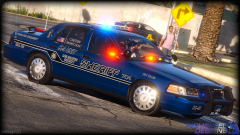
-
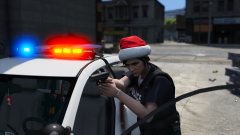 loser
loser -
Try this be sure to have your Post Fx on high or very high. http://www.lcpdfr.com/files/file/9357-radiance-v/
-
Try this it may help. http://www.lcpdfr.com/files/file/9357-radiance-v/
-
 I don't think that is this mod i think it's PLD doing it if you have that installed.
- 337 comments
- 70 reviews
-
Your Post Fx doesn't seem to be working properly as your emissive textures do not have any bit of glow on them. Try using one of the settings files within the Radiance V.
-
Yes you can add in this car as an added vehicle to the game just be sure to change "police3" in the carvariations.meta to the vehicle name you will adding it to. Yes this will work over the Police Buffalo.
- 182 comments
- 44 reviews
-
It will work in both slots, again be sure that your carvariations is installed properly when using slot "police3"
-
-
-
-
Prophet was using it in his video below. https://www.youtube.com/watch?v=rHDc9dteuAw
- 337 comments
- 70 reviews
-
-
-

- 3
-
-
This work is licensed under a Creative Commons Attribution-NonCommercial-NoDerivatives 4.0 International License. By downloading this file you agree to the TERMS OF USE AND DISTRIBUTION, If you can not abide by those terms then do not download this file.
- 337 comments
- 70 reviews
-
-
-

- 89
-
-
You put in the wrong slot be sure to change the slot in the carvariations.meta. read the readme for it.
- 182 comments
- 44 reviews
-
-
- 2
-
-
Not sure what you mean it's all working fine for me. All the same skins are on it from the older version. Opening the YTD still works & you can replace textures still.
- 182 comments
- 44 reviews
-
-
- 1
-
-
-
-
-
-
There is a topic on this already check it out here. http://www.lcpdfr.com/forums/topic/54282-check-out-els-for-v/
-
-
 You know you love it.
 -
From the album: Bxbugs123's V Images
© HighSpeed Designs

.thumb.jpg.54f04afcd6ae69e17f1388b62a696d8b.jpg)
.thumb.png.e88f1892e13ddb98db35e668d465c34b.png)
