




Bxbugs123
Members
-
Joined
Everything posted by Bxbugs123
-
-
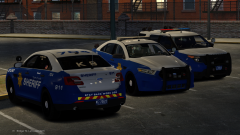 kek nice skins you made.
 -
If you would like the bootstrapper error to go away and continue using FiveReborn via Direct Connect as Albo said, do the following. Make a new Text Document within your FiveReborn folder & name it "FiveReborn.exe.dev" Thanks @Prophet & Kaner.
-
-
.thumb.jpg.6c80ecc7060134b39a0d153a8d09ac1f.jpg) Yes that dlcpack is custom & only that vehicle should be in it & it overlays all the rest but the fact there is only one vehicle in it will only overlay that slot being used.
Yes that dlcpack is custom & only that vehicle should be in it & it overlays all the rest but the fact there is only one vehicle in it will only overlay that slot being used.- 107 comments
- 24 reviews
-
.thumb.jpg.61de846de400ca98f85d205992527de1.jpg) So this is no longer occurring ? if so can you send me a copy of the log file. You can just change the .oiv file extension to .zip & open it with WinRaR or 7zip.
So this is no longer occurring ? if so can you send me a copy of the log file. You can just change the .oiv file extension to .zip & open it with WinRaR or 7zip.- 265 comments
- 83 reviews
-
-

- 1
-
-
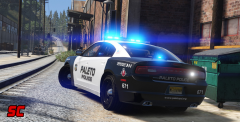 Go ahead it's okay you can give it to him.
 -
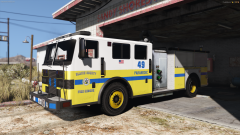 No Caine did not base it off Yard's skins, that firetruck design has been on my fivereborn server for months now.
 -
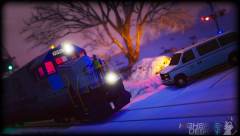
From the album: Bxbugs123's V Images
© HighSpeed Designs / HighSpeed Gaming
-
Within the default vehicles.meta file under "police2", Replace this code. <requiredExtras /> With this code. <requiredExtras> <Item>EXTRA_1</Item> </requiredExtras> Or This <requiredExtras>EXTRA_1</requiredExtras> this should work never tried it tho. With the vehicles.meta file, find FBI & change this line "<audioNameHash />" To this <audioNameHash>police4</audioNameHash>
- 107 comments
- 24 reviews
-
-
- 1
-
-
You would edit the vehicles.meta under that slot look for "handling" In your vehicles.meta file you need to add "FLAG_EXTRAS_STRONG" for FBI.
- 107 comments
- 24 reviews
-
-
- 1
-
-
The game right now is limited to only 4 extralights, 2 in the headlights, 2 in lightbar.
- 107 comments
- 24 reviews
-
-
-
If you would like to use this vehicle under another slot beside's police2 all you need to do is export the carvariations.meta in "bxchgr2" dlc.rpf after installing the version you want, open it with notepad/notepad++ change "police2" to the slot you want. 2nd rename the vehicle files to that slot within the vehicles.rpf in that dlc_pack It still uses the default one. This has been fixed with the latest version, just delete "bxchgr2" dlc folder from your x64/dlcpacks folder & install the latest version.
- 265 comments
- 83 reviews
-
-
- 1
-
-
Fixed, next time try & use the carcols that come's with the vehicle. Made it so it will also work with the default SirenSetting's 1 that FBI uses. This has all been fixed now, just delete all the custom DLC's of the latest chargers & re-install them. Thank you for the feedback.
- 107 comments
- 24 reviews
-
-
- 1
-
-
The reason why is because people don't seem to install the metas or carcols edits correctly so the lights don't work properly. This install doesn't replace any metas to mess up it just adds to your dlc_packs so when you want uninstall just delete the dlc folder "bxrxchgr".
- 107 comments
- 24 reviews
-
-
- 4
-
-
Be sure to use the installer as this uses a custom line within carcols, if you are having problems with the installer report it here & i will get back to you momentary. If you would like to use this vehicle under another slot beside's "FBI" all you need to do is export the carvariations.meta in "bxrxchgr" dlc.rpf after installing the version you want, open it with notepad/notepad++ change "FBI" to the slot you want. Rename the vehicle files to that slot within the vehicles.rpf in "bxrxchgr"
- 107 comments
- 24 reviews
-
-
- 3
-
-
This work is licensed under a Creative Commons Attribution-NonCommercial-NoDerivatives 4.0 International License. By downloading this file you agree to the TERMS OF USE AND DISTRIBUTION, If you can not abide by those terms then do not download this file.
- 107 comments
- 24 reviews
-
-
- 22
-
-
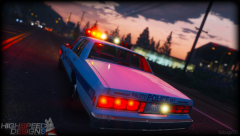
From the album: Bxbugs123's V Images
© HighSpeed Designs
-
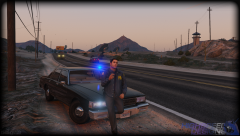
From the album: Bxbugs123's V Images
© HighSpeed Designs / HighSpeed Gaming
-
.thumb.jpg.bfad1c193dd40b9d539eefd7c5187a5a.jpg) If you would like to use this vehicle under police then sheriff all you need to do is export the carvariations.meta in "bxliberty2" dlc.rpf after installing the version you want, open it with notepad/notepad++ change "sheriff" to police. 2nd rename the vehicle files to that slot in the vehicles.rpf in "bxliberty2"
If you would like to use this vehicle under police then sheriff all you need to do is export the carvariations.meta in "bxliberty2" dlc.rpf after installing the version you want, open it with notepad/notepad++ change "sheriff" to police. 2nd rename the vehicle files to that slot in the vehicles.rpf in "bxliberty2"- 157 comments
- 46 reviews
-
-
- 1
-
-
If you would like to use this vehicle under another slot beside's sheriff all you need to do is export the carvariations.meta in "bxliberty2" dlc.rpf after installing the version you want, open it with notepad/notepad++ change "sheriff" to the slot you want. 2nd rename the vehicle files to that slot.
- 157 comments
- 46 reviews
-
-
- 1
-
-
This work is licensed under a Creative Commons Attribution-NonCommercial-NoDerivatives 4.0 International License. By downloading this file you agree to the TERMS OF USE AND DISTRIBUTION, If you can not abide by those terms then do not download this file.
- 157 comments
- 46 reviews
-
-
- 31
-
-

.thumb.jpg.61de846de400ca98f85d205992527de1.jpg)
.thumb.jpg.6c80ecc7060134b39a0d153a8d09ac1f.jpg)
.thumb.jpg.bfad1c193dd40b9d539eefd7c5187a5a.jpg)
.thumb.jpg.30de2cdd6bdce371d029c527c67ad196.jpg)