


Sentinel55
Members
-
Joined
-
Last visited
Everything posted by Sentinel55
-
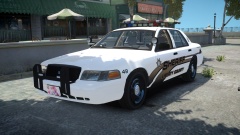 Yes, it's the DSF version. Just a quick information, I'm not going to work with schaeffts model anymore! In every picture I'll upload in the future you can see the DSF CVPI. Thanks a lot by the way! :)
 -
Sure, you'll just have to wait a few months.
-
From the album: Work In Progress IV
Thanks again for the suggestions! - Rambar spawns randomly - Skin made by Reibu -
Try attaching the window bars to the rear doors. Make sure to attach the right bar to the right door!
-
Yes, try to move the window bars into the windows menu. It should work this time! ;)
-
Move the window bars below the actual window in your hierarchy and it should be fine.
-
I'm using my PS3 Controller at the moment, but I want to buy a steering wheel for Gta 5.
-
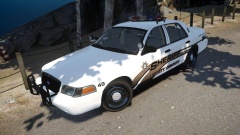 No, just no. I don't think that I will ever upload a 2006 Impala. I'll leave that to others.
 -
I guess I know what I'm doing next. Thanks for the suggestions everyone!
-
Happy birthday!
-
I will think about it, thanks for your suggestion. And yes I know, it's the CHP Vision. I'm going to change it, don't worry!
-
From the album: Work In Progress IV
The second car that I want to upload in an "Old School" Sheriff pack. Any suggestions for a third one? - Rambar spawns randomly - Skin made by Reibu -
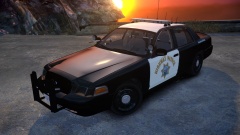 Since the last picture? The antennas are better, the pushbar is better, and I've added little flags to the door windows. But even if not, It's my car and my game. I can upload as many pictures as I want to!
 -
Yes, I`m working on it for a few months already.
-
From the album: Work In Progress IV
WIP Should be finished by the end of this month!!! -
Der Loader.Loader kommt meiner Erfahrung nach nur wenn man LCPDFR falsch installiert. Versuche es einfach nochmal. Und zwar richtig.
-
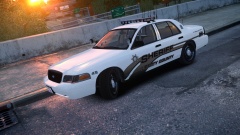 Thanks a lot, I appreciate it!
 -
Thank you! :)
-
From the album: Work In Progress IV
WIP - Rambar spawns randomly. - Skin made by Reibu -
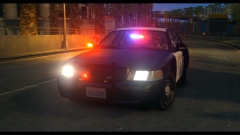
From the album: Work In Progress IV
WIP -
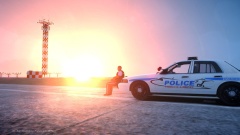 You are a really good skinner! I love all of your skins! Awesome picture by the way!
 -
Herzlichen Glückwunsch LMS!!! Vielen Dank für deine großartige Arbeit! Ich hoffe du hattest einen schönen Tag!
-
-
He had overlooked the end of the road.
-
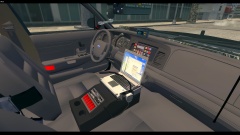 Thank you! And thanks again for the link! :)


