


Sentinel55
Members
-
Joined
-
Last visited
Everything posted by Sentinel55
-
My neighbour almost killed himself, I guess It's right that there is a limit even for cyclists.
-
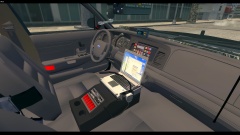 The real LCD display alternates between the current radio status and an arrow to show that the traffic advisor is activated. My display shows that the traffic advisor and the "Front Red" steady burns are activated. Thank you by the way! I guess I will remove the red switches.
 -
Thank you!
-
From the album: Work In Progress IV
Based on: https://www.flickr.com/photos/mikesphotos_us/5162944234/in/photostream/lightbox/ -
You're welcome!
-
No, it's exactly the same.
-
All you have to do, is moving the blue siren dummy boxes down on the Y axis.
-
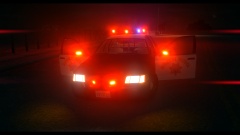 Haha, thanks man! ;) Yes it's the D:SF model.
 -
From the album: Work In Progress IV
Yes, I'm still alive. -
-
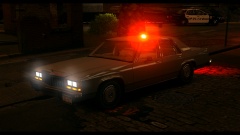 I don't know. I'm not really into modding at the moment.
 -
Gta iv has two different savegame folders. It depends on your asiloader. The first one is here: C:UsersUserDocumentsRockstar GamesGTA IV and the second one is here: C:UsersUserAppDataLocalRockstar GamesGTA IV
-
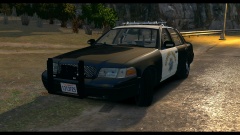 Thanks! Yeah I know, I'm going to fix it.
 -
From the album: Work In Progress IV
Park Light Mode Traffic Stop Mode -
-
-
-
-
Thanks to McAwesome6934 for making another awesome video!! And many thanks to GeorgeJetSam for helping me out! Hey, this is the DSF version of my LASD pack that has been released earlier this year! As last time: This pack is way better than the old one! - This pack tries to be as real as possible! - This pack is optimized for light enhancing mods. - If you find any bugs, have a question or just want to talk to me feel free to pm me! - Do not upload the pack without my permission! - Do not edit content of this pack without my permission! Video:
- 21 comments
- 16 reviews
-
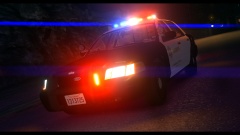
From the album: Work In Progress IV
WIP -
It looks like a Whelen Inner Edge Rear Facing Lightbar.
-
Yes I'm pretty sure! It works great for me.
-
Maybe, I haven't tried it yet. No It's not possible to change animations with the save editor.
-
Nope, sorry!
-
I don't have a picture with his hat sorry. No, I don't think that Trevor has the uniform. But maybe I'm wrong, I haven't tried it. Yes you can add them. I forgot it, it looks way better with patches.


