




Pavy
Members
-
Joined
Everything posted by Pavy
-
"[WARN] Invalid vehicle or ped data for StatePatrol" You have a corrupt ped or vehicle for StatePatrol, OR the configuration is incorrect in your backup xml file. I'd recommend reinstalling ultimate backpack cleanly.
-
Update your ragenativeUi, it goes in main gta directory https://github.com/alexguirre/RAGENativeUI/releases
-
You crashed because you did something relating to weapons, weapon skins, or ammo count. As if you used a trainer and gave yourself all weapons? Remove all weapons before going on-duty and try again.
-
Like I said above, use the EUPFR Basic Folder
-
Download and install this, use the EUPFR Basic Folder
-
Update?
-
The vehicles models themselves must be els vehicles and you must put the els .xml files they come with into Grand Theft Auto V\ELS\pack_default Also make sure the carcols.ymt and carvariations.ymt were installed if provided. Inside stoptheped config there are these settings you can change // The siren light and sound setting for prisoner transport // Please be aware that in ELS vehicles, if you enable the siren light, the siren sound can not be disabled (ELS limitation) PrisonerTransportSirenLightsArrive=yes PrisonerTransportSirenLightsDepart=no PrisonerTransportSirenSoundArrive=no PrisonerTransportSirenSoundDepart=no And in ultimate backup config there are these settings you can change // Set to "yes" or "no" to set the state of siren lights during Code 2 situation. // By default, code 2 siren sound is set to silent by this plugin. // But there's a limitation on ELS car, if the plugin turn on siren light without sound, the ELS car model will still play the sound. // If you are using ELS car and you want a silent Code 2, set this to "no". IsCode2SirenLightsOn=yes
-
That doesn't make sense, it just means you did it incorrectly the first time. Mark Hendrik's answer as the solution.
-
Upload your RPH log
-
I thought it was the world events lspdfr cfg as well but you already changed it to 0. Here's a breakdown of what the parameters do.
-
The next thing you can do is remove all lspdfr plugins but keep the base of lspdfr itself. Play for a bit then 1 by 1 add plugins and see which is the plugin causing it
-
Share your lspdfr.ini file
-
Eup L&O and ultimate backup don't share the same files so it doesn't matter which order.
-
Yes you need to use the exact vehicle model name[spawn code] and you can use that.
-
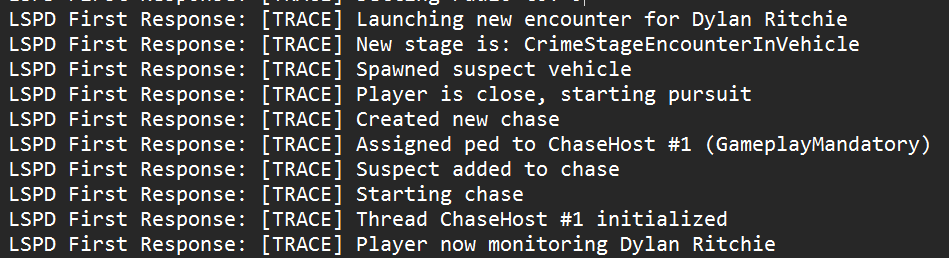
I believe its this. Yeah Rich's plugin has no ambience but something to do with pursuits and its very outdated, so it's worth removing it and checking if it continues
-
Try reinstalling The eup pack, please use the .oiv installer
-
Try removing RichsPoliceEnhancements If it happens again, upload your rph log
-
@PudraAU Try these 2 things. Go to openiv>tools>asi manager, uninstall asi loader and openiv.asi then install them again. Test the game. If that didn't work then you must install these. If the installation says repair then click repair. https://www.microsoft.com/en-us/download/details.aspx?id=48145 https://www.microsoft.com/en-us/download/details.aspx?id=48130
-
You marked this as the solution to the thread lol
-
Wow didn't realize that, I use adblocker. Why would bejoijo do that... @Eduardo09011 Use Ublock Origin or Adblock
-
Belts look very similar to each other, but if you want it to work for that belt then you need to edit CopHolster.xml
-
Download Ultimate Backup from https://www.bejoijo.com/ There will be a file called defaultregions.xml in \Grand Theft Auto V\Plugins\LSPDFR\UltimateBackup Edit that to your liking with which peds you want, what they wear, their weapons, and vehicles etc.
-
It's the cop holster plugin withdrawing the taser from the belt
-
Reinstall callout interface
-
You might've used an automatic installation into openiv where it does the work for you quickly. That's called an openiv package installer. If you saw a big car pack for example and it had a file ending in .oiv that's an automatic installer that might have contained the carcols/carvariations files. Or maybe you did it manually following a text document's instructions one day and probably forgot you edited it


