


NickieB
Members
-
Joined
-
Last visited
Everything posted by NickieB
-
I made two of these 3 cars and Hilth made the other one. The CVPI is on here(2 versions), check my files, the Charger is on GPM in all blue Ohio state setup as well as red/blue. The Tahoe is on here to I think under Hilth's files
-
I didn't play it yet when the servers were still active so I never got to experience that. Just play on private small servers now or connect to another person. Nice 777 in those above photos, LOVE that plane. It was a little expensive but worth every penny I thought
-
Oh, yea your welcome. You can edit the key binding for it in the settings if you'd like it set to something else. I think its under "capture screenshot" but just look for whatever is mapped to V. I'm not sure about bandicam capturing the border or not. I don't play in windowed mode and I've never used Bandicam so I wouldn't know either way.
-
What? A police car mod for FSX? Why would anyone need that. The only thing I could see it being used for would be the cars that drive on the road but you see those for a matter of seconds when flying over. I don't even have them turned on Back on topic - ford4ever, is that the Project Airbus in your first photo? I have it and always meant to learn to fly it but I just cant seem to pull myself away from PMDG and Boeing's, I know the 737NGX and 777 so well and it took forever to learn everything that I can't imagine doing it all over again lol
-
You probably knew this but just push V in the game to snap a screen, its like a built in fraps, thats how I take all of mine. They save automatically to a Microsoft Flight Sim X folder in your pictures folder.
-
Cool to know others play this too. I've been waiting to show off some screens. I have a lot more if you guys want to see them just let me know... Enjoy! Graphic mods include, multiple scenery's, ORBX Global, REX 4 Texture Essentials (some photos are older and I'm using a older version of REX in those), FS Global Weather. Graphics sliders are at about 80% with decent frame rates. Some of the aircraft pictured: PMDG 777, Carenado Beechcraft 1900, Carenado C90b, F18, Carenado 208B HD with G1000 displays. I don't remember the exact locations of everything, I'll post it by the photos if I know it. No editing or enhancing has been done to any of the photos. Online F-18 flight over the Grand Canyon with Strikeeagle345 and Raptor422 PMDG 777 Taxiing to leave Miami for Birmingham Carenado B1900 over Brazil Carenado B1900 over Sochi, Russia in bad weather, thunderstorms/rain/moderate winds Carenado B1900 approach into KLAX Carenado Mooney Bravo flight from Saint Maarten to St Barts with Raptor422 Carenado C208B G1000 over Alaska C90B over Alaska Early morning flight from KLAX to Catalina (B1900) Unknown I fly with a Saitek yoke, 2 Saitek throttle quadrants and Saitek combat rudder pedals. Recently purchased this setup over the course of 2 months and I couldn't be happier with it. Brings a entire different aspect into the game with the right equipment.
-
-
-
Its not a texture, thats why you can't find it because it doesn't exist. Its a problem with the material, thats why it says "in material". So basically your missing the shader configuration for the "ws_marble1 gta_spec_const" material". If you look through the materials you'll find one named that and the shader config needs to be corrected for that material. The car will still work if you don't fix this but if you want to there is a whole thread on the zmod forum explaining materials and the shader settings/names
-
Not much more you can say than "its done when its done" or "you''ll get an update when there is a update to give". NicolaiB has always posted videos of updates that get a lot of attention so he's the one to watch for any info to do with 7.1. I'm sure some people do know info about it but they aren't going to talk.
-
and the car looks great man! Not to many floating around with this lightbar so people should be happy
- 12 comments
- 6 reviews
-
-
You don't have to add anything more than xxx_sign_1 to the materials. Zmodeler doesn't use the rest of them, only the game does, so there really isn't a need to import all 4. I usually will import xxx_sign_1(the template) and then xxx_sign_2 and I'll make that a grey texture and apply it to the "paint3" in the materials. I find it easier to work on the car and place things with a off white or grey texture on the car. If you choose to do this the next thing is important, **When you export the car you need to change the "paint3" back to xxx_sign_1 otherwise if you leave sign_2 in there it will only read the texture in the sign_2 spot.** I know you said its solved but I just wanted to reply to this and clarify
-
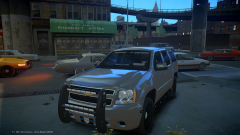 I think it needs a few more lights on the front of the rambar buddy :P
 -
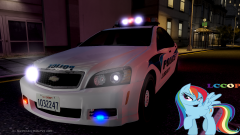 Not bad. Personally I don't like the old Vector SL, should have used the new SLR. I think it would have made the car sleeker but its still looks good
 -
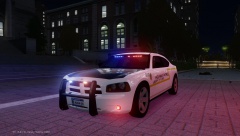 Cars looking good, not sure if I like the skin though. Have you thought about using the 2010 tail lights? INteresting light setup in the rear window, a lot going on haha
 -
Which ones? The ones next to the siren speaker are Whelen IONs and the ones on the top cross bar are TIR3s. Either way, both were made by me and neither are available publicly. You can get a TIR3 in EVIs unlocked whelen Liberty but it doesn't have a housing or anything
- 20 comments
- 4 reviews
-
I just made this skin for my Caprice, well its loosely based on it. The "police" and "titusville" need to be skewed(angled) and then it will be pretty close.
- 3 comments
- 1 review
-
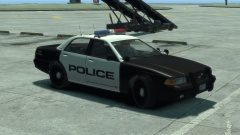 Based on, well based exactly on the Los Angeles Airport PD. Looks good
 -
a) you would just need to know the file name of one of the barriers used by policehelper b) yes its possible to make, super easy actually. I don't know if you know how to model (i'm assuming you don't since your asking) but its something that could be made in 30-45 minutes, probably less. Thats as far as the modeling goes, I don't know what else would be involved to get it into the game meaning I don't know if other stuff has to be done, I've never imported or created a barrier. I would assume it would just need collisions though.
-
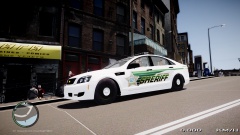 ALL... MY... FRIENDS.....DRIVE A LOW RIDER.....
 -
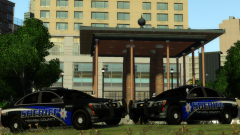 Exactly, I don't understand it either. I also wouldn't join based on models, models are cool but if the people your playing with are total nut cases your not going to stick around long. If you get one disgruntled member with a few clicks they can share the model with others. Nothing against you or your clan XBR, if you want to do that its perfectly fine. I'm just saying in a general way.... I feel a little better its not for public, you wont steal all my thunder :P haha. Is that lccops/hilth/GTAboss's Caprice?
 -
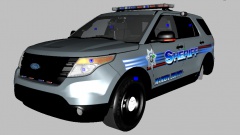 I'm not telling them, I'm telling you because they aren't the ones posting pictures on here showing a future release. If I download a model from somewhere I don't expect that person to fix the issues, if they released it with problems then I fix them. Especially if they were generous enough to release it unlocked. So just fix them. Like Dillon said If you release it with those problems I think you would know by now that people are going to complain. So better to fix it now and avoid the hassle later. Also the photos you posted with the fog lights and mirror markers are from the 2010, which as far as I know never made it onto the street. Now you were advertising a 2013 so I responded as such. Call it a 2010 and then you don't have to worry about fixing anything. I don't want a flame war or a argument but when you post a smart comment saying "Go and tell the people who made the model" well I'm going to respond in the same manner. I was just trying to help the first time since like Dillon pointed out your saying its a '13 but the pictures show something different.
 -
LIES! PURE LIES! Clearly a stab at trying to upstage my release! :) jk, although it does look strikingly similar to my WIP
-
Looks like one but either way its not the correct interceptor steel rim. You should really fix the mirrors, the interceptor units dont have the turn signals on the mirrors. Nor do they have fog lights


