




Illusionyary
Members
-
Joined
-
Last visited
Everything posted by Illusionyary
-
I'm not sure about changing the ELS.ini controls since I don't use V6 anymore but I guess it's possible. Back when I used ELS V6 I changed the in-game horn key to H rather than G, that did the trick.
-
I did a quick search and only came up with two NYSP models. CVPI: http://gtapolicemods.com/downloads.php?do=file&id=660 Tahoe: http://www.gta-modding-chest.com/database/65-2012-chevrolet-tahoe-new-york-state-police-els/index.html However, as mentioned by Break, you can always edit the Lightbar colours. Since the NYSP use the Whelen Liberty there are plenty of models you could edit into NYSP.
-
After the Rockstar logo's have popped up and the Social Club window appears, go to options and then game. I think there's a Load/Start New Game option in there.
-
Damn. The only thing I can think of doing is re-installing the game, as annoying as that is; that should solve it for good. Just remember to not save the game whilst on duty next time, and also make a backup of your GTA IV folder so you can quickly revert back to an unmodded (working) version of the game.
-
That's the problem. Unfortunately you'll have to delete your save-game and start a new game; that should solve it.
-
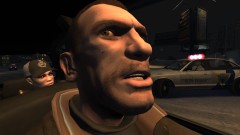 Lol true, I wasn't sure how to put his accent into text xD
 -
-
-
You didn't happen to save the game whilst on duty with LCPDFR or save the game with modded cars in the parking area did you?
-
"WHAT'D YOU SAY B*TCH?!"
-
I see you're using EFLC so you most likely did not install Radiance Mod correctly. You need to copy the visualsettings.dat and timecyc.dat files to the TBOGT and TLAD folders too for the mod to work correctly, if not, you'll get the white lights issue.
-
I have way too many favourites to list so I'll just put down a genre. Nightcore
-
Yes it is. Fonia5 made one. Click me!
-
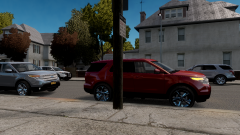 The red one has it's indicator on! (lol)
 -
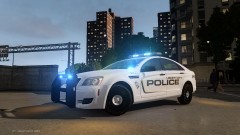 Damn that thing looks good with all blue lights.
 -
Very interesting indeed, but from the topic title I thought you meant this:
-
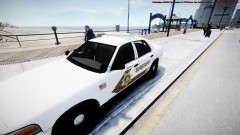 Beck is using a different model to the one JM used. Also, this is going to be a pack featuring a few different vehicles; not just the CVPI. How do I know this? I'm making the skins lol...
 -
Due to my crappy Australian internet, I prefer a disk copy. As mentioned by Harper, it's just quicker to install. It took me about 7 hours to download ArmA 2 through steam so I'd hate to see how long it takes to download GTA IV. This disk isn't hard to find over here, there's always a bunch of copies for PC in several stores but that's probably because nobody can afford a custom rig here because they're too damn expensive.
-
![[WIP] Ford E-450 Ambulance](//s3-gallery.int-cdn.lcpdfrusercontent.com/gallery/album_1565/sml_gallery_65185_1565_65779.jpg) I really like the look of this Ambulance, the Streethawk suits it perfectly.
I really like the look of this Ambulance, the Streethawk suits it perfectly. -
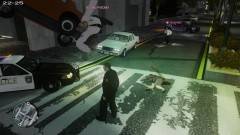 "Err dispatch, we just had a major 10-50 here involving an officer. Roll meds."
 -
Nah, they aren't in my state. Those cars are on the other side of the country. It's quite difficult finding pictures of police cars from my state since it's not as "popular" as the other states, even though it is the biggest state. I rarely see the Highway Patrol since I don't live in a rural area, and that's where they are mostly based. I have seen a few of the concept cars though, I love the lighting setup on them.
-
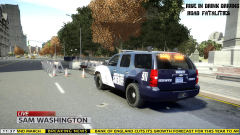 I think I've started a crave with my extremely basic news report picture lol...
 -
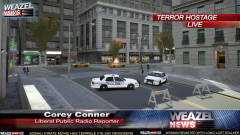 My textures! :D
 -
It's here: http://www.lcpdfr.com/crimestats/user/83521/
-
GIMP is confusing, but so is Photoshop. Your best bet is to get familiar with a certain program and stick with that, I myself am familiar with Photoshop CS6 so I use that.


![[WIP] Ford E-450 Ambulance](http://s3-gallery.int-cdn.lcpdfrusercontent.com/gallery/album_1565/sml_gallery_65185_1565_65779.jpg)
