


CG Blaze
Members
-
Joined
-
Last visited
Everything posted by CG Blaze
-
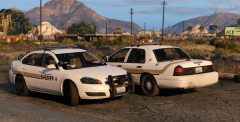 That CVPI is super old, and to be honest I'm not sure if it's even still around. It was non-ELS, but if you search "CVPI Vista" you might find it. As for the one behind the fence, that's available here:
 -
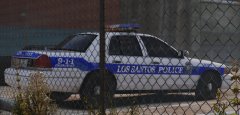 It is indeed. The skin used in these screenshots is from this pack: I modified it a bit to make it look used and abused for these screenshots. :)
 -
From the album: Blaze Plays V
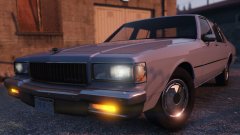
"Was taking a walk around southeast LS today, when something caught my eye in the police impound lot. I decided to deviate from my normal route to get a better look... And there she was: an old '98 Vic, still with it's old rotator lightbar intact. She was quite a looker, and I bet if cars could talk she'd have some interesting stories to tell. But gone were her glory days of chasing perps and basking in the smell of fresh donuts in the morning. No, no... This old gal had been sentenced to run out the rest of her life behind a chain link fence, watching as the city grows and as time moves on without her. Sure, the Vic has seen its time, and I'm sure our local officers are enjoying the creature comforts and fuel efficiency the old Fords simply never had. But to me, there's just somethin' about the old Vic's that the new Chargers and Tahoes the city bought just don't have: character." -u_m_y_militarybum -
Eh I dunno about this. Hard to tell what went on with the shooting itself. I don't necessarily think the "I'm gonna kill this motherf***er" is sufficient evidence to say he shot him for no reason. I say that daily in stressful situations and have yet to actually kill anybody. :) However, it's pretty obvious these cops were acting incredibly recklessly throughout this chase, and THAT needs to be seriously looked at. Flying through city blocks and intersections like that is sketchy enough, as evidenced by their collision with a tree. But opening fire on a fleeing vehicle in public like that? Totally reckless. Ramming (not even PIT-ing) a vehicle, in a highly populated area, into oncoming traffic (and hitting a civilian vehicle in the process (would've been a head on collision if they timed it wrong) cannot be ignored and is straight up negligent in my eyes.
-
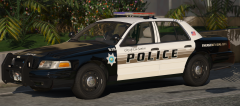 ....But did u fix hedlites? @t0y
 -
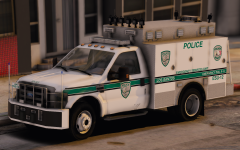 Needs moar arjent
 -
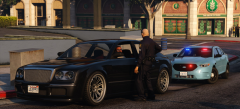 That FPIS was by @Him1250, not sure if it was ever released.
 -
From the album: Blaze Plays V
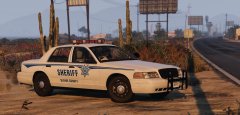
Until the early 1980's, law enforcement agencies in the state of San Andreas primarily used red for their emergency lighting, with few exceptions. By the early to mid 1990's, all but one agency had made the switch to red and blue lighting. That one agency was the Blaine County Sheriff's Office. Sheriff H.R. Jakowski served Blaine County from 1979 to 2013, and he believed in a conservative approach to policing. As such, the vehicles used by the department during that time reflected that idea, and remained tradition based. For the entirety of Jakowski's tenure, the paint scheme on BCSO vehicles had remained fundamentally unchanged. It was a minimalist, but effective scheme without any frills that took cues from Blaine County's flag. As well, the traditional solid red lighting remained a staple of BCSO patrol cars well into the 2010's. However, the days of the old school cool are numbered in Blaine County. With the election of Sheriff J.T. Philips in 2013, the department has taken a more modern, progressive stance, employing new tactics and restructuring many parts of the department from the ground up. The red, white and blue cars of the Jakowski era are beginning to fade into history as new cars, equipped with modern red and blue LED lighting are ushered in. This Crown Victoria pictured above is closing in on 110,000 miles on its odometer, and will likely be retired by the end of the year. And while the iconic red lighting of the Jakowski years will go with it, Blaine County residents are sure to remember the many hours it served them well. Livery by @iansonwheels, model by @t0y. Both currently unreleased. -
From the album: Blaze Plays V
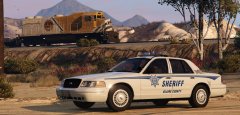
Good lord am I tired of 2011 CVPI's with LED bars. Thankfully, @flwpheonix masterfully created a set of 98-99 Vics with rotators to play with, and I'm absolutely in love with them! You can tell he put a lot of care and effort into making this pack, so I'm gonna shout him out here and give him a lil more exposure because I think he deserves it. I tend to envision Blaine County's Sheriff Dept. as a low budget agency that couldn't afford fancy graphics and would use equipment until it was completely destroyed by the desert. These cars, combined with this skin by @iansonwheels and a little weathering by yours truly really sells that idea, in my opinion. What do you think? EDIT: I should probably include a link to the pack, huh? and LSPDFR staff: this would make a great featured file. Just sayin'! -
I know this sounds crazy, but restart your PC. It's a pretty common bug in ELS that doesn't seem to have a solution besides that.
-
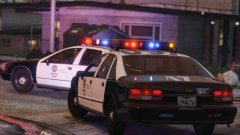 Are you saying this car will take advantage of both, simultaneously? If so, I'm excited to see the results. I always thought the pinnacle of realistic lighting setups would come from the combination of those two systems, and frankly I'm surprised (and a little disappointed) that the ELS team didn't incorporate sirens at all into their system.
 -
That would fall under their IP, so...... no.
-
Jumping off @ToeBius 's question, and forgive me if this has already been answered/explained, but is it actually possible to add say Paleto Bay PD (spawning in Paleto) in the current build of RDE ourselves? What would I have to add/change to make that possible (if at all possible)? Even if it's not something the RDE team plans on taking on themselves, I'd like to know if it's something I could take a crack at myself, despite my lack of coding experience.
-
-
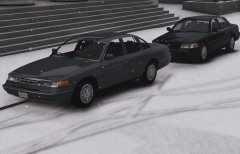
I think this is a great idea, and I'd love to see this developed. Additionally, I think it's high time the traffic stop backup system got revamped. It was one of the earlier features of the original Police Radio, and while it works well, it only spawns a LSPD cruiser and peds, which is strange when you're out on the highway or in Blaine County. Surprising, to be honest, that it hasn't been improved on since.
-
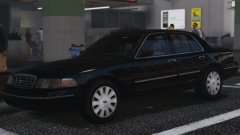 Mmm she's a beaut.
 -
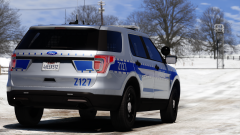 I actually really love the look of this. But good God almighty what ENB/Visualsettings are you using? Looks phenomenal!
 -
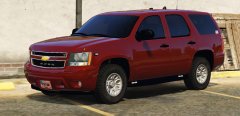 Got some off road tires on this one? Nice.
 -
This happened to me today as well. Unfortunately, it's a fairly common problem that seems to affect quite a few users. It's been documented in a thread (with some posted solutions) by @TWISTEDSCOPES here: I've tried most of them, and the only solution that seems to work for me (and apparently others as well) is restarting your PC. Bizarre, I know, and not the most efficient solution, but it does work. Hopefully someone else knows a more permanent or quicker fix by now and can chime in, because I know I'm personally too lazy to restart my PC when ELS fails.
-
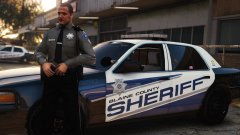 That is one sharp looking uniform!
 -
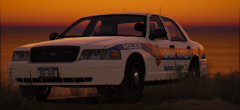 Not a request, just thought you might like a fun fact.
 -
I don't have any pictures to prove it, but there's also a 03-04 version of this roaming around. That ones got a full street appearance package (chrome grille, painted rear fascia with chrome lip, full hubcaps), and a whole lotta paint chips. :) MOAR!
-
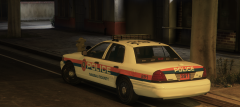 Yeeee! 516 represent! Strong Island baby! lol @t0y if you need any info on setups and whatnot, feel free to hit me up.
 -
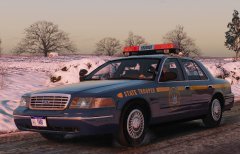 Yes! YESSSSSSS!
 -
 Looks absolutely fantastic! Some of your best work to date, in my opinion.


