


Synapt
Members
-
Joined
-
Last visited
Everything posted by Synapt
-
I had it happen once, but I thought it was just a really random bug as I never really noticed it again. (The cops shooting/pulling a suspect out of a car that is)
-
I usually just bumper-hug the person in front of me, practically hitting them. Usually if I'm that close to a vehicle in front the ones in the rear will stay still o.O
-
I'd suggest being careful pushing a Core 2 Duo to 6GHz unless you have one hell of a water cooling setup, on air that's not really smart unless you have one of the later 45nm models they released right before the i7 series. Otherwise that and your GPU are for the most part alright, just 2GB of RAM is gonna hold you back a bit though, I'd grab another 2GB myself really.
-
If you turn off some of the new shadowing things it should help really, as those are what got thrown in with 1.0.6 as I recall. As for controlling draw, the two slider bars that control 'Distance' are the draw distance bars, the higher they are the more it'll take, the vehicle distance one (Second slider I think?) doesn't effect things as heavily, but the overall visual distance (First slider) is what will heavily effect your performance, as well as GPU memory allocation.
-
1.0.6.0+ implemented new graphic settings, you may need to tweak with them a bit, try doing that. In particular the draw distances if anything, the gray fabric like that shows up during pre-render, if it's not going away after awhile perhaps because it's trying to render more than it really can? Lowering the draw might resolve it.
-
By all technical means you should upgrade to the latest anyways, as it takes out some of the tardly 'Social Club' stuff.
-
Activision isn't like Sony Entertainment and crap, they won't pull videos just for sound clip usage, mostly because game audios are kinda mixed (Activision doesn't really own it either, as it likely was already licensed by another company they just leased the rights to, just like all the actual music in GTA is licensed ultimately to the production companies of the artists, etc etc). Definitely an amusing troll though indeed o.O
-
Indeed, there's also some new vehicle changes, including an entirely new interceptor, all purple and sparkly (Kinda reminds me of those 'special' D.A.R.E. style cruisers).
-
ALT+H works at gunpoint ONLY (If I recall correctly) if the target is hostile (Because ALT+R won't work with hostile targets), if a target is not hostile (eg; a suspect that just stepped out of the vehicle), being close to them and pressing ALT+H should initiate the "Ticket N / Arrest Y" prompt.
-
It's designed to do that, occasionally if you ask someone to step out (perhaps due to invalid license?) or if you possibly cite them too high of a fine ($100), they'll try to flee. Just remember ALT+R only works at gun point as far as I recall, ALT+H however will effect whoever is 'closest' to you, best thing you can do is basically step right up in front of them and hit ALT+H, it should prompt you if you wish to ticket them I believe or arrest them via a Y or N selection.
-
Yeah I'm not really sure at the use of that, when you're checking ports locally, you're likely going to see them open regardless as most firewalls grant access to IP's on the same LAN. What you want to do is use one like this which actually checks externally that your ports are validly open; http://www.yougetsignal.com/tools/open-ports/
-
An online port checker can't see or check LAN IP's, so not sure why one would possibly tell you that was your active IP. Use the IP from a site like whatismyip.com, to scan your ports using an online scanner.
-
If you have a local firewall already (Eg; Comodo), don't use any other firewalls, having multiple ones can cause issues like this. If you do have a local firewall that isn't Windows Firewall, then make sure you have Windows Firewall off completely.
-
Just out of curiosity and sanity sake, you -do- have the application running right? Cause keep in mind a lot of local firewalls toggle a ports open/closed state based on if an application is actually listening at the time. :P
-
Weird... I've honestly in all my time playing GTA IV, never seen any random pullovers except the one on the westward way on East Borough Bridge, guess I shoulda looked more, lol.
-
My current 9800GTX+ gets around 40FPS on fairly maxed settings, at around a 50 DD. Though my card is a bit overclocked along with everything else on here (CPU, Memory, etc) And the reason a lot of games work a bit slower on Vista/Win7 is because most people by default use things like the Aero interface, which in itself reserves a good 512MB-1GB of RAM, thus the reason a lot of games have slightly higher memory requirements as well as slightly different CPU requirements in some cases when placing difference on XP and Vista/Win7 Beyond that the actual performance should be absolutely similar unless your game is optimized for something like DirectX 11 (which does have pretty noticeable/significant pulls over DirectX 9 on XP)
-
Pseudo-related note, it seems like some of the features in EFLC might allow for a more special FR version, at least from what I can tell EFLC natively has random police stops around the city in it (compared to plain GTA IV which the only actual pull-over I ever saw was on the one bridge highway, where as EFLC has a pullover and occasionally even an officer searching a trunk), which might work for some wiggle room into an FR EFLC version that makes things such as an officer requesting assistance for a traffic stop or vehicle searches more easy? Or am I just seeing things and never noticed these things within the plain GTA IV o.O
-
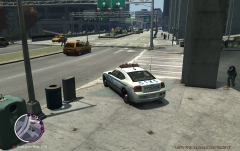
From the album: Syn's Gameplay Shots
-
Mixed LCPD:FR in-game screenshots of active gameplay
-
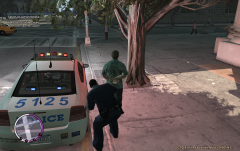
From the album: Syn's Gameplay Shots
-
![Traffic Stop [4]](//s3-gallery.int-cdn.lcpdfrusercontent.com/1285419755/sml_gallery_87_5_114157.png)
From the album: Syn's Gameplay Shots
-
![Traffic Stop [3]](//s3-gallery.int-cdn.lcpdfrusercontent.com/1285419755/sml_gallery_87_5_406592.png)
From the album: Syn's Gameplay Shots
-
![Traffic Stop [2]](//s3-gallery.int-cdn.lcpdfrusercontent.com/1285419755/sml_gallery_87_5_1032510.png)
From the album: Syn's Gameplay Shots
-
![Traffic Stop [1]](//s3-gallery.int-cdn.lcpdfrusercontent.com/1285419755/sml_gallery_87_5_131304.png)
From the album: Syn's Gameplay Shots
-
I wouldn't mind seeing the distance one a bit as well, at least a -little- farther, some of the crime calls are far too close, theoretically speaking anyways if cops were really able to respond so quickly so to say, crime would be horribly low in the city, with a cop always just a block or two away :P


