




Will
Management Team
-
Joined
-
Last visited
Everything posted by Will
-
I'm sure as much effort as possible will be made to ensure plugins continue to work. I don't foresee the LSPDFR API changing much but that's outside my realm of expertise. Plugins that use more advanced programming (such as LSPDFR itself) would likely need updates though.
-
That's not entirely true. It's just sold as one product - you get both the enhanced and legacy version.
-
Everything will continue to run on the legacy version of the game but will continue to require updates as normal if Rockstar continues to update the legacy version. At the moment it's unclear what Rockstar's intentions really are and if they will continue to update the legacy version along with the enhanced version. If Rockstar discontinues updates for the legacy version, all existing mods will continue to function as they do now without needing any updates.
-
Please create a topic in the appropriate support subforum. This one is for issues with the website itself. If you feel this topic has been closed in error, please report this post.
-
You could try to get the original models but you would just have a blank base model and a bunch of parts, not the mod that you have downloaded. The author of the mods you are using got the base model from somewhere and added parts to it, he didn't create any of the parts from scratch (I don't think at least by quickly skimming the credits). Most of the time these parts have stipulations that they must only be used on locked models meaning he can't provide you an unlocked version. I'm not familiar enough with modeling to know how to actually fix LOD issues but I'm guessing whoever ported the original model from Forza didn't set LODs up. Or possibly since it's a lighting issue the LOD issue is with the light bar. Regardless you would need access to these models and knowledge of modeling software to fix it.
-
It isn't a data file issue, it's a model file issue. Without access to the unlocked model it can't be fixed from an end-user standpoint.
-
I'm not understanding what about Cyan's responses are not good enough? It seems like you want the entire source code of LSPDFR released to be satisfied, which simply isn't going to happen, at least not for a long while. And even then what would you hope to gain? You would need an in depth knowledge of programming to understand what any of the code does and no one has the time to sit here explaining every line to you. The mod has over 18 million downloads, don't you think it would have been found out if it did anything malicious?
-
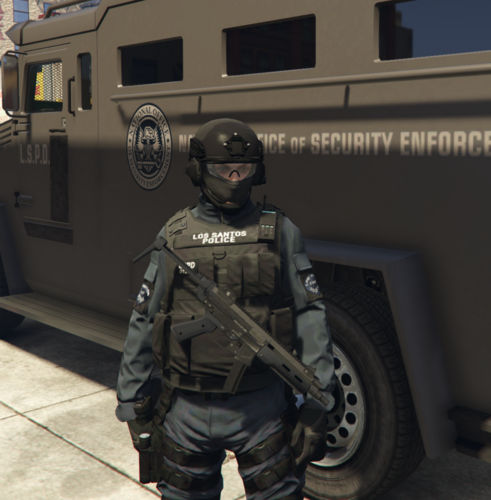 Due to limitations in getting the components on a weapon, the way the mod handles components is it checks every component in the game to see if it is on the weapon. Unfortunately this means any addon components will not be accounted for by default. You can add any addon components to the ini file in this section: [Advanced] AddonComponents = None //Here you can add any addon weapon components you have installed so that they will show up on the stowed weapon. You need to use the name of component, ie COMPONENT_AT_AR_FLSH. Multiple entries should be separated by a comma.
- 266 comments
- 23 reviews
-
-

- 1
-
-
Hi Pinx, I have removed the attachments from your post containing the plugin. Please upload the plugin to our downloads section so it can be properly screened. We ask that mods (especially plugins) not be attached to posts since mods are subject to a screening process that is done through our downloads system. Thanks.
-
Generally those config files are designed to be modified and shared so you shouldn't need to ask the original author of them for permission. We've never had an issue with the original plugin authors reporting customizations so long as the .dll is not included. Now if you are taking someone else's modification of those files and tweaking it, then you should ask permission. We do get reports on occasion for that kind of thing.
-
This topic has been moved to the appropriate forum. Please post in the correct location in the future.
-
Please only create one topic for your issue in the future. Your topic has been moved to LSPDFR 0.4 Support. Please post in the correct location in the future.

-
Reopened as OP indicated this is an issue on single player with mods.
-
Hello and welcome! I appreciate the concerns you have however our website may not be the best place to get this info. We aren't associated with FiveM and don't allow users to advertise or promote FiveM servers. Hope you are able to find what you're looking for! If you feel this topic has been closed in error, please report this post.
-
This topic has been closed by LCPDFR.com staff because it is a website, clan, or group ad. Our site isn't an advertising service - please do not use it as one. If you want to share your website, group, or clan, please keep that limited to your profile and signature. If you feel that this topic has been closed in error, please report this post.
-
I would like to point you specifically to the below information from the guide, as I am 95% sure it is the reason for the issues mentioned.
-
This guide likely has the answer
-
You need to wait for ScriptHook to be updated. Do not use a random dinput8.dll from the internet - these could have viruses. The one that comes with ScriptHook is modified to allow the use of ScriptHook and asi mods so using a random one wouldn't work anyway.
-
Ah, this is a fair point. If you are using a third party plugin for a partner or bodyguard or something, and this plugin does not assign the ped relationship for cop, you would need to uncheck Cops Only. LSPDFR assigns the ped relationship for the freemode peds under its control so I did not consider this to be an issue (unless it is and I haven't caught it?).
- 266 comments
- 23 reviews
-
This topic has been moved to the appropriate forum. Please post in the correct location in the future.
-
You should contact the moderator who hid your file by private message.
-
The blue bar is the stamina bar. The one that is missing is the yellow special ability bar, which will only show if you are playing as Franklin, Trevor, or Michael.
-
Your topic has been moved to LSPDFR 0.4 Support. Please post in the correct location in the future.
-
You don't have "Enable Best Weapon" turned on so the weapon won't show until the AI equips an accepted weapon and then puts it away. Enable Best Weapon will allow the plugin to show the AI's best accepted weapon in their inventory even if they haven't equipped any.
- 266 comments
- 23 reviews
-
-

- 1
-
-
I'm pretty sure I looked through the files when the update released and wasn't able to find it, but I could be wrong. It's a GTA Online Career Progress reward which is only available on consoles so it's possible they didn't include them in the PC update at all. https://gta.fandom.com/wiki/Career_Progress#Bottom_Dollar_Bounties

