



Captain Peanut
Members
-
Joined
-
Last visited
Everything posted by Captain Peanut
-
 Or release a version with half the volume. I really want to use this mod, but it actually hurts my ears whenever I turn on the indicators 😕
- 108 comments
- 24 reviews
-
The left and right indicator sounds are SO loud compared to the rest of the game. Any way for me to turn them off?
- 108 comments
- 24 reviews
-
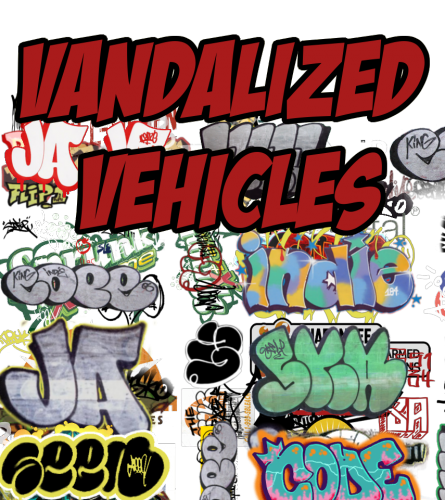 Hey man, that's a really cool idea and it would be much more realistic! To be honest I'm thinking about revamping the entire project, since I've learned a lot more about making textures since I made this mod. I am however not able to add graffiti anywhere I please (at least not to my knowledge). I am only able to add graffiti on to already existing textures, leaving me with little space to work with. There are exceptions like the police vehicles, but that's pretty much it. I might look deeper into this in the future, but as for right now I don't have that much time to work on the mod. Maybe a few months from now there will be a much more realistic version 2.0 :)
- 8 comments
- 6 reviews
-
I knew I screwed something up! Thanks a lot man, hopefully I'll get it working now :D
-
Yes, and if I open the files within OpenIV they show the correct modded model, just not in-game My mods folder includes "update" and "x64", and to install the models I entered x64. I don't know if I messed up the folder somehow, since I just noticed that on the download page of the model it says "Grand Theft Auto V\mods\update\x64\dlcpacks\patchday10ng\dlc.rpf\x64\levels\gta5\vehicles.rpf Could that be the issue?Hmm... I just did, but the vehicles are still just the regular GTA V models?Yea, well I was just about to comment that it didn't work for me haha :D So just to be completely sure here, I need to place the files in pactday15ng right?Oh, I thought I had to replace the original files like back in GTA IV - but thanks, I'll give it a try :)Can someone please tell me where the police vehicles are located? I've been looking through the patchday folders, but I can't seem to find the vehicles I need to replace. This is the models I'm trying to install:
Thanks a lot for the feedback man! Regarding the real life textures, it is without a doubt something I could work on. I might speak to the original developer about it, or make my own if he doesn't allow me to use his textures :) The only problem is that my PC broke down 3 weeks ago with all my work. So I'll have to wait for that to get up and running again before I can continue my work:)
- 8 comments
- 6 reviews
-
-

- 1
-
From the album: Los Santos Patrol
Hey guys, any of you who have any idea where the FFD (the gigantic black and white graffiti on the side of the Storm Drain) graffiti is located in OpenIV? Thanks! :)
Missed the immersion from Liberty City that made the world more realistic? Look no further as that is exactly what I have been trying to accomplish with this mod. Various trucks and vans have now been bombed by some of the finest graffiti artists from Los Santos, Liberty City and the real world. Featuring pieces from graffiti legends such as JA, COPE2 and SEEN, but also graffiti from GTA IV and V. I have even painted with my own graffiti (SCOPE). This is work in progress as I plan to bomb even more vehicles down the road, but I might also expand the project to more than just vehicles if I get the time :) Feedback is GREATLY appreciated and I am open for suggestions. Also feel free to contact me about any problems or issues you might be having with this mod. What will be bombed in the future: Benson in current version ✓ Biff in current version ✓ Burrito in current version ✓ Mule in current version ✓ Pony in current version ✓ Pounder in current version ✓ Freight Train in development Freight Wagons in development Truck Trailers in development Metro Train in development Enjoy! ;)- 8 comments
- 6 reviews
-
-
- 8
-
From the album: Los Santos Patrol
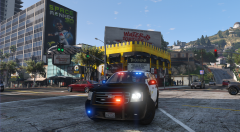 Looking good man! How close are we to the release of the Unmarked Charger? :)
From the album: Los Santos Patrol
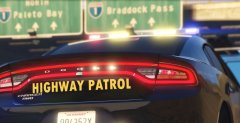
From the album: Los Santos Patrol
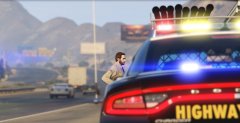 Thanks man! :D
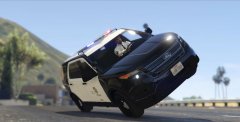 Haha true :D
From the album: Los Santos Patrol
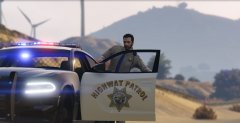
From the album: Los Santos Patrol
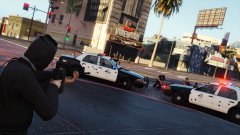 Wow those cops have really shitty aim if the robber managed to shoot that many bullets into the cars without being shot :D
:D
Wow those cops have really shitty aim if the robber managed to shoot that many bullets into the cars without being shot :D
:D


