


GlitchGamer
Members
-
Joined
-
Last visited
Everything posted by GlitchGamer
-
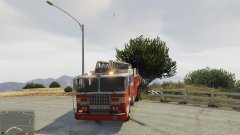
From the album: Nick's WIP
CHECK MY LADDER TRUCK OUT!!! Currently doing testing and bug fixes. Once that is done, this model will be released A very WIP. LOL OBVIOUSLY But what do you think of the idea? Everything will be remapped, textures will be fixed -
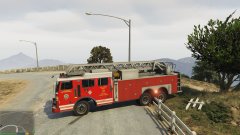
From the album: Nick's WIP
CHECK MY LADDER TRUCK OUT!!! Currently doing testing and bug fixes. Once that is done, this model will be released A very WIP. LOL OBVIOUSLY But what do you think of the idea? Everything will be remapped, textures will be fixed -
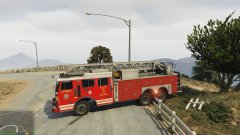
From the album: Nick's WIP
CHECK MY LADDER TRUCK OUT!!! Currently doing testing and bug fixes. Once that is done, this model will be released A very WIP. LOL OBVIOUSLY But what do you think of the idea? Everything will be remapped, textures will be fixed -
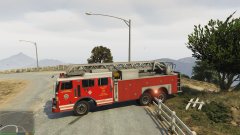
From the album: Nick's WIP
CHECK MY LADDER TRUCK OUT!!! Currently doing testing and bug fixes. Once that is done, this model will be released A very WIP. LOL OBVIOUSLY But what do you think of the idea? Everything will be remapped, textures will be fixed -
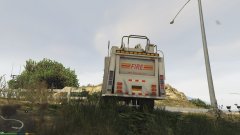
From the album: Nick's WIP
CHECK MY LADDER TRUCK OUT!!! Currently doing testing and bug fixes. Once that is done, this model will be released A very WIP. LOL OBVIOUSLY But what do you think of the idea? Everything will be remapped, textures will be fixed -
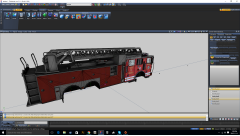 Thank you! This model is a learning process. LOL never made a model from one solid model. Its odd
 -
Preview of What I am working on and progress.
-
From the album: ZMODELER 3 Projects
-
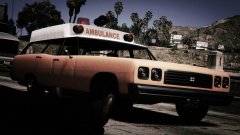 Why does it not work?
 -
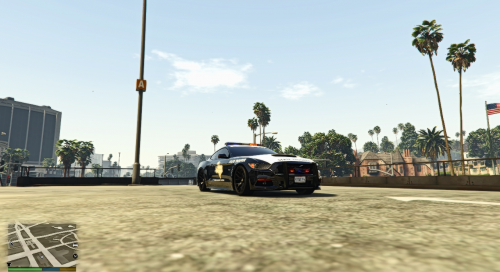 Looks great man. Good job.
 -
-
-
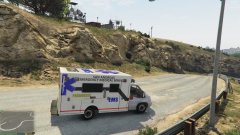 Its the closet to european version we will get yet. There are some box versions of the ford transit in Europe but the box is not as big. Obviously this is my first version.
 -
From the album: Nick's WIP
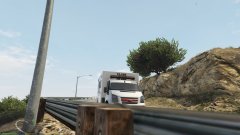
FORD Ambulance WIP A very WIP. LOL OBVIOUSLY But what do you think of the idea? Everything will be remapped, textures will be fixed and Wheels will be re aligned -
From the album: Nick's WIP
FORD Ambulance WIP A very WIP. LOL OBVIOUSLY But what do you think of the idea? Everything will be remapped, textures will be fixed and Wheels will be re aligned -
Cannot wait!!!
-
It is encrypted somewhere. It sucks. Take a similar DLC car and use that. Why what type of car are you needing it for?
-
 I will.look into it. I think it's part of the vehicle meta file that needs to change the police3 or fbi interior of the car to the dominator. I will check and let you know!
- 33 comments
- 10 reviews
-
I think something changed in the rpf. It was the same for me, I added a car when I used the 'clean' one and it worked.
-
From the album: Nick's WIP
-
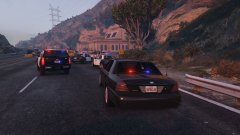
From the album: Nick's WIP
-
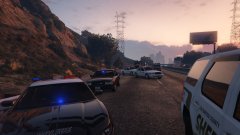
From the album: Nick's WIP
-
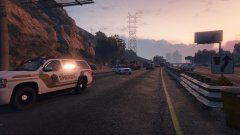
From the album: Nick's WIP
-
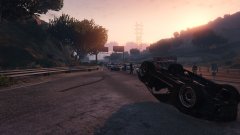
From the album: Nick's WIP
-
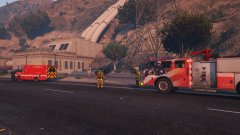
From the album: Nick's WIP
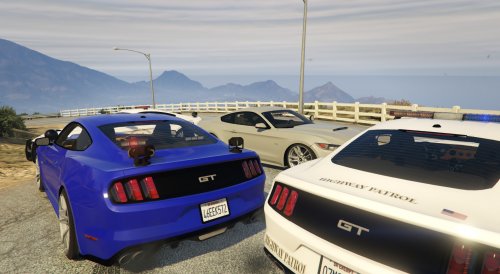
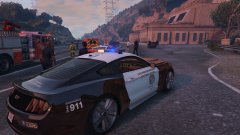
Pursuit ending in accident on highway 1. Avoid the 1 right after the Casino and racetrack until the first Sandy Shores exit. Traffic is backed up for miles. The new LSPD traffic enforcement vehicle, the mustang, initiated the pursuit when the vehicle was going 60 in a 40. The drivers condition is critical. He was taking to Los Santos City Hospital. Sheriff, LSPD, and SAHP were all involved in the pursuit.


