


GlitchGamer
Members
-
Joined
-
Last visited
Everything posted by GlitchGamer
-
 Thanks!
 -
I know if I could edit probabilities of multiple vehicle sets for one areas that would be awesome.
-
 Thanks! :) Just got to get the textures down, once thats done, itll be released
 -
Lol Thanks, and yes just a tad bit shiny lol
-
From the album: Nick's WIP
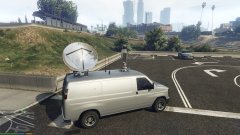
Just need to work on the textures just a tad. -
From the album: Nick's WIP
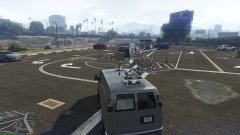
Just need to work on the textures just a tad. -
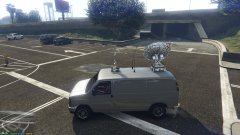
From the album: Nick's WIP
Just need to work on the textures just a tad. -
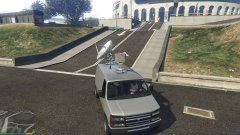
From the album: Nick's WIP
Just need to work on the textures just a tad. -
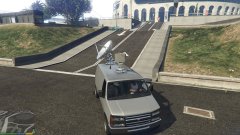
From the album: Nick's WIP
Just need to work on the textures just a tad. -
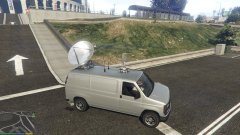
From the album: Nick's WIP
Just need to work on the textures just a tad. -
Thing is, if you want ELS, fine. Be respectful of those who do not want it. However, for those who do not want it be respectful of those who do. If you do not like ELS and worried about models being ELS capable, then get into modding and make non-ELS vehicles. I as a modder am not bound to make ELS or non-ELS. Modders do what they want. I will make non ELS and ELS vehicles.
-
Ragehook released a statement that the new ragehook will 'break previous scripts' in a sense. So I assume .3 will use the new ragehook
-
I would, but the only model I have, isn't working.
-
Sure, I am not around my PC , I will send you it tomorrow.
-
Good luck! I enjoy your content. I have faith in you!
-
cannot wait, tried to make one and it didnt work. You are trying to mkae a tiller right?
-
so what are you asking again?
-
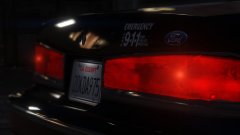 I thought there was some way to UVmap it to be random numbers and letters. If I find out how, I will let you know.
 -
I believe you can make the plate vary
-
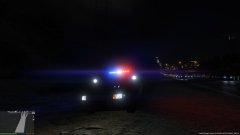 Look, I get you may not have interest in it. I respect that. But I want more lighting when it comes to ambient stuff on the ground and what not, and I would like ELS for TA control and other controls. More for looks than functionality.
 -
I just want better ambient lighting and more control over the lights.
-
 Thanks @SpeedySC1978. Learning zmodeler all by myself. I'll look into all.that. Zmodeler has also been weird for me.
- 12 comments
- 4 reviews
-
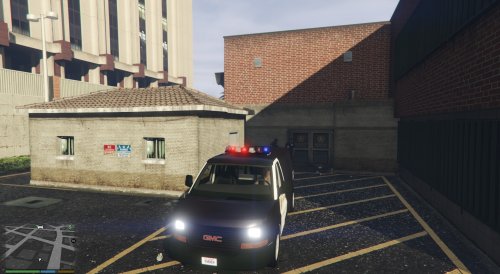
A real life replacement for the policet! The force welcomes the GMC Savana. VECTOR VARIANT IS HERE! YOU MUST CHANGE THE CARVARIATION FILE IN ORDER TO HAVE WORKING LIGHTBAR Model has a cage to protect you from crazy prisoners/detainees. Also features seats cold and hard for them too! Interior will be redone too. This is still a WIP, but has collisions and multiple liveries. -includes template. Video here: https://www.youtube.com/watch?v=n0u2tPhpk_Q Credit where due. Model Status: LOCKED VECTOR LIGHTBAR VARIANT OF GMC SAVANA V1 This model was ported to GTA V by me. It has a LAPD and LASD skin on it. includes template. Credit where due. Model Status: LOCKED CREDTIS: (from the original model) -Model is GMC Savana from Driver SF, converted to GTA IV by corleone, modified by Cj24. - Partition made by Lt.Caine, Interior edits by Cj24, seats made by Ridgerunner. -Lightbar by F5544. THANK YOU Frank! -nicks0112 Edited the template and UV mapping a little. -also redone collisions -converted to GTA V Modified into police Transport installation: >>>mods/x64e/levels/gta5/vehicles.rpf Then go to If you wish to replace skins, replace the skin 'savana_sign_#' inside the .ytd GO TO vehicle.meta vehicles.meta >>> mods\update\update.rpf\common\data\levels\gta5 In the meta file find policet. Then go to flags and make sure it has FLAG_HAS_EXTRA and FLAG_HAS_LIVERY for policet. The model supports multiple liveries. Then GO TO carvaritaions.meta cavariations.meta CLICK SPOILER >>> mods\update\x64\dlcpacks\mpchristmas2\dlc.rpf\common\data add this to the carvariations.meta MULTIPLE LIVERIES SUPPORTED original model found here http://www.lcpdfr.com/files/file/6866-2004-gmc-savana-inmate-transport-van/ LCPDFR.COM EXCLUSIVE. ONLY UPLOAD THE .YTD FILES IF YOU MAKE SKINS, LINK TO THIS MODEL. https://www.youtube.com/watch?v=n0u2tPhpk_Q
- 12 comments
- 4 reviews
-
-

- 1
-
-
Not going to lie, this seems like itll be cool
-
I MAY be making the BMW

