OfficerSquare
Members
-
Joined
-
Last visited
Everything posted by OfficerSquare
-
The signature I use is just one image. It's the same size as a YouTube banner. Every time I update my signature, it will show like normal on the topics I reply / create. After a few days (or hours), it will be gone. It will say something like "lspdfr_signature.jpg" in an outlined box like the image was deleted. Is this a website problem? EDIT: I tried to re-upload my signature just now, and it said it didn't meet the requirements. The same image worked before a couple days ago, and now it's not working at all. I'll attach it below.

-
This is what you're looking for. https://www.gta5-mods.com/scripts/open-all-interiors
-
Do you think the new co-op modification is safe? It was just released, and we haven't gotten Rockstar / Take Two's opinion on it yet. We've seen what they have done to FiveM and GTA:MP. They even went as far as banning everyone who used the modification. I think I'm going to sit back for a while before giving it a go. Then again, if this becomes a success, I can't wait until the LSPDFR clans start to show up. That'd be really fun.
-
... give their modification to YouTubers long before the release, especially callouts (like some did). Once you watch the video, the callout is ruined and you won't have the element of surprise once you get the modification itself (unless if it has numerous conclusions). What makes a random community member like me different from YouTubers? It's like G17 giving LSPDFR 0.3 to YouTubers before actually releasing it to the community. Many people would get a little angry over that. Don't get me wrong. I'm not mad that the modification that is being distributed isn't released yet, I just don't favor the favoritism with some modders. I don't hate the modders, I just don't agree with some of their actions. Opinions?
-
I have, I've tried it again and again over the years to see if I like it or not, but nothing has changed, haha. It smells so good, but tastes so bad in my opinion.
-
I honestly can't stand the taste. It's still bad. Am I weird?
-
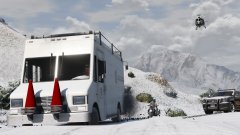 What snow modification is this? ;)
 -
I've made a forum like this before, but I want everyone's updated opinion. Should I upgrade to Windows 10? I know there are many perks to upgrading, but everyone says it messes up permissions and won't let RPH run. I have it stable right now, so I don't really want to mess with it. If I were to upgrade, and it messes up permissions, does anyone have a guide / tutorial on how to fix it? Also, should I upgrade to Windows 10 in general? Why? Thanks for your opinions.
-
-
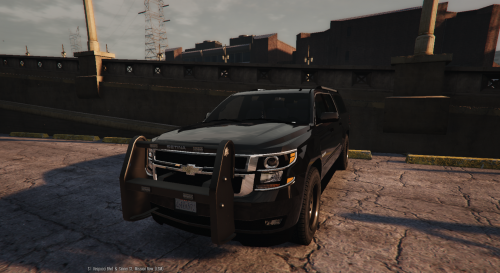 This is amazing. I remember when GTA V came out for PC. My reaction was.. "There are a lot more police slots than GTA IV, how will I fill all of them with modded cars??" and now I'm like "I'm running out of room for new police vehicles!!"
- 38 comments
- 21 reviews
-
-

- 3
-
-
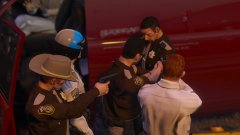 Oooh, what is the uniform modification? Nice screenshot.
 -
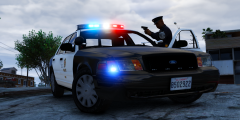 Could I use this as my new picture? (The one I have right now is olddd) EDIT: Just got done with it and uploaded it for you to see. If you don't want me to use it, I'll take it down. :)
 -
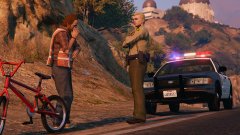 How do you use your multiplayer character in singleplayer? That's cool.
 -
How do you play as your multiplayer character in singleplayer? I've seen people do this before, and I wonder how. Is it a trainer or a seperate mod?
-
 brighter = better! Only 1 problem so far.. LCPDFR.com won't let me rate more than 5 stars!!
- 336 comments
- 70 reviews
-
-
- 2
-
-
This would be pretty cool. It wouldn't be that difficult to do. >Sitting Animation >Notepad Image >Type-able area to put your report in. I'd do it, but probably not as much, since it could get repetative
-
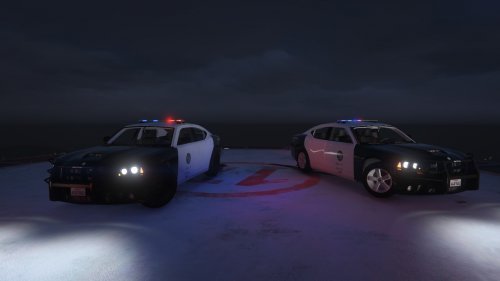 Amazing textures, but I'd love you to make LAPD liveries for this, too. I'll definitely download & rate them! :)
- 6 comments
- 3 reviews
-
-
-
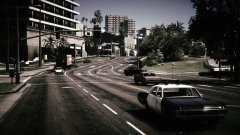 Someone blasted into the future in that jeep.
 -
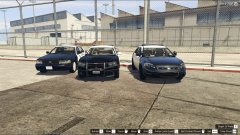 I need that Dodge Charger!! Any release date!?
 -
-
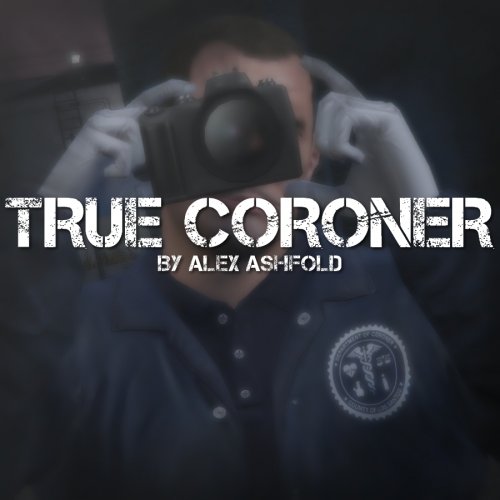 Really nice modification! Where is the Coroner truck you're using in the picture? I'd love to download it!
- 23 comments
- 18 reviews
-
-
- 1
-
-
The new DLC for Grand Theft Auto V came out this morning, and it's really cool, but now it's going to break ScriptHookV, ScriptHookVDotNet, and RPH. I really hope the new versions for those 3 come out soon. Also, it's most likely going to break my "mods" folder that I can use with OpenIV. Here are some of the things I use in the "mods" folder.... police (Crown Victoria) police2 (Chevy Impala) police3 ( Ford Explorer) police4 (Crown Victoria Unmarked) sheriff (Crown Victoria) sheriff2 (Ford Explorer) fbi2 (Chevy Tahoe) fbi (Unmarked Impala) LSPD Ped Model (Belt) LSSD Ped Model (Patches) Husky (K9 Skin) Train (Norfolk Skin Train Container x2 (Realistic Skins) Some civilian vehicles.. (Can't remember all) I really really hope I don't have to re-install everything. Finding the vehicle would be one thing, editing carvariations / handling would be another thing, and finding the seperate skins for LAPD (since every police vehicle is LAPD & LASD themed) would be another thing. I need some motivation!!
-
I've dealt with a month after it came out. I could launch it the first time, but the second time I launch it I'd get a crash. I would have to restart my PC in order to play it again. It progressively got worse, and it got to the point to where even if I restarted my PC, it would still give me the error. I asked around 3-4 time for support from people, and they couldn't find out the problem. 2 days ago I launched RPH out of desperation knowing it would crash on me. I click the settings button just to look around. I then just check the box "Use DirectX 10" and save the settings. The game actually started up to my surprise, and I haven't gotten the error since. The error I've dealt with for months that no one could figure out is now gone with a click of a button. I call that a.... LUCKY FUCKING GUESS lol This is how I feel now.