OfficerSquare
Members
-
Joined
-
Last visited
Everything posted by OfficerSquare
-
Managed to find the animation for both the suspect and officer in terms of handcuffing them on the ground and pulling them up, but I haven't found the animation that has the suspect get on his knees and onto the ground. Anyone have any idea?
-
Hi, Does anyone by chance have the name of both the on-the-ground and passive arresting animations for both the cop and the suspect? I know the passive one is from the one Strangers and Freaks Poppy police chase mission, but I don't know the names. As for the one where the suspect gets on the ground, I have no clue where that animation is from. Any help is appreciated! (Hopefully the animation man can be summoned @Sam)
-
 Love this mod, but I wish that for the pull over announcement sound, it'd play once you turned on your lights and actually signaled the car to pull over rather than as soon as you blip them. If I blip a car I haven't pulled over yet, it's weird that I tell them to pull over before I ever turn on the lights.
- 118 comments
- 17 reviews
-
Hi, I read the changelogs for 4.9.0 and have been trying to see if I can trigger an "investigation" state somewhere in my game with the backup AI, hoping they do the new confrontation in the showcase video. I tried for a bit and couldn't get it to happen, couldn't find any posts about it on here explaining it a bit more and the changelog is a bit vague in regards to it. Anyone know a good way? Edit: Found a bit of information about it after scrolling through the 0.4.9 post from LMS, which says: "The only way for you to trigger the new system in LSPDFR itself currently is when calling in a crime. We now consider non-violent, on foot crimes for the new investigative mode. For instance, if an angry pedestrian shoves you (but not punches/fights) and you were to call that in, it would not turn into a full-blown chase where the suspects immediately starts sprinting away followed by police. Instead, they would walk off not knowing they have been reported. If you then were to call in backup, they would slowly approach and confront the suspect just like in the video. There is a chance the suspect might surrender on sight or resist." Hope this helps anyone with the same questiony, sorry bout that!!
-
Hi, suggestion, questions and possibly a bug report (?) in regards to the built-in holster and unholster animations in LSPDFR. The animations seem to sometimes work when standing still, always work when walking, and never work when sprinting or full running. It also doesn't take the weapon out of the holster, though I've only tested this with an MP character and am assuming there's no settings / feature within LSPDFR I can set for it to do this. The animations within LSPDFR are far superior from the old animations used in Cop Holster in my opinion, I just wish they (the animations) worked all the time and had an option to change the holster accessory when equipped / unequipped. I tried to do this with Cop Holster, but sadly even if Cop Holster is disabled from using it's own animations in the xml, it comes with it's own set of issues - like sometimes not setting the holster back or randomly using it's own animation - making it not an option for combining the good LSPDFR animations with a holster that takes the gun in and out. I was wondering if there would be a feature in future allowing us to set accessory numbers for holstered and unholstered? Also wasn't sure if you guys were aware that the holster and unholster animations built in sometimes do not work in certain movement states. Ty for everything you guys do!!
-
Hello, Over the past few weeks I've been setting up and perfecting a lore-based game on Liberty City. I'm currently using the "Liberty City V Remix" map with working traffic lights and functional vehicle / civilian AI paths. Everything from my custom police station locations to traffic stops work perfectly except for 1 thing - pursuits in Liberty City. Upon initiating a traffic stop that turns into a pursuit or forcing a pursuit callout, the game will crash a second after creating or changing the entity to flee and setting up "pursuit mode." I've taken everything out of my LSPDFR plugins and used LSPDFR by itself and am still getting this issue, leading me to believe it's an issue with LSPDFR itself. This only happens on the Liberty City map, not the San Andreas map. My guess is that pursuits don't appreciate being started on foreign AI paths, but how they're set up on this map mod I'm unsure because I have no experience with that type of stuff to make any assumptions on if they're different or not. I've attached a log below of the crash when a pursuit initiates. I believe this may be a crash only the LSPDFR developers can fix, and although I would love a fix so I can use this beautiful functional map in V, I am in no rush. Thank you. RagePluginHook.log
-
I've had a bug recently where the LSPDFR tab doesn't show in the pause menu. This is a big game-breaker in regards to LSPDFR since that's where you select / create / switch characters and change settings. All posts in regard to this particular bug has been given no solutions, which is why I'm creating this post incase someone runs into it and needs to find the fix - something I couldn't do and had to figure out myself. For me, if I ticked the setting in RPH "Enable counter measures against online vehicles being removed in singleplayer," it would present to me while I was loading into the game "Fatal error." This also breaks the LSPDFR tab being added in the pause menu. Solution: In order to get your LSPDFR pause tab back in the pause menu, disable the RPH "Enable counter measures against online vehicles being removed in singleplayer" option. This will stop you from getting the "Fatal error" message on the loading screen and will give you your LSPDFR tab back.
-
From the album: Square's Grand Theft Auto IV
-
-
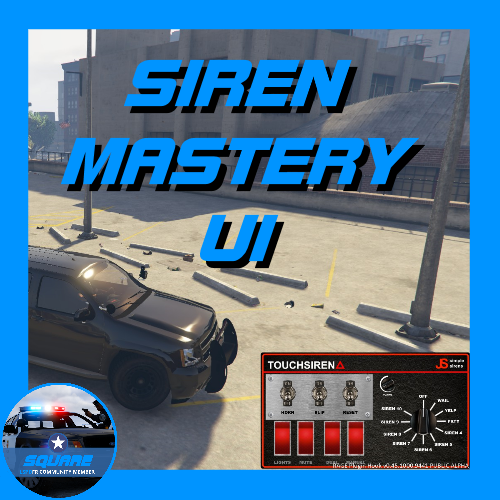
 Sorry, should've written my review earlier! One of your best works so far. I'm honored that I was given the opportunity to do the UI. Thank you for the credit! (and the nice comment :d)
- 1,196 comments
- 127 reviews
-
-

- 1
-
-
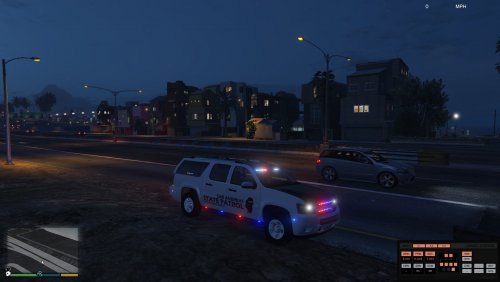 @72will I really wish the lighting would reflect off the ground and stuff... that would be the only reason why I'd download it :L
- 69 comments
- 11 reviews
-
I've known that it's been a joke ever since the launch of LSPDFR, but I've never heard the joke itself. Could you explain? :P
-
There isn't one. When you're in first person in the mission he's talking about, it shows you in a body bag from the inside, but there isn't actually one there.
-
-
 I get too many chases already, man.
 -
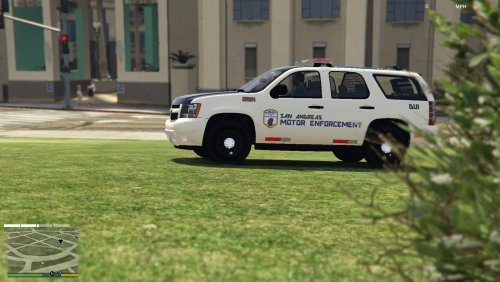
.thumb.jpg.bfad1c193dd40b9d539eefd7c5187a5a.jpg) Overall nice vehicle. I like how you use coronas, more people need to do that, because we now have the ability to edit carcols to where we can see them from far away, and we can finally have the police lights actually reflect off the ground and buildings. One huge suggestion is to have the carvariations in the file. Some people don't want to use the slot selected, so it'd be nice to have it without searching for it. It would save many people time.
Overall nice vehicle. I like how you use coronas, more people need to do that, because we now have the ability to edit carcols to where we can see them from far away, and we can finally have the police lights actually reflect off the ground and buildings. One huge suggestion is to have the carvariations in the file. Some people don't want to use the slot selected, so it'd be nice to have it without searching for it. It would save many people time.- 157 comments
- 46 reviews
-
-
- 1
-
-
-
oooh, gotta try this out!
-
-
-
-
-
-
 I love this! I really needed to replace that default police bike. You even got a good review from Lundy, and he's very picky :P 5/5
- 93 comments
- 36 reviews
-
-
- 1
-
-
 Love the modification! I am, too, having problems when searching someone's name. Once I stop someone on the street and ask for their name, I search their name only to have it crash LSPDFR. I'll edit this and attach my log once I re-create the issue. So far, I've had a 0% success rate on searching names. EDIT: attached log! RagePluginHook.log
- 1,743 comments
- 172 reviews

.thumb.jpg.bfad1c193dd40b9d539eefd7c5187a5a.jpg)


.thumb.jpg.1db0be3e377ccefdd47e57a95ec56762.jpg)