


OfficerSquare
Members
-
Joined
-
Last visited
Everything posted by OfficerSquare
-
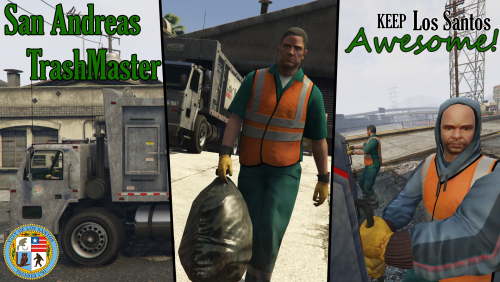 Is there a way when you're picker for your partner on the back to help you? If not, could you add it? :)
- 35 comments
- 14 reviews
-
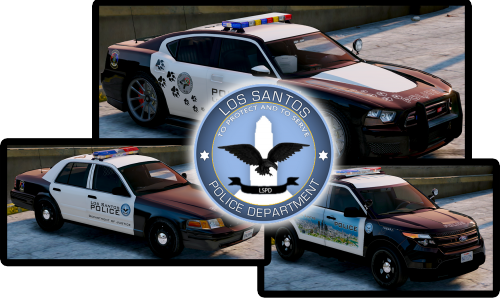 Nice pack, but I'm one of the los-santos-is-based-off-las-angeles-so-i-am-going-to-make-all-skins-lapd-and-try-to-stay-realistic kind of guy.
- 8 comments
- 4 reviews
-
-

- 1
-
-
 It looks really nice! Love the rims! I've been searching for an LAPD skin for this model, but can't find one sadly. :(
- 137 comments
- 22 reviews
-
Oh my god... I literally was playing the heist setup of putting the trash in the back and I was like "Someone should make a mod that allows us to pick up trash." THAT'S SO CRAZY. HUGE HUGE COINCIDENCE! LOL!
- 35 comments
- 14 reviews
-
 Michael DeSanta visits the lcpdfr.com store, and decides to buy a shirt!
© n/a
-
 I totally forgot to write a review on this! I don't even know how I forgot. I thought I posted one. This is honestly one of the 2 best LSPDFR Plugins in my opinion. I remember the first day it came out, I was one of the 200-300th download. All it has done from them is advance. What I'm most surprised about is the amount of options it has & stability. It's hard to keep a modification stable with that many options. You are a very skilled coder, my friend. :) I do have one complaint, though. The website isn't letting me vote more than 5 stars!
- 1,915 comments
- 242 reviews
-
-
- 7
-
-
-
It would be cool to collect evidence and investigate, but it would take a while to script each callout. Let's say the creator makes 5 of those callouts. Once you do them, they're predictable next time you do them.
-
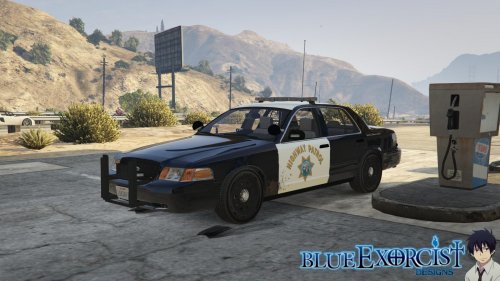 Looks very nice! I love the interior! Did anyone create an LAPD skin for this so far?
- 77 comments
- 10 reviews
-
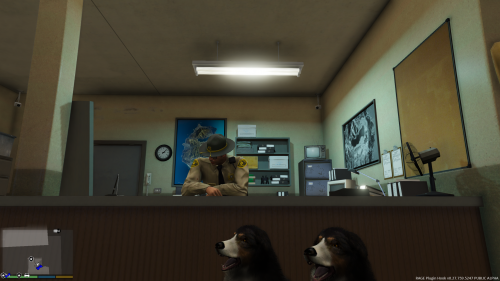 Damn. This was actually a really smart idea, man! I'll be trying it out soon. :)
- 41 comments
- 13 reviews
-
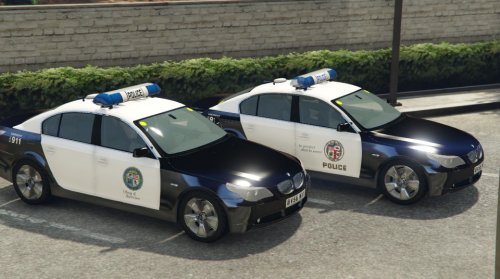 Ehh... it's weird seeing an LAPD/LSPD texture on a BMW. It's like seeing a UK vehicle texture on a Crown Victoria. It just doesn't add up, but good job on the skin.
 -
 Pitting has a whole new meaning... Coming 2016
 -
Yea, I wish it did that. I'd be cool to see it in 0.3
-
Oh my god... so much hype for this!!! I can't wait to try the new mechanics and arrest people in a friendly manner. We will also now have a realistic way of releasing them!!
-
 Whoa, where did you get that vehicle?
 -
Already looking very nice! You never fail to impress me, F5544. :)
-
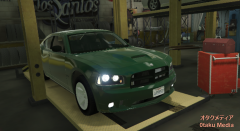 This looks so nice!
 -
 When I uploaded this file, the section was called "Script & Data File Modifications." It was before the huge download page update.
- 23 comments
- 4 reviews
-
 It's alright, but not the best. There are many errors in the vehicle. From far away, it looks completely like a different car. The wheels also dissapear once you're a certain distance from them. Since I run a low-end computer, the tires disappear if it's half-a-block away from me. The lightbar isn't aligned and some items on the vehicle looks unrealistic. You did the same with the Crown Victoria Police Interceptor you created. You shouldn't rush the work so you're the first to release that type of model. You should put a bunch of effort into it before release. I'm not saying you didn't put effort into the model, but it has too many problems to be released in my opinion.
- 183 comments
- 38 reviews
-
-
 Awesome vehicle! :) Did anyone make an LAPD skin for this? It'd be even better!
- 139 comments
- 21 reviews
-
A police station we can finally interact with! Thanks Sam & G17 Media!
-
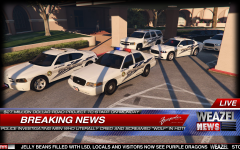 Tahoe... Older version of Dodge Charger.... THIS IS TOO MUCH TO TAKE IN AT 1 TIME! THESE LOOK AMAZING!
 -
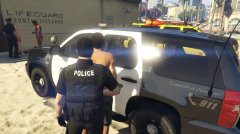 Whoa, who's developing that Tahoe? That's a really nice model!
 -
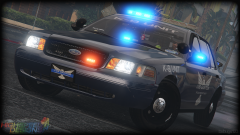 Bxbugs... I absolutely adore your work. The vehicles you created & skinned in GTA IV were amazing. I'm really glad you're here with us in the GTA V & LSPDFR community. This vehicle looks amazing, and I'm not surprised because I know how much effort you put into your work and how good you are at this. It definitely shows. :)


