
BroCop
Members
-
Joined
-
Last visited
Everything posted by BroCop
-
-
Excellent skins! I'm definitely downloading these. Say, what ENB are you using? It really compliments the skins.
- 10 comments
- 4 reviews
-
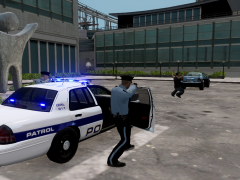 Nice uniform! Custom, or from a pack?
 -
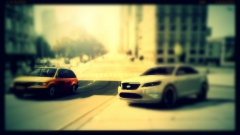 I see the LCPD has an instagram account. #taurusstuff
 -
Oh, there's no need to actually use the animation viewer. This is something you only edit in the peds.ide file.
-
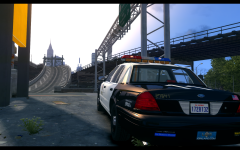 Holy crap, what ENB is this?
 -
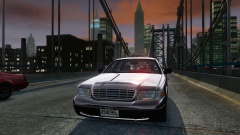 Yes please!
 -
Oh, gosh, that's pretty bright. Does this department's riot squad wear neon blue coloring? I recommend toning down the color a lot, if not.
-
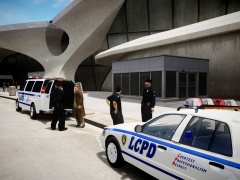 What ENB is that? I never can get both bright days and dark clothes at the same time.
 -
Sam, you've done it again. Excellent. I cannot wait to put your new peds into this cruiser!
- 19 comments
- 5 reviews
-
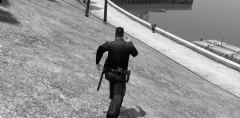 Oh yes please!! This ped model is amazing! Stop teasing!
 -
Eloquently stated Sam. It's tiring to see so many people complaining, yet so few interested in actually trying to help. I can only imagine how much of a headache it is for the team to deal with all of this.
-
Is this script still compatible with lcpdfr 1.0? I've been somewhat guarded about adding new mods since my pre-lcpdfr 1.0 re install.
- 356 comments
- 140 reviews
-
Vapid is making beauties! This is an amazing job. Oh, I'd personally recommend, instead of making another unlocked mapped version of the Stainer, to instead spend more time making varients of the Interceptor or UV'ing the Granger. Or sitting back and calling it a day, because you have already released a crap ton of excellent mods.
- 34 comments
- 10 reviews
-
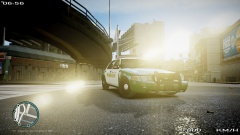 Ah, good to see JJ Abrams is a modder! :p Nice looking vic.
 -
Like people would enjoy another CVPI released on LCPDFR.com /s (actually that would be awesome)
-
You can, as I have, edit them independently. Warning: It doesn't work perfectly. Engine sound sometimes will cut out and I've experience a crash or two that I attribute to this. Open up vehicles.ide. Looking at pstockade, the fourth and fifth entries should be 'stockade' and 'pstock'. Change the first one to 'pstock' (stockade is the handling name entry) and the second one to whatever vehicle you'd like it to sound like (note, EVCS will read both vehicles as identical, so if you use it, tough luck.) Now, open up handling.dat and copy the whole line for POLPAT. Paste it right below POLPAT. Change the new lines name to PSTOCK and then place the handling line you want for PSTOCKADE right after that, but make sure you don't erase PSTOCK. Final line should look like : PSTOCK <numbers> It should NOT look like: PSTOCK PSTOCKADE <numbers> or anything like that. Again, it doesn't work perfect, but it works.
-
In theory, yup. You can get any two vehicles to spawn. I've never tried FBI or NSTOCKADE, so I dunno how it works, but you can always try.
-
I actually wrote a tutorial for this, which you can find in the tutorial section of lcpdfr. Here's the link.
-
No redsky if you install Ice's shaders, then install ChinaGreenElvis's red sky fix over them. Worked for me great for more than a year.
-
Well, GTA IV doesn't really change specs between patches, though you won't have nearly as many game breaking bugs as on earlier patches. If you have the minimum specs printed on the back of the box, you're good to go. Edit: Just saw the title, sorry. I used to run Ice 2.1, I can say that if you drop the ENB you'll only loose maybe 15-20fps. It's hard to say exactly how much. I would not recommend an ENB on a low-spec PC. It just won't look good. Look into Realistic Timecycle 5 or RealityIV.
-
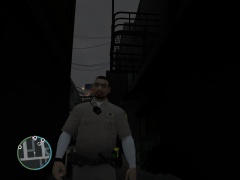 Oh boy oh boy oh boy. Sam, you're a machine constructed by university students designed specifically to make lcpdfr.com happy.
 -
Mind putting up links for the cars? Great skins. :)
-
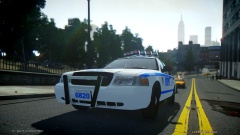 You're getting there, especially with showcase images. I mean, you converted me to your enb in a day, and I've been an icENHANCER 2.1 guy for over a year.
 -
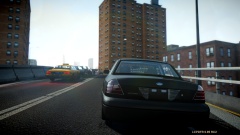 I'm a bit late to the party, but what beautiful CVPI is that?