



lovkal
Members
-
Joined
-
Last visited
Everything posted by lovkal
-
bump?
-
I made something that resembles this, didn't release it though. Just made it of a Youtube video. Good work, man!
- 16 comments
- 5 reviews
-
-
The support section is closed for maintenance.
-
http://www.lcpdfr.com/page/tutorials/index.action/_/texturing-tips-and-tutorials/texturing-tips-and-tricks-r8
- 3 comments
- 4 reviews
-
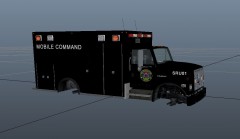 Good, but in my opinion, there should be some more text/logo's on the side.
 -
Hi, I've been wondering what siren this is:
-
I did a pursuit on Plumbers Skyway once, this guy just blazed down the highway, in the end, he crashed into the wall so his car exploded!
-
I deleted all my save games, first from the xlive savegames folder and then from AppData. It still won't start.
-
Yeah, I just re-installed my GTAIV (GameStop copy) due to it was not working, and now I updated it and now it crashes at loading screens. I tried installing xliveless but that didn't work. System Specs: HP Workstation 8200 SFF 1GB AMD Radeon HD 6670 8GB RAM
-
Don't think so, I just pre-ordered the game and the guys on GameStop said it would be released 2013. Plus, I also got this:
-
-
So THAT's what the 'Outlook Medical Services' skin is based on! Good work, man!
- 10 comments
- 1 review
-
Okay. Thanks.
-
Cool, thank you! Btw, are these ELS enabled?
-
Hi, I am on the look-out for a prisoner transport van (hopefully a british one.) Such as this one:
-
Awesome! I've just got one problem, when I create the 'black' layer, it looks transparent (you know, those grey and dark-grey boxes in the background). How do I make it all black?
-
-
-
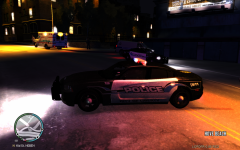 You know, I think that's a 2012 Taurus, but I'm not really sure, I removed it couple of weeks ago because I didn't like the skin. I can look for it.
 -
 xD
xD -
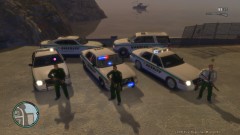 Nice cars!
 -
Just got another idea, there should be keys for specific backup requests so backup units know what to respond to, and be prepared. Such as: Alt+S Request backup for a suspect resisting arrest, responding officers can for example, taze the suspect and not just shoot them with the aim + 3 command. Or another key that advises units that there is a pursuit in progress, this can be useful for Braveheart's policing script because if the policing script engages a pursuit, you still can't call for assistance with the pursuit. You should also be able to order units to hold their fire. I know that you can enable/disable lethal force, but that's just under pursuits. I don't know if all this is possible with GTA's kind of crappy AI though. EDIT: Oh and another thing, I'd like to see paramedic actually responding. Like, when I really need EMS, I press Ctrl+M, but it just says Paramedic assistance is unavailable. That is very annoying. Just some ideas brought to you by Someone22! I agree, sometimes officers shoot the suspect for no reason, then I revive him and arrests him, but I'd like to take the guy to a hospital instead. That sounds possible, I mean if you just use the same script as G17 uses when you take him/her to a police precinct.
-
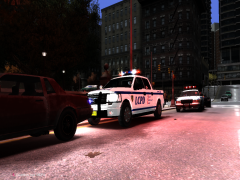 Cool F-150! Where did you get that?
 -
One annoying thing is that when I respond to an unconcious person, I call for an ambulance, but the ambulance just ignores the unconcious person. However, if a person is not linked to any of the script's missions, the ambulance will take care of him/her.
- 356 comments
- 140 reviews

