



Fmr MSPR
Members
-
Joined
-
Last visited
Everything posted by Fmr MSPR
-
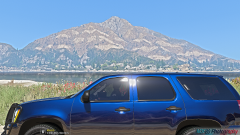
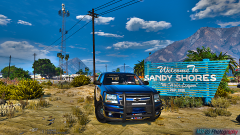
From the album: LE Vehicle Photoshoots
Model by Gump. Photo taken with iPhone 7 Plus© M3F80 Photography
-
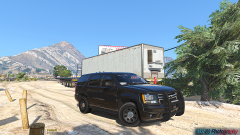
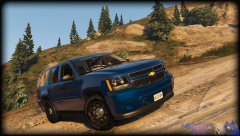
From the album: LE Vehicle Photoshoots
Model by Gump. Photo taken with iPhone 7 Plus© M3F80 Photography
-
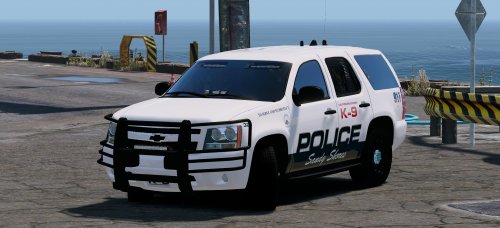 Some parts will need to be fixed and added if possible, but the Tahoe is awesome! You did an excellent job @Gump! - Fix the gap between the door and running board - Fix the wheels; make it little more concave (looks flat) - Fix tail light; make it all red instead of chrome trim. - Add spotlight - Add an option to remove rear window for K-9 (looks weird with the rear windows down) Nvm..It's the window tint lol. - Maybe couple more antennas (so we can talk to E.T.) - Possibly add side runners as an extra for those that want it (IMO, not much a fan of side runners). Other than those at the top, this Tahoe is great! Would really be awesome if this Tahoe is fully equipped :D I can understand if it cant be due to permissions.
- 41 comments
- 18 reviews
-
If you know how to install properly, then you shouldn't have any problem installing this vehicle... If you are wanting to install it in the SHERIFF2 slot, install it in Patchday3ng(could be different for others..). That is where I have mine, but I am using Straitdill's B.E.L so all I have to do is to drag the files over to his folder and done.
- 41 comments
- 18 reviews
-
-

- 1
-
-
No need to bash. The vehicle is test and is working fine. The instructions are in the included file and will work if you install it right.
- 41 comments
- 18 reviews
-
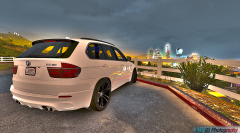
 What saturation? The photo was taken with the Canon EOS 5DS ;) This one was taken with the iPhone 7 Plus.
 -
-
When you spawn your Tahoe, make sure you go into your simple trainer and under window tint and select none. See if that works, I had to do that with mine.
- 41 comments
- 18 reviews
-
Nice! Another thing. The Tahoe rear suspension sits t too high. Can you make it even with the front? If not it's fine. The wheels looks weird for some reason, it looks too flat lol. EDIT: almost forgot, the Tahoe without the rear window is kinda weird lol. EDIT2: Between the doors and running board, I can see a space between it.
- 41 comments
- 18 reviews
-
-
- 1
-
-
-
-
 It should pick up. I had mine changed to PRANGER and didn't like how it had a V8 sound, so I changed it to POLICE3. I'm using the slicktop in the SHERIFF2 slot.
- 157 comments
- 28 reviews
-
-
- 1
-
-
You have to change your handling name in vehicles.meta to POLICE3. So if you have the cars replaced as FBI or FBI2, change the handling name to POLICE3.
- 157 comments
- 28 reviews
-
-
- 1
-
-
-
Awesome model!!! I'm using the slicktop with Straitdill's B.E.L and it works great!! @Thehurk, is there anyway you can make the Whelen ION you have on the marked FPIU at the rear sides on the slicktop as an extra? Maybe on the next update? EDIT: Video showing slicktop with Straitdill's B.E.L. I have tried the marked one, but it is alright. Slicktop works better.
- 157 comments
- 28 reviews
-
-
- 1
-
-
 @Alex_Ashfold, will you be making an extra accessory to have a taser holster w/taser?
- 2,346 comments
- 236 reviews
-
 Nice!! Hope this will be released.
 -
-
-
 I know your textures are base on REAL LIFE PHOTOS...I said brake lights not tail lights..and I've seen ford explorers brake lights everyday. I wasn't trying to dis on your car model. Just saying that in the picture I have provided, the brake lights lit up with red LEDs followed by yellow light surrounding it..
- 563 comments
- 116 reviews
-
-
@Desmond98 Will you be making the brake lights actual red instead of the washed out yellow look? I have provided a pic showing TheHurk's 2016 CHP Pack 2013 Ford Explorer with red brake lights. I think his model is a bit too scaled up compared to yours. I believe yours is the actual scale. This car looks awesome with the ELS style lighting. (Video with your Explorer was the old version.)
- 563 comments
- 116 reviews
-
.thumb.jpg.6c80ecc7060134b39a0d153a8d09ac1f.jpg) To enable the liveries, you have to edit the vehicle.meta file under the flags. Is it my game or the model itself doesn't have rear parking lights? NVM it was my game lol it's working fine now
To enable the liveries, you have to edit the vehicle.meta file under the flags. Is it my game or the model itself doesn't have rear parking lights? NVM it was my game lol it's working fine now- 107 comments
- 24 reviews
-
-

.thumb.jpg.6c80ecc7060134b39a0d153a8d09ac1f.jpg)