


Creators: Due to background reprocessing of files, approvals and file security checks may be delayed. Thanks for your patience.

Fmr MSPR
Members
-
Joined
-
Last visited
Everything posted by Fmr MSPR
-
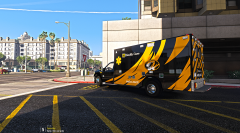
From the album: Civilian/Other Service Vehicle photoshoots
Little something I made. Not bad, but it'll do for me. Trying to make my game based off in my area. -
 @downcoldkiller, any way to make the front bumper/grille to chrome or black?
- 209 comments
- 40 reviews
-
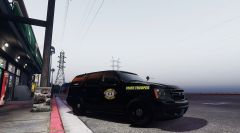
From the album: MSHP Vehicle photoshoots
© MSHP photography
-
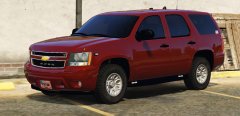 Haha do it!! Would love this for my park ranger Tahoe!
 -
This could be for the Park Ranger Tahoe!
-
Haha. I had to read the first page on his comments and someone said something about that.
-
 Yeah I used the normal one that came with it and it's still the same. I've used the smoked one wth the cutout for the lighting and it's still not that bright like in his pictures. My POSTFX in game setting is on ultra.
- 2,680 comments
- 235 reviews
-
You have Gumps Tahoe installed? If so, with the VCF file red/blue one; there's a missing quotation mark missing at the top that says red. It has fixed my crashing issue.
-
Oh no, that missing quotation mark in the VCF filewas what it was crashing my game. I still couldn't figure out how to make the windshield and rear window lights brighter.
- 2,680 comments
- 235 reviews
-
So, I read through GUMP's Tahoe comments and someone posted saying Gump is missing a quotation mark in the coding. I found it and added the quotation mark and it works for the VCF red/blue lighting.
- 2,680 comments
- 235 reviews
-
 WOW, I cant believe I did not read your post...your post fixed my problem with the red/blue VCF. Thank you so much!! @Gump, what graphics are you using to make your lights that bright in picture?? And what graphics settings do you have it set in game?
- 39 comments
- 27 reviews
-
-

- 1
-
-
I wonder what visual mods he's using, cause in his Tahoe pictures his lights are bright. Mine isn't bright at all, only the grille lights and tail lights are bright. The windshield mount lights and rear window lights are dull.
- 2,680 comments
- 235 reviews
-
-
-
-
Haha, I thought it was my game!! I reinstalled it twice!! I come to the conclusion that his Red/Blue VCF file is bad. The Blue is fine, but the front windshield/rear window lights aren't bright. I have VisualV/RadianceV installed.
- 2,680 comments
- 235 reviews
-
@Gump, I installed your Tahoe and the model works and all, but your xml file is bad. It crashed my game when loading in story mode. I have removed your .xml file and have Bxbugs CVPI installed and .xml installed the game works. Could you possibly look into this?? With your .xml file in it crashes my game. EDIT: Your blue VCF is fine, but some parts of the lights aren't bright for some reason. Red/Blue VCF file is bad; crashes my game.
- 39 comments
- 27 reviews
-
Yes, I installed it in patchday14. EDIT: I'm glad you said that. I deleted his VCF file and the game works! It is his VFC file that is bad.
- 2,680 comments
- 235 reviews
-
So far no one can offer any help because it hasn't happened to them. I also have posted a thread on the forum and no one seems to know..
- 2,680 comments
- 235 reviews
-
-
- 3
-
-
Here's my ELS log <AHOOK> Attempting to initialize AdvancedHookV by LMS. (OK) AdvancedHookV.dll file found and successfully initialized. <FILEG> Collecting information from ELS.ini. (OK) Main configuration data successfully collected. <VCONT> Attempting to open VCF container at: [ .//ELS//pack_default ]. (OK) VCF container found, scanning for files. <FILEV> Found file: [ sheriff2.xml ]. <FILEV> Verifying vehicle model name [ sheriff2 ]. (OK) Is valid vehicle model, assigned VMID [ 0 ]. Parsing file. *A crash before all clear indicates faulty VCF.* VCF Description: Sample VCF VCF Author: Luxart (OK) Collected data from: 'ADMIN'. (OK) Collected data from: 'INTERFACE'.
-
Hey guys, I've recently downloaded a fresh copy of GTA V through Steam and got everything I needed in order to play LSPDFR. Only thing is that when I installed ELS, it crashes my game saying, "GTA V Stopped Working" in loading story mode. I have removed other mods to narrow down to ELS. So I removed ELS files and start my game back up via RageHook and as well through Steam, the game works perfectly fine. Anyone have ideas on how to fix ELS crashing my game? Or am I missing something? I have all the latest scripthooks. EDIT: No one has this problem??
-
Can anyone help me? I have installed a fresh copy of GTA V via Steam and got all the mods installed in the correct place. When I put the ELS folder, ELS.dll, ELS.asi and AdvanceHookV into my main GTA V directory and start up the game, my game crashes at the loading story part. I have removed the ELS related files and start up my game and the game loads fine and works. My guess is ELS is crashing my game saying, "GTA V Stopped working"..
- 2,680 comments
- 235 reviews
-
-
- 1
-
-
Looks awesome!! Someone actually got the Tahoe wheels right!! Maybe update the tail lights to get rid of the chrome?
- 39 comments
- 27 reviews
-
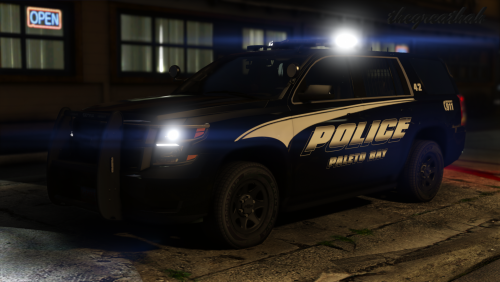 About time someone did a proper size wheels on the 2015 Tahoe!! Others have been oversizing wheels on everything lol
- 23 comments
- 16 reviews
-
-
- 2
-
-
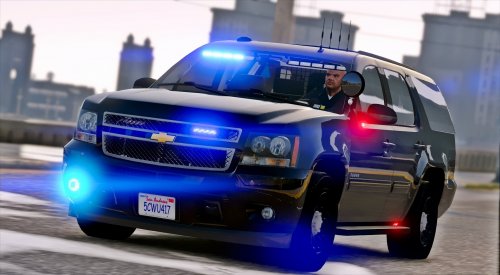 Love this Tahoe!!! Great job @POLICESCO!!! Can you fix the wheel texture like TacticalPotatos shown in picture and also make the wheels more convcave? Spot light oversized too lol. Other than that Tahoe is great!!
- 39 comments
- 26 reviews
-
-
- 1
-

