



Fmr MSPR
Members
-
Joined
-
Last visited
Everything posted by Fmr MSPR
-
Now I'm having another issue... Game will start up fine last night then this morning when I start up the game it crashes saying "GTA V exited unexpectedly. Please Retry below to enter the game again, or click Safe Mode to launch the game with reduced graphics settings. If you continue to have problems playing the game, please contact Rockstar Games Customer Service." EDIT: So I've decided to re-install everything and it works fine now. But has anyone got their simple native trainer to work?? I've installed the ScriptHookV, ScriptHookDotNet, and dinput8.DLL then the game crashes but when removed it works fine. I guess we have to wait until Simple native trainer is updated?
-
Okay so here's what I got. I went back and removed albo1125.common file in main directory and then removed openinterior mod and it works no crashes getting 40-58 FPS. Gonna test it more to see. Oh and in game graphics are back to default.
-
I just played in 0.2 and it did not give me the game memory error. I was getting 55-61 FPS. Idk if 0.3 is the problem??
-
I have the 0.2 backed up and trying on that to see if it will give me that error. I may just backup my visualsettings and whatever stuff I need then re-install GTA V :( I hate doing this.
-
Yeah I've been searching and couldn't find anything. This is pissing me off lol I get "ERR_MEM_EMBEDDEDALLOC_GUARD_4"
-
Hmmm..I'm not sure what's going on on my end. 0.2 was working fine but after I installed 0.3 it gave me game memory error. I really don't want to re-install everything since I have everything set the way I wanted and perfect lighting set for the EL. But I'm not sure if it's 0.3 or what. The FPS went up and then back down constantly making me lag. My graphics settings are at high. I have NVIDIA GTX 960 I can't figure out what is going on.
-
Hey guys I don't know if it's LSPDFR 0.3 or what but ever since I installed LSPDFR 0.3 my FPS has been going crazy like spiking up to 54FPS and then back to 30FPS constantly and then it gave me a Game Memory Error, never had this happen before. Any ideas??? Sorry if I posted this in the wrong section, thought it'd be in this section.
-
 If you are wanting to replace it with a different slot like fbi slot, you'll need to extract the carvariations.meta and vehicles.meta and open it in notepad and take the police2 carvariations copy and past it to the fbi and the vehicles.meta I believe you wont need to do anything with it. I currently have this charger in the fbi slot and haven't changed any carvariations or vehicles.meta file. It's working fine for me. Someone might know more about this. But make sure you create a backup file of the two files before editing them.
- 159 comments
- 53 reviews
-
It means that any other models replaced you'll need to edit the carvariations.meta and vehicles.meta file in order for it to work with in other police slots. So this model he made is for police2 and that everything will work fine in police2 slot. If you just dragged and drop it, you're good to go. It probably did not replace the police2 when you drag and dropped the files.
- 159 comments
- 53 reviews
-
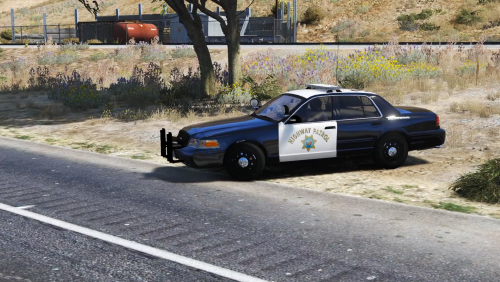 Nice video! That Ford Explorer at the end though :D Whose Ford Explorer is it?
- 32 comments
- 11 reviews
-
Does anyone know where is the sign or texture for the "Los Santos Government Facility" is located at so we can make our own "Headquarters" I've looked through it with OpenIV and could not find it. If anyone knows please let me know! Thanks!!!

-
 How soon?!
 -
You can. I have it replaced with FBI but you can't change the liveries only one will show.
- 159 comments
- 53 reviews
-
-
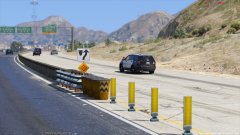
From the album: Random Patrols
LSSD - Deputy cruising on N. US Route 13 and ready to take some calls. -
-
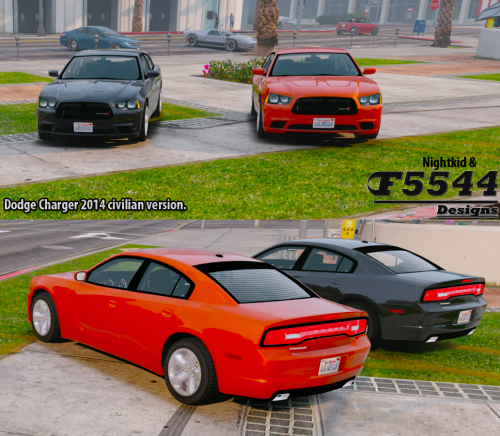 You probably don't want me to say this but everything looks good to me except the tail lights/brake lights. All the lights are in the correct spot just the brake lights/ parking lights need to be fixed. Other than that looks great!
- 16 comments
- 8 reviews
-
-
-
-
From the album: MSHP Vehicle photoshoots
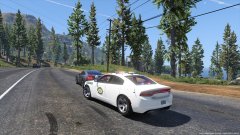
Missouri State Highway Patrol stopped a motorists for speeding. But who wouldn't in a Nissan GTR! :D MSHP Skin made by me (MSHP) 2015 LSPD Dodge Charger made by F5544 -
-
 Nice! Love the moving antenna, makes the car more realistic! But the brake lights are on the wrong part of the taillights. Brake lights should be the outer part, other than that great job.
- 202 comments
- 51 reviews
-
-

- 1
-
-
From the album: Random Patrols
Deputy stopped a motorist for speeding and to check out the GTR. 2011 CVPI made by Bxbugs123 -
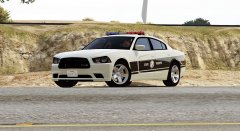 Looks great as always! Should make the light bar clear instead of the blue and red textured.


