



Fmr MSPR
Members
-
Joined
-
Last visited
Everything posted by Fmr MSPR
-
-
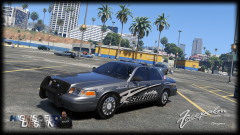 Amazing! May I test out the Tahoe or the charger on the very right side? :D I'm currently testing F5544's 2015 LAPD Dodge Charger.
 -
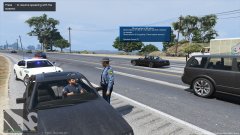
From the album: MSHP Vehicle photoshoots
MSHP stopped a motorist for crossing the center line multiple times and investigating why he did that. Suspect was arrested afterwords for DUI and transported to jail (picture not shown) I know that MSHP don't use pushbars but hopefully it can be removed as an extra! Skins is made by me. Personal use only. As I can't make it in 4k. 2015 Dodge Charger Police by F5544. This model is awesome! Everyone will love this! Lights are right on point! Thank you F5544! -
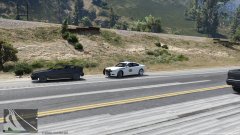
From the album: MSHP Vehicle photoshoots
MSHP stopped a motorist for crossing the center line multiple times. I know that MSHP don't use pushbars but hopefully it can be removed as an extra! Skin is made by me. Personal use only. As I can't make it in 4k. 2015 Dodge Charger Police by F5544. This model is awesome! Everyone will love this! Lights are right on point! Thank you F5544! -
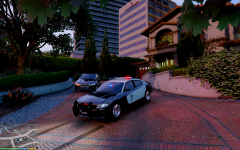 Ohh ok. Would you be able to make the pushbar an extra so if we don't want to use the pushbar we can take it off with trainer? Thank you!!
 -
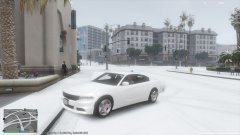
From the album: MSHP Vehicle photoshoots
Ready to go on duty in this snow day! @F5544's Civilians 2015 Dodge Charger. -
Looks amazing! Is the push bar an extra?
-
-
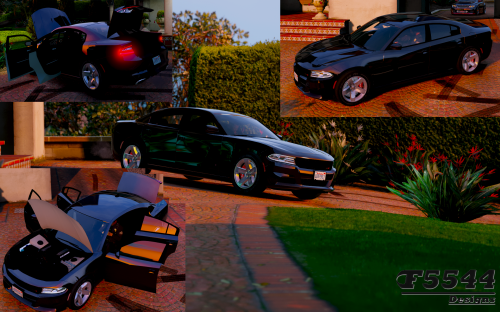 @F5544 just downloaded this updated version and installed it with the carvariations.meta file and I would have to say you nailed it on the brake lights! It is now perfect!! Thank you!! Now just gotta wait until you release the police version with the same brake lights!
- 42 comments
- 3 reviews
-
-

- 1
-
-
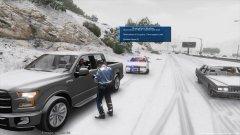
From the album: MSHP Vehicle photoshoots
MSHP issuing a motorist a citation for going way too fast in this snowy weather. -
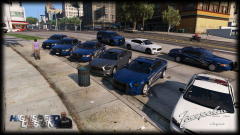 Seen that slick top gray charger in SteveTheGamer55 YouTube video, Love the car but I hope the fender, bottom side, and license plate EL lights are an extra because I do not really like it that's just me. Anyways great car and hope it's released soon!
 -
You should make another version with the black ppv alloy wheels so if people like the hubcap one or the ppv alloy wheels can choose what they want, like how NIGHTKID did his versions. Heres a link of the black ppv wheels. Personally I like the current ones you have now. Won't let me upload a picture cause this site is having problems. http://www.tflcar.com/2015/07/2015-dodge-charger-police-pursuit-test-drive/
-
I already got it installed. Because it's the same size as my GTX 660 without me modifying the case.
-
I got PNY GEFORCE GTX 960 4GB, but now when I'm in game I get like a frame rate lag sometimes and it'll make me nauseous lol
-
@F5544 I have installed it and not quiet there yet lol. Possibly reduce the brightness, it was way too bright at night lol.
- 42 comments
- 3 reviews
-
Nice!! Will you also be adding Whalen Liberty lightbar?
-
Will do when I get home from work tonight unless someone here can see if it works! Thanks!
- 42 comments
- 3 reviews
-
-
- 1
-
-
Here's a video of the charger taillight. It shows the brake lights and turn signals at 11:08 Here's the taillight on at night. Kinda like the previous model chargers.
- 42 comments
- 3 reviews
-
Lol, it was bothering me too but I guess it's how he has it set up for the car cause on other car mods I have installed the parking lights don't light up till sunset. I haven't tried first person view yet, I was just amazed how good the model is and finally got the wheels I've always wanted in the game and hope the police models with the same wheels are gonna be released soon!
- 42 comments
- 3 reviews
-
He just went into the lights texture and made the taillights red. I think if we want it red he'll have to make it red without changing the texture? Cause then it wont look good.
-
Great model but need to move the brake lights to the correct spot instead of the middle section on next update or so.
- 42 comments
- 3 reviews
-
 If you want it as police it's in x64e>levels>gta5>vehicles.rpf and make sure you click on "edit mode" at the top and replace the police file. If you want to replace it as sheriff just rename the file from police to sheriff and replace in update>x64>dlpacks>patchday3>dlc.rpf>x64>levels>gta5>vehicles.rpf
- 146 comments
- 24 reviews
-
As for the top 2, you may just have to wait or have someone make it.
-
 Carvariations.meta and vehicles.meta file installed correctly? I have both steel and hubcap installed and headlights work fine.
- 208 comments
- 59 reviews
-
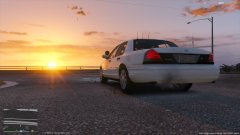 Forgot to take the radar off.


