error404vibes
Members
-
Joined
-
Last visited
Everything posted by error404vibes
-
These do NOT belong in GTAV/plugins/LSPDFR! Please reinstall them correctly in GTAV/plugins. EUP Menu EUP Menu installation: 1) Place RAGENativeUI.dll into your root GTAV folder (if you don't already have it). 2) Extract the contents of Plugins in the archive into your GTAV Plugins folder. 3) Open the RPH console in-game (default F4) and type "LoadPlugin EUPMenu.dll" (without quotations).
-
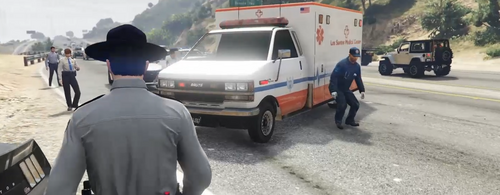 @1803 Creations I tried this callout for the first time, and I want to be honest with you — it still needs work. For now, I’ll pass and uninstall it. It feels rushed, like it was made just for the sake of being released. If you want it to be a successful callout, you should put more effort into it. That being said, I do like the idea behind “HWY Callouts.” Large Animal Struck – You could add a GPS route to the destination. I also don’t understand why there’s an NPC spawning next to the dead animal who is immune to bullets. After killing or catching the suspect in the vehicle, the red marker should disappear from the map. Pedestrian Struck – Again, there’s an NPC standing right in the middle of the highway. It would be more realistic if there were a parked car with hazard lights on in front of the body, and the NPC either inside or near the vehicle. Racers Reported – I activated the callout through the Callout Manager, and it deleted the car I was in. Also, if all participants in the race die, the callout does not end. Serious Highway MVA – When I arrive at the scene, there’s just a large white circle on the map. You could add some dialogue here. Speed Trap – I don’t think the location is well chosen. You should review the spawn points — I couldn’t catch anyone speeding. Suspicious Vehicle – As soon as I arrive, before I even get a chance to stop my car, I get a “medical emergency…” message. Make it more realistic: let the player exit the vehicle, approach the driver, and then after 1–3 seconds display that message. Highway Patrol Traffic Stop Backup Required – The spawn is not good, and the situation plays out too quickly. The officer gets out, talks to the driver, says he’ll issue a ticket, gets back in the car, and both leave — the ticket isn’t even handed over. It feels very rushed. https://imgur.com/a/LOv3fUx Personally, I don’t like that there’s no key to end the callout (like END or DEL). Also, after a callout ends, everything that was spawned (NPCs, animals, objects, etc.) should be properly cleaned up. And please make the map checkpoints have a transparent background — the solid color you used looks bad. Please don’t take this the wrong way — this is just my opinion.
 -
Please post the RagePluginHook.log which can be found in the main folder.
-
Please post the RagePluginHook.log which can be found in the main folder.
-
 Guys, this is a really cool callout — I definitely recommend giving it a try, it’s totally worth it. Especially since @Yasd is putting in the effort to make sure everything runs smoothly. Thank you!
- 21 comments
- 1 review
-
Have you created an exception for the Grand Theft Auto V folder in Windows Security? If not, do so and then reinstall LSPDFR manually. Verify the integrity of the GTA V game files. Make sure the Grand Theft Auto V folder has all permissions enabled (Properties > Security).
-
Please post the RagePluginHook.log which can be found in the main folder. Have you added any weapons, weapon skins, or ammo count mods? If so, they might be the cause. Rename the mods folder to _mods and tell me if it works. If it does, it means one of the mods isn’t working, and you’ll need to uninstall them one by one to figure out exactly which one(s) are causing the issue. It’s also good to have Gameconfig, Heap Adjuster, Packfile Adjuster and Resource Adjuster installed.
-
 I tried this callout and it is excellent; it is very well made. Thank you! I reported a minor crash on Discord related to the “Suspicious Armored Truck Activity” callout, including the RagePluginHook.log file.
- 30 comments
- 7 reviews
-
-

- 1
-
-
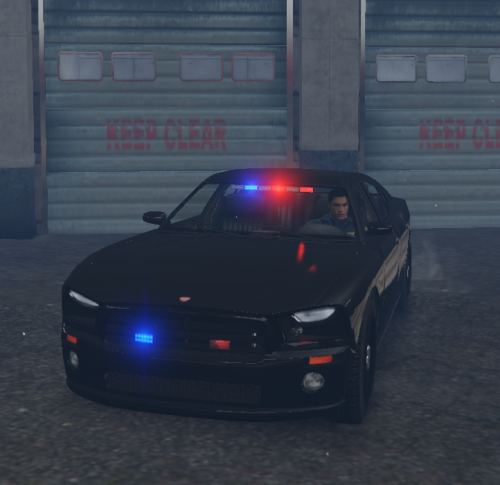 I’ve just tested the callout, and from my point of view, it’s really good. I wasn’t able to launch the “Stingray” callout from the Callout Launcher; other than that, everything works fine. Thank you very much!
- 5 comments
- 2 reviews
-
-
- 1
-
-
To be honest with you, I took inspiration from a similar topic that personally helped me. Maybe this topic will help those who are new to LSPDFR, as well as current players. I play LSPDFR with the setup below and have no issues. WHAT I CONSIDER ESSENTIAL: OpenIV Script Hook V ScriptHookVDotNet RAGENativeUI Simple Trainer for GTA V LemonUI: Open Source UI Library Enable All Interiors Gameconfig for Legacy fwBoxStreamerVariable and decals limit patch Packfile Limit Adjuster HeapAdjuster Resource Adjuster Weapon Limits Adjuster PedProp Limit Adjuster Emergency Lighting System Brighter Emergency Lights by MSTB Developments SirenSetting Limit Adjuster (Not compatible with newest update. You can download a new update from Cheheb Bacha Discord’s server) Realistic Blood V GTA V Audio Fixes - Removes high FPS stutters and the 188 FPS limit Auto Center Steering Patch EUP Menu Emergency uniforms pack - Law & Order Emergency uniforms pack - Serve & Rescue Disable Pistol Whip aka "Stop With The F***ing Pistol Whipping" Realistic Traffic AI Realistic AI Accuracy Ambient AI Police, Sitting patrols and Traffic Stops Skip Intro & Legal Messages Riskier Traffic Stops Better Hit Reactions Policing Redefined Damage Tracker Framework Deadly Weapons Callout Launcher ALPR Lite CompuLite Whelen Cencom Saphire Siren & Weapons Sounds Pack CALLOUTS: DeryllCallouts Regular Callouts Adam69 Callouts 686 Callouts MCCallouts LPCallouts Remastered Ricy's Callouts Federal Callouts Remastered Qwaned Callouts Code 3 Callouts Remastered VEHICLE MODS: [ELS][Addon/Replace] Los Santos County Sheriff's Department [ELS][Addon/Replace] San Andreas County Sheriff's Department [ELS] [DLC] [Reflective] LSPD (Houston Police Dept) Pack [ELS] BCSO Pack [32 Sirens][DLC][ELS Hybrid] LSPD Legacy Pack [ELS] Thero's State Wide Services Pack (LEO, EMS, Fire, Plus More) [ELS][DLC] FHP/SHP Pack [ELS] Whelen Edge 9x Mega Pack Paleto Bay PD Tahoe Pack [ELS HYBRID, ADDON] {ELS Hybrid} (Add-On) 2025 Chevrolet Tahoe PPV (Slicktop) {ELS Hybrid} (Add-On) 2025 Ford F-150 Police Responder (LSSD & LASD) {ELS Hybrid} (Add-On) 2018 Dodge Charger Slicktop/Undercover {ELS Hybrid} (Add-On) 2024 Chevrolet Tahoe PPV San Andreas State Patrol Mega Pack [ELS] [ADDON] [ELS][Addon/Replace] Blaine/Los Santos County Sheriff 2020 FPIU (ELS) Blaine County Sheriff's Office MEGA Pack (Addon)(R/B/W) 2 New Vehicle's[ELS-HYBRID][DLC][Fivem-Ready] San Andreas State Trooper Los Santos PD (WBPD Inspired) [ELS,NONELS HYBRID, ADDON] [ELS-Hybrid | DLC/Addon ] Low-Profile z71 Tahoes 1.0.0 VISUAL: Forests of San Andreas: Revised [Add-On | YMAP | YMT | CARGEN | LODs | OIV | SP | FiveM] GTA V Remastered: Enhanced [Add-On | YMAP | LODs | OIV | SP | FiveM] Vegetation reflection [Add-On | OIV | SP | FiveM]
-
Please post the RagePluginHook.log which can be found in the main folder.
-
Have you installed Resource Adjuster? Have you recently installed any new vehicles or anything else that might help us figure this out faster?
-
Please post the RagePluginHook.log which can be found in the main folder.
-
You need to update XScanner. Invalid PR Keybind Set. You have an invalid keybind set in your PR config. File: InteractionSettings. Current value: l. If you intend to remove the keybind, use None which is case sensitive. For all other keys, you can visit this site for a list.
-
Rename the mods folder to _mods and tell me if it works. If it does, it means one of the mods isn’t working, and you’ll need to uninstall them one by one to figure out exactly which one(s) are causing the issue. Have you added any weapons, weapon skins, or ammo count mods? If so, they might be the cause.
-
Please post the RagePluginHook.log which can be found in the main folder.
-
The log is fine. Try this: Go to the GTAV/lspdfr/lspdfr.ini folder and set the parameter AmbientSpawn.DisableRandomUnits = true.
-
Rename the mods folder to _mods and tell me if it works. If it does, it means one of the mods isn’t working, and you’ll need to uninstall them one by one to figure out exactly which one(s) are causing the issue.
-
Please post the RagePluginHook.log which can be found in the main folder.
-
Please post the RagePluginHook.log which can be found in the main folder.
-
Update required: QwanedCallouts You are missing these required files: RawCanvasUI (you can get it from here - should be installed in the main Grand Theft Auto V folder) Microsoft.Speech Try what I told you, and if it still happens, post the RagePluginHook.log file, which can be found in the main game folder (Grand Theft Auto V). Ensure you have: Gameconfig, Heap Adjuster, Pack File Limit Adjuster.
-
Please post the RagePluginHook.log which can be found in the main folder. Rename the mods folder to _mods and tell me if it works. If it does, it means one of the mods isn’t working, and you’ll need to uninstall them one by one to figure out exactly which one(s) are causing the issue. Have you added any weapons, weapon skins, or ammo count mods? If so, they might be the cause.
-
Rename the mods folder to _mods and tell me if it works. If it does, it means one of the mods isn’t working, and you’ll need to uninstall them one by one to figure out exactly which one(s) are causing the issue. Have you added any weapons, weapon skins, or ammo count mods? If so, they might be the cause.
-
Rename the mods folder to _mods and tell me if it works. If it does, it means one of the mods isn’t working, and you’ll need to uninstall them one by one to figure out exactly which one(s) are causing the issue. Make sure the Grand Theft Auto V folder has all permissions enabled (Properties > Security). It’s also good to have Gameconfig, Heap Adjuster, Packfile Adjuster and Resource Adjuster installed.
-
"LSPDFR is trying to load one of its files, but is failing to because something else is using it. The only way this occurs is if you have some of LSPDFR's files open in an editor, or if your antivirus software is getting in the way. Restarting your machine will fix the former, but not the latter." Have you created an exception for the Grand Theft Auto V folder in Windows Security (or in whichever antivirus you’re using)?