


error404vibes
Members
-
Joined
-
Last visited
Everything posted by error404vibes
-
Please post the RagePluginHook.log which can be found in the main folder. Have you installed the latest versions of Gameconfig, Heap Adjuster, Packfile Adjuster, and Resource Adjuster? Make sure you have the latest version of LSPDFR installed.
-
Rename the mods folder to _mods and tell me if it works. If it does, it means one of the mods isn’t working, and you’ll need to uninstall them one by one to figure out exactly which one(s) are causing the issue. It’s also good to have Gameconfig, Heap Adjuster, Packfile Adjuster and Resource Adjuster installed. Make sure the Grand Theft Auto V folder has all permissions enabled (Properties > Security).
-
 @SoCal Thero Hello, thank you for your effort — what you've created is amazing. Regarding SAHP5, SAHP6, fbi7, mppd2, park2, and police7, I’ve noticed that the vehicles don’t have any body roll when accelerating or braking. Normally, when you accelerate, the front of the car should lift slightly, and when you brake, it should dip forward, but that doesn’t happen. I also noticed the same issue with some vehicles in version 1.0. Do you think this is something you could fix? Thanks again for all your hard work!
- 363 comments
- 27 reviews
-
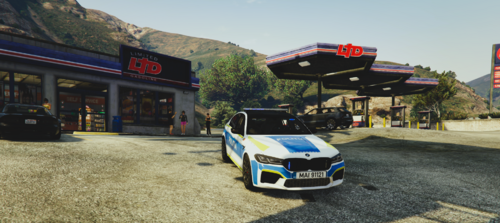 I recommend trying it, it looks gorgeous! (Recomand sa incercati, se vede superb 💖)
 -
Rename the mods folder to _mods and tell me if it works. If it does, it means one of the mods isn’t working, and you’ll need to uninstall them one by one to figure out exactly which one(s) are causing the issue. It’s also good to have Gameconfig, Heap Adjuster, Packfile Adjuster and Resource Adjuster installed. Make sure the Grand Theft Auto V folder has all permissions enabled (Properties > Security). [6/21/2026 11:41:55 AM.773] EUP Menu: [6/21/2026 11:41:55 AM.773] EUP Menu: ============================== [6/21/2026 11:41:55 AM.773] EUP Menu: UNHANDLED EXCEPTION DURING GAME FIBER TICK [6/21/2026 11:41:55 AM.773] EUP Menu: ------------------------------ [6/21/2026 11:41:55 AM.773] EUP Menu: Origin: Game fiber "<UNNAMED THREAD>". [6/21/2026 11:41:55 AM.773] EUP Menu: ------------------------------ [6/21/2026 11:41:55 AM.773] EUP Menu: Exception type: System.AccessViolationException [6/21/2026 11:41:55 AM.773] EUP Menu: Exception message: Attempted to read or write protected memory. This is often an indication that other memory is corrupt. [6/21/2026 11:41:55 AM.773] EUP Menu: ------------------------------ [6/21/2026 11:41:55 AM.773] EUP Menu: Inner exceptions: [6/21/2026 11:41:55 AM.773] EUP Menu: ------------------------------ [6/21/2026 11:41:55 AM.773] EUP Menu: Stack trace: [6/21/2026 11:41:55 AM.773] EUP Menu: at Rage.Native.NativeFunction.CallByAddress(IntPtr address, Type returnType, NativeArgument[] arguments) [6/21/2026 11:41:55 AM.773] --- End of stack trace from previous location where exception was thrown --- [6/21/2026 11:41:55 AM.773] at System.Runtime.ExceptionServices.ExceptionDispatchInfo.Throw() [6/21/2026 11:41:55 AM.773] at Rage.Native.NativeFunction.CallByAddress(IntPtr address, Type returnType, NativeArgument[] arguments) [6/21/2026 11:41:55 AM.773] at Rage.Native.NativeFunction.CallByHash(UInt64 nativeHash, Type returnType, NativeArgument[] arguments) [6/21/2026 11:41:55 AM.773] at Rage.Native.NativeFunction.CallByHash[ReturnType](UInt64 nativeHash, NativeArgument[] arguments) [6/21/2026 11:41:55 AM.773] at Rage.Player.set_Model(Model model) [6/21/2026 11:41:55 AM.773] at EUPMenu.Functions.ChangePlayerModel(Player player, UInt32 model) [6/21/2026 11:41:55 AM.773] at Rage.GameFiber.Main() [6/21/2026 11:41:55 AM.773] EUP Menu: ============================== [6/21/2026 11:41:55 AM.773] EUP Menu:
-
Update RageNativeUI Download the latest version of RageNativeUI. Put RageNativeUI.dll into your root GTA V folder. Click on Replace Files when prompted. From the log:
-
Unstable plugin: AutomaticSireCutout. (May cause crashes, i suggest you to unninstall it). You are missing these required files: PolicingRedefined. From the log: [6/19/2026 7:12:58 AM.339] LSPD First Response: [Nexus MDT] [WARN] OnDuty: ✗ NpcaiComplianceBridge.Start threw — <no file>: Could not load file or assembly 'PolicingRedefined, Version=1.0.0.2, Culture=neutral, PublicKeyToken=null' or one of its dependencies. The system cannot find the file specified.. Continuing with the rest of the chain. These do NOT belong in GTA V/plugins/LSPDFR! Please reinstall them correctly into your main GTA folder → RawCanvasUI
-
Update required: 686Callouts, CalloutLauncher, KucheraCallouts, MCCallouts, MTFO, pdComp, PolicingRedefined, SuperCallouts. Unstable plugin: RadioRealismFR. (May cause crashes) Invalid GP Configurations plugins/LSPDFR/GrammarPolice/grammar/en-GENERIC Inside this folder, the listed files will likely be inside "Custom" Remove these files as their plugin is no longer installed: bolo_check.xml, repeat_bolo_details.xml, repeat_last_seen.xml. Unninstal Traffic Policer and tell me if it works. (You have Traffic Policer and Policing Redefined) From the log: [6/17/2026 12:39:33 PM.614] LSPD First Response: Traffic Policer compatibility warning: The current game version is newer than 1.0.3521.0 and may or may not be incompatible due to RPH changes. Use at own risk. And don't forget: Right-click on the GTAV folder → select Properties → go to Security and make sure each user has full permissions. Because: From the log: [6/17/2026 12:39:45 PM.802] LSPD First Response: GrammarPolice: [GrammarAction] The process cannot access the file 'C:\SteamLibrary\steamapps\common\Grand Theft Auto V\plugins\LSPDFR\ImmersiveAmbientEvents.dll' because it is being used by another process. [6/17/2026 12:39:45 PM.803] LSPD First Response: GrammarPolice: [GrammarAction] at System.IO.__Error.WinIOError(Int32 errorCode, String maybeFullPath) [6/17/2026 12:39:45 PM.803] at System.IO.FileStream.Init(String path, FileMode mode, FileAccess access, Int32 rights, Boolean useRights, FileShare share, Int32 bufferSize, FileOptions options, SECURITY_ATTRIBUTES secAttrs, String msgPath, Boolean bFromProxy, Boolean useLongPath, Boolean checkHost) [6/17/2026 12:39:45 PM.803] at System.IO.FileStream..ctor(String path, FileMode mode, FileAccess access, FileShare share, Int32 bufferSize, FileOptions options, String msgPath, Boolean bFromProxy) [6/17/2026 12:39:45 PM.803] at System.IO.FileStream..ctor(String path, FileMode mode) [6/17/2026 12:39:45 PM.803] at GrammarPolice.GrammarStuff.GrammarAction.Invoker.ResolveMethod(GrammarAction action) [6/17/2026 12:39:45 PM.803] at GrammarPolice.GrammarStuff.GrammarAction.Invoker..ctor(GrammarAction action)
-
Update required: pdComp, AIDispatch. Unstable plugins: Fire Callouts, Narcos, DynamicCallouts, EasyLoadoutContinued. (May cause crashes. Try without them too, since they haven't received updates in a while and might be outdated.) You are missing these required files → Newtonsoft.Json. KucheraCallouts threw an error ↓ From the log:
-
Have you installed LSPDFR like this? ↓ Correct installation order 1. Create an exclusion in Windows Defender (or your antivirus software) for the Grand Theft Auto V folder. 2. Install LSPDFR to the latest version. 3. Create an exclusion in Windows Defender (or your antivirus software) for RAGEPluginHook.exe. 4. Make sure the Grand Theft Auto V folder has full permissions enabled (Properties > Security). 5. Install Script Hook V. 6. Restart computer.
-
Please post the RagePluginHook.log which can be found in the main folder.
-
Please post the RagePluginHook.log which can be found in the main folder. Reinstall NPCI and let me know if it works.
-
Try withou SpeedRadar2026 and let me know if it works.
-
Download the latest version of RageNativeUI from here. Put RageNativeUI.dll into your root GTA V folder. Click on Replace Files when prompted.
-
It means one of the mods isn’t working, and you’ll need to uninstall them one by one to figure out exactly which one(s) are causing the issue. It’s also good to have Gameconfig, Heap Adjuster, Packfile Adjuster and Resource Adjuster installed.
-
Update RageNativeUI Download the latest version of RageNativeUI from here. Put RageNativeUI.dll into your root GTA V folder. Click on Replace Files when prompted. Tell me if it works.
-
Policing Redefined caused a crash. Check its installation. You are missing a required file / folder: Could not find directory 'plugins\LSPDFR\PolicingRedefined\Settings'. [6/12/2026 12:34:56 PM.585] LSPD First Response: ============================== [6/12/2026 12:34:56 PM.585] LSPD First Response: UNHANDLED EXCEPTION DURING GAME FIBER TICK [6/12/2026 12:34:56 PM.585] LSPD First Response: ------------------------------ [6/12/2026 12:34:56 PM.585] LSPD First Response: Origin: Game fiber "<UNNAMED THREAD>". [6/12/2026 12:34:56 PM.585] LSPD First Response: ------------------------------ [6/12/2026 12:34:56 PM.585] LSPD First Response: Exception type: System.IO.DirectoryNotFoundException [6/12/2026 12:34:56 PM.585] LSPD First Response: Exception message: Could not find directory 'plugins\LSPDFR\PolicingRedefined\Settings'. [6/12/2026 12:34:56 PM.585] LSPD First Response: ------------------------------ [6/12/2026 12:34:56 PM.585] LSPD First Response: Inner exceptions: [6/12/2026 12:34:56 PM.585] LSPD First Response: ------------------------------ [6/12/2026 12:34:56 PM.585] LSPD First Response: Stack trace: [6/12/2026 12:34:56 PM.586] LSPD First Response: at PolicingRedefined.Engine.IO.IniParser.Create() in D:\Dev Projects\GTA V\PolicingRedefined\PolicingRedefined\Engine\IO\IniParser.cs:line 86 [6/12/2026 12:34:56 PM.586] at PolicingRedefined.Engine.IO.IniReflector.ReflectObject(Object obj, Boolean withLogging) in D:\Dev Projects\GTA V\PolicingRedefined\PolicingRedefined\Engine\IO\IniReflector.cs:line 216 [6/12/2026 12:34:56 PM.586] at PolicingRedefined.Engine.IO.IniReflector.Read(Object obj, Boolean withLogging) in D:\Dev Projects\GTA V\PolicingRedefined\PolicingRedefined\Engine\IO\IniReflector.cs:line 51 [6/12/2026 12:34:56 PM.586] at PolicingRedefined.Settings.PRSettings.Load() in D:\Dev Projects\GTA V\PolicingRedefined\PolicingRedefined\Settings\PRSettings.cs:line 23 [6/12/2026 12:34:56 PM.586] at PolicingRedefined.Settings.PRSettings.LoadAllSettings() in D:\Dev Projects\GTA V\PolicingRedefined\PolicingRedefined\Settings\PRSettings.cs:line 42 [6/12/2026 12:34:56 PM.586] at PolicingRedefined.EntryPoint.LoadSystems() in D:\Dev Projects\GTA V\PolicingRedefined\PolicingRedefined\Main.cs:line 91 [6/12/2026 12:34:56 PM.586] at Rage.GameFiber.Main() [6/12/2026 12:34:56 PM.586] LSPD First Response: ==============================
-
Try without Policing Redefined and let me know if it works.
-
Update required: DeadlyWeapons, pdComp. Unstable plugins: SceneManager, RadioRealismFR. (May cause crashes) These do NOT belong in GTA V/plugins/LSPDFR ! Please reinstall them correctly into your main GTA folder: Newtonsoft.Json. You are missing PyroCommon! You can get it from: DeadlyWeapons and install it in your main GTA5 folder. The file is currently either outdated or missing entirely. TIP: It’s also good to have Gameconfig, Heap Adjuster, Packfile Adjuster and Resource Adjuster installed. Tell me if it works.
-
Please post the RagePluginHook.log which can be found in the main folder.
-
Please post the RagePluginHook.log which can be found in the main folder.
-
Update required: pdComp, StopThePed. The following file/path is missing: Grand Theft Auto V\Plugins\LSPDFR\CompuLite\CourtCases.db. Install this file correctly. You are missing these required files: RawCanvasUI.
-
Rename the mods folder to _mods and tell me if it works. If it does, it means one of the mods isn’t working, and you’ll need to uninstall them one by one to figure out exactly which one(s) are causing the issue. It’s also good to have Gameconfig, Heap Adjuster, Packfile Adjuster and Resource Adjuster installed. [6/8/2026 9:15:14 PM.653] ======================WARNING====================== [6/8/2026 9:15:14 PM.653] NPCI detected but NPCAI_API.dll is missing. NPCI support disabled. [6/8/2026 9:15:14 PM.653] ======================WARNING======================
-
Update required: StopThePed, MDTPro. You have made mistake while editing an .xml file! Exception message: The 'LosSantosCity' start tag on line 551 position 4 does not match the end tag of 'VehicleSet'. Line 568, position 6. Please revert your changes or fix this issue to prevent further crashes! These do NOT belong in GTA V/plugins/LSPDFR ! Please reinstall them correctly into your main GTA folder. Newtonsoft.Json. You are missing PyroCommon! You can get it from: DeadlyWeapons and install it in your main GTA5 folder. The file is currently either outdated or missing entirely. Tell me if it works.
-
Rename the mods folder to _mods and tell me if it works.


