Gump
Members
-
Joined
-
Last visited
Everything posted by Gump
-
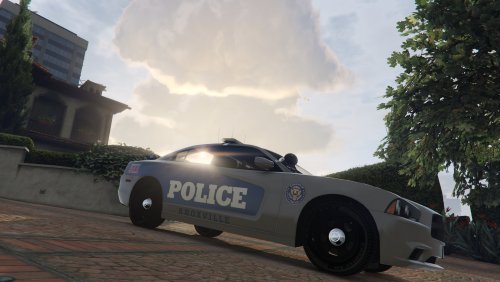 I spent my adolescent years in Knoxville! This file took me down Memory Lane...Haha. Do you happen to be from the area or just made it just because?
- 2 comments
- 2 reviews
-
 Damnit!
 -
Maybe...But, I am going to stick with Florida Highway Patrol.
-
Florida Highway Patrol?
-
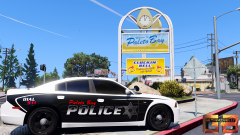 I'm digging that!
 -
From the album: Crown Victoria's
-
-
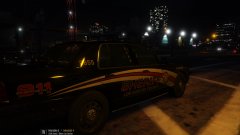
From the album: Crown Victoria's
Los Santos just debuted their F.I.N.D Unit. FIND Consist of 4 trained Deputies in the art of finding narcotics.Felony Interception and Narcotics Detection is what F.I.N.D stands for. Livery is made gettinmybelly.Which....He did OKAY with it....But I pretty much made it great with adding F.I.N.D to it. Not to brag. Stay vigil and stay thirsty my friends.. -
 One of my favorite Crown Victoria's I've made.Has 4 extras included.The livery is based off of my local PD,Orange Beach AL Police.If you do not like siderunners,DO NOT FRET,I included a version without them(though,untested) It also has a working spotlight.I hope you guys enjoy the Vic! Extra's: 1-Wraparound bar 2-ALPR's 3-Wilson CB antenna 4-Passenger side spotlight Original Light - CVPI expertise, modeling contributions, BETA tester Lundy - Door handles, CVPI expertise, CVPI parts from his models, mod tester Yard1 - Encouragement, support, and modding techniques Netman - Encouragement & support Cj24 - Publisher of the original model for IV & template, including headlight modifications & misc changes from F5544's release KevinDV - Work on the original model & grille Ubisoft - Driver: San Francisco Ford Crown Victoria parts, including base model & first person interior BxBugs123 - Headlight textures & expertise OfficerUnderwood - CVPI parts from his DEV resource, mainly the headlights, grille, dash F5544 - Initial GTA IV conversion Schaefft - Some interior components and initial seat model that was modified into 2011 variant Murphy-For putting the Vic together for DEV BlackJesus-Spotlights Bueno-Deck lights and dash lights Hilth-Whelen Inner Bxbugs123-APLR's CAP N' CRUNCH-Stalker radar(with edits by Gump) Tomcat8492-Whelen Dominator and TIR6 CooperCM-Whelen LINZ6 Sheriff Van Dyke-Console JohnClarke-Dashcam EVI-HG2 siderunners Ridgerunner-ToughbookCF31 Gump-Making liveries and putting the Vic together known issues: The reverse light have a white outline I can't get the suction cup texture to work for the dash lights,so it appears there is no suction cup Stay thirsty my friends.. carvariations.meta
- 50 comments
- 26 reviews
-
-

- 16
-
-
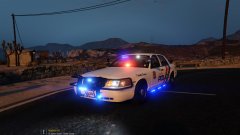 I included a version without side runners for people without taste Should be a 2011.
 -
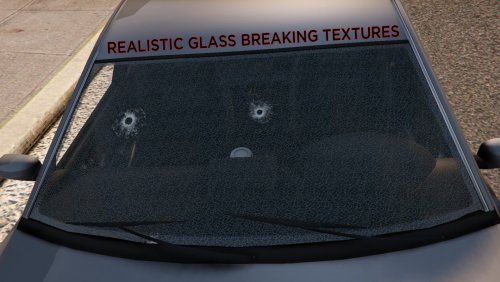 Awesome! You got my download. It's the little miscellaneous things that make the game better!
- 7 comments
- 9 reviews
-
-
- 1
-
-
It was not,but it will be soon! It does not. It still uses GTA V default lighting.
-
From the album: Crown Victoria's
The Sandy Shores Police Department wants to remind everyone to not drink and drive this Memorial Day.SSPD will be out in full force this holiday making sure that there are no drunk drivers,expired licenses,insurance and that everyone is wearing their seatbealt. "Drinking and driving is one of the most selfish things you can do. If you are going to be drinking, make sure that you have a form of transportation home." Says Lt. Gump. Downtown Cab Co. will be giving free rides for the first 10 miles in hopes that people will take advantage instead of drinking and driving. -
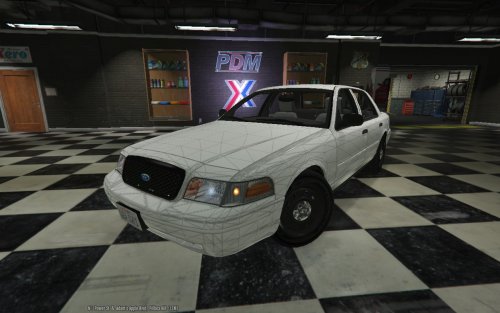 I'm sure you have noticed this, but thought I would bring it to your attention.The third brake light needs to be stretched out a little on the X axis. Thanks for the Vic! Making a model with it now!
 -
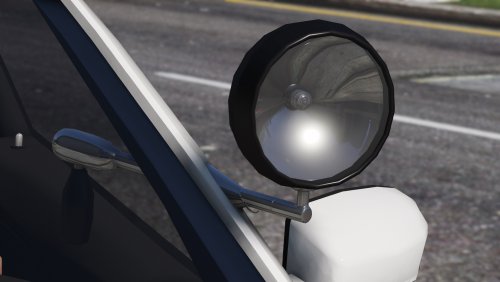 Just a side note for people, spotlight_lite material at the top of the material hierarchy so that the light will shine though the glass ;) Good work on the spotlight as well!
 -
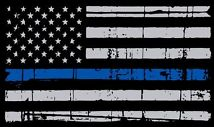 I made these decals mainly for me, and figured someone may want them. The background is transparent on all the decals. They are all pretty small.Some were traced by hand and some were taken from Google and spruced up. I know it isn't much, but hope I made someones life easier What are they? 1 asterisk:1 ass to risk. One man patrol car. 2 asterisk:2 asses to risk. Canine Patrol. American flags:Just looks cool. CALEA:A nationwide agency that accredits Law Enforcement agencies FLEA:Florida Law Enforcement accreditation that I added San Andreas rather than Florida. Desert Snow: A drug interdiction training class K9 Paw:Canine Unit Meth Task force:A unit out looking for meth Thin blue line ribbon:A ribbon to commemorate the officer fallen in the line duty Pig:Pride.Integerity.Guts. Just a play on words for the thugs who call LEO's pigs. Also, if you would like your state in a thin blue line...lemme know and I can get that done for you! Stay thirsty my friends..
- 7 comments
- 5 reviews
-
-
- 10
-
-
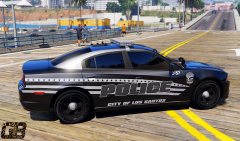 You are by far, my favorite skinner...Do you make these liveries by ear or do you base them of actual police cars? Keep up the great work!
 -
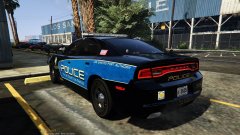
From the album: Chargers
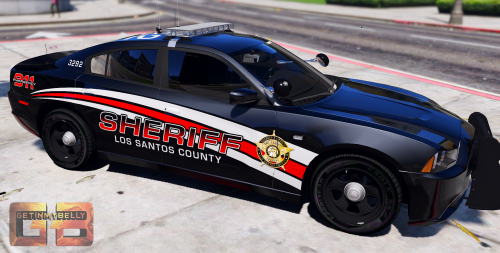
Thanks to getinmybelly....I've been addicted to patroling the ports....So,I slapped one of his liveries to my charger....Thought it looked awesome! -
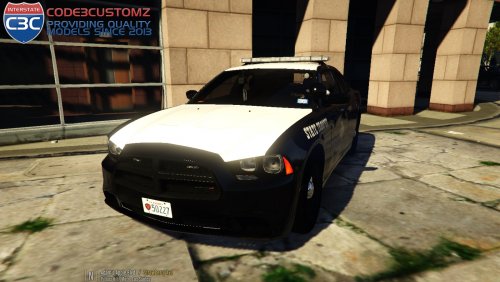 Like Texas? Does your diet consist of nothing but beef?Then this Charger is for you! I have spent 5 days on this model making sure everything worked and looked good and I can assure you that is made 100% genuine badassery.It has a few extras. The CB antenna on the back is a extra. The rambar on the front is an extra.I also made the spotlights an extra,so,if you want to cruise with down your up...that's your decision!(Spotlight work when you hit "H" twice).I really hope ya'll like this Charger,because, it's one of my favorites that I have thus far. Credits are as follows: -Model ripped by (DMN) -Converted and modified into 2013 dodge charger by (Codex12) -Seats from the crew modified by (Codex12) -Steeringwheel are from simraceway & modified by (Codex12) -Interior texture by (Carper) -Rims by MattJeter -Stalker Radar by CAP N' Crunch with edits by Gump -Console by Sheriff Van Dyke -Toughbook CF-31 by Ridegerunner -Spotlight by Bxbugs123 -Antenna's by Priman and Gump -Watchguard 4RE by CAP N' Crunch -Whelen Liberty by KevinDV with alley lights by EVI -Rambar by Bueno -Rear deck lights by Bueno -Whelen ION by Lccop -Wraparound by Gump -Virzza for helping me the Charger -Carper for helping me with the spotlights FAQ: Q:OoooooOOooOOOoooo my gat!My lights are dull! How do I fix this? A:Turn your PostFX to ultra and your display shader to high/ultra. Q:OoOOooo my gat!Where do I install? A:mods/x64e.rpf/levels/gta5/vehicles.rpf. Q:Can I rename the .YFT and .YTD to a different slot? A:Sure can! Q:I get a boner using this model, is this normal? A:Yes Q:Do the guages and steering wheel move in this particular model? A:They do! Q:Do all the LOD's work on this particular model? A:They do! Stay thirsty my friends..
- 6 comments
- 16 reviews
-
-
- 10
-
-
-
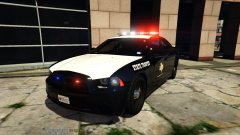 Thanks man! I made sure that everything was right with the model...Spent days fixing little misc. stuff. If you liked my previous models,you'll love this one!
 -
Thanks man!
-
From the album: Chargers
Been working on this Dodge Charger for 4 days now....And it's finally complete...So a expect a release later tonight.It will have working spotlights,a wraparound as an extra,a CB radio antenna as an extra and the wheel COL's and everything work,so, when you walk away from it the car doesn't look like it's levitating!I have put alot of work into this Charger and I think ya'll are gonna love it! -
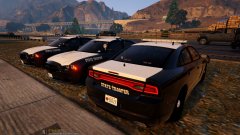
From the album: Chargers
-
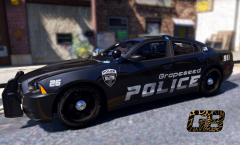 Hotter than a Hot Pocket in the microwave for 9 minutes.....You are by far the best skinner!! Keep up the great work dude!