Gump
Members
-
Joined
-
Last visited
Everything posted by Gump
-
From the album: Tahoes
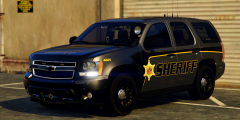
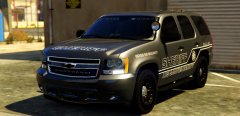
Not sure why there is a outline around some of the text...and the top line....And yes I know the color of the gray isn't right..I live in Mobile County.I just like the color better. -
 Reminds me of a EdBassmaster skit..
 -
 That's awesome! Haha.
 -
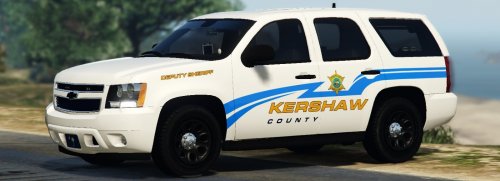 I saw this Tahoe while looking at scpolicecruisers.com.Cool website. You should check it out if you ever need any ideas for a car. It was hard to decide what Tahoe I wanted to make and I settled with this one.My next Tahoe will more than likely be one with a lightbar and steelies, because I beleive this is needed. You will have 3 extra's to choose from: extra_1 -Stalker Radar extra_2 -Antenna extra_3 -Spotlight(I am not sure if you downloaded my prev. Tahoe. This Tahoe does not have that funky spotlight bug where when you disable the extra....there is still with a outline!I got it fixed!) Installation: You can rename the .yft and .ytd to whatever you want,you don't have to use police.yft. For RDE users: Install into update.rpf\update\x64\dlcpacks\rde\dlc.rpf\x64\levels\gta5\vehicles.rpf\ Non-RDE users will have to rename the cars to whatever you want, then place in the latest patchday: update.rpf\update\x64\dlcpacks\patchday9(or 10)\dlc.rpf\x64\levels\gta5\vehicles.rpf\ The sirensettings is 1, so change the .metas accordingly, if you need to(Probably won't at this point) To edit handling for the tahoe: Go to the necessary vehicles.meta, and change the handling id of the slot your using for the tahoe. Replace the handling id with "baller" or "baller2" Credits: - Model from free 3D site, author unknown. - Converted and edited by GeorgieMoon. - Interior by 4x4 Hummer merged and textured by GeorgieMoon. - Interior converted by FightingNote - Wheels by BxBugs123 - Livery by Gump,MrOxPlay and Dallas PD by qfmarine - Whelen TIR 6 by tomcate8492 - Whelen PAR 36 by Bueno - Spotlight by BlackJesus - Antenna's by Vertex3D - Watchgard 4RE by CAP N' CRUNCH - Console by Sheriffvandyke - Toughbook CF31 by Ridgerunner - Stalker radar by CAP N' CRUNCH with edits by Gump - Whelen Dominator by Tomcat8492 - Whelen Avenger by Trumapak Stay vigil and thirsty my friends..
- 31 comments
- 8 reviews
-
-

- 13
-
-
From the album: Tahoes
-
-
From the album: Tahoes
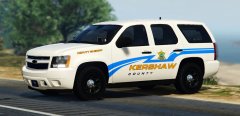
98% complete. I have a few miscellaneous things I want to fix such as the make the lighting on the ION in the rear darker... -
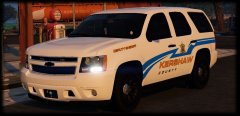 Yep.Haha.
 -
Nah.I have a mod in that turns the turn signals into running lights. So, it makes look like it the running lights.
-
From the album: Tahoes
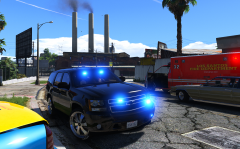
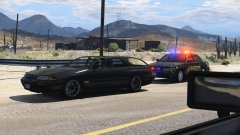
I understand that the lights are all blue, but I just wanted to show it with the red and blues. -
From the album: Tahoes
and needing a new shirt is one of them. -
 Looks like something that would be posted on Flickr..Good shot.
 -
From the album: Tahoes
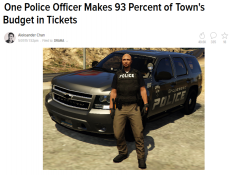
Link to actual article: http://gawker.com/one-police-officer-makes-93-percent-of-colorado-towns-b-1701529145 -
 You're impeding the flow of traffic. Haha.
 -
 I'm very happy to present to you guys the 2013 Chevrolet Tahoe Andreas State Patrol with the livery made to look like Alabama SP. You will have 5 extra's to choose from: extra_1 -Wilson CB Antenna extra_2 -ALPR's extra_3 -Spotlight extra_4 -Stalker Radar extra_5 -Rambar with wrap Installation: You can rename the .yft and .ytd to whatever you want,you don't have to use police.yft. For RDE users: Install into update.rpf\update\x64\dlcpacks\rde\dlc.rpf\x64\levels\gta5\vehicles.rpf\ Non-RDE users will have to rename the cars to whatever you want, then place in the latest patchday: update.rpf\update\x64\dlcpacks\patchday9(or 10)\dlc.rpf\x64\levels\gta5\vehicles.rpf\ The sirensettings is 1, so change the .metas accordingly, if you need to(Probably won't at this point) To edit handling for the tahoe: Go to the necessary vehicles.meta, and change the handling id of the slot your using for the tahoe. Replace the handling id with "baller" or "baller2" Credits: - Model from free 3D site, author unknown. - Converted and edited by GeorgieMoon. - Interior by 4x4 Hummer merged and textured by GeorgieMoon. - Interior converted by FightingNote - Wheels by BxBugs123 - Livery by Gump - Spotlight by BlackJesus - ALPR's by BxBuggs123 - Antenna's by Gump,Priman and Vertex3D - Rambar and wrap by Carper - Watchgard 4RE by CAP N' CRUNCH - Console by Sheriffvandyke - Toughbook CF31 by Ridgerunner - Stalker radar by CAP N' CRUNCH with edits by Gump - Whelen Dominator by Tomcat8492 - Whelen Avenger by Trumapak - Code 3 XT3 by Macgregor - Federal Signal Solaris ILS by M67v Stay vigil and thirsty my friends..
- 74 comments
- 23 reviews
-
-
- 18
-
-
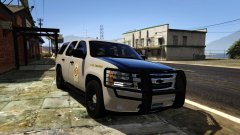
From the album: Tahoes
It will be released tomorrow!I know I said it yesterday,but I wanted to add a few more things. -
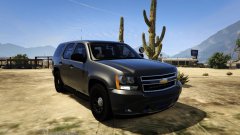 Hoping for tommorow. Not released yet. Hoping to release tommorow.
 -
From the album: Tahoes
Also has 5 extras: -
From the album: Tahoes
-
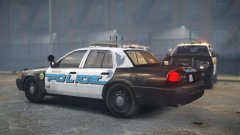 That's awesome!!
 -
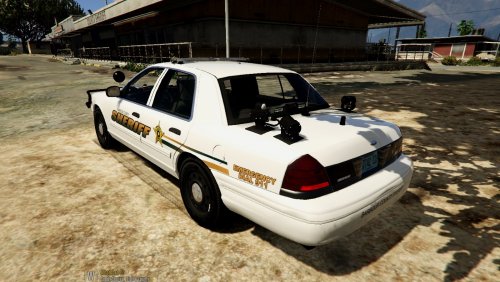 This pack was going to be all 67 counties in Alabama,but, I came to realization that that would be hard to do...So,I figured I would just release the 8 I did.Majority of the liveries here are small counties consiting of about 9-50,000 people. I hope you guys enjoy! Stay vigil and stay thirsty my friends..
- 10 comments
- 2 reviews
-
-
- 4
-
-
-
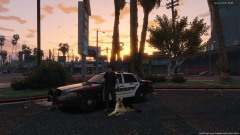 Haters will say Photoshop..
 -
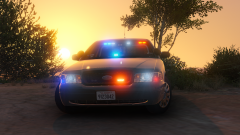 Get over it.
 -
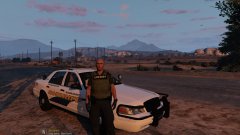
From the album: Crown Victoria's
"Schweeet!"