


Gump
Members
-
Joined
-
Last visited
Everything posted by Gump
-
From the album: Chargers
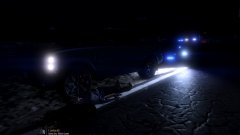
At 2219 hours on Joshua Road in Sandy Shores,San Andreas, a Blaine County Sheriff's deputy conducted a traffic stop on what appeared to be a vehicle linked to a burglary that happened approximately 3 minutes prior to the traffic stop. As the Deputy stepped out of the vehicle, the driver of the SUV jumped out and fired 2 rounds. The deputy returned 4 rounds killing the driver. -
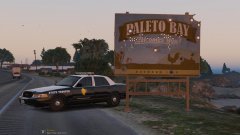 I'd tap it.
 -
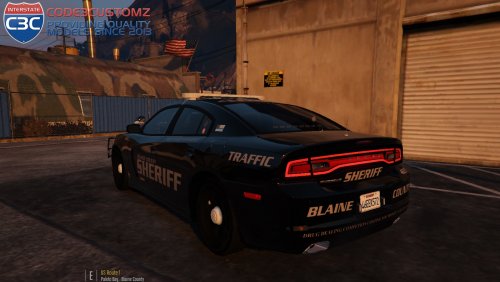 To the two guys having white lighting problems....I have no clue.....I'm sorry....if someone knows, please feel free to post a comment!
- 34 comments
- 17 reviews
-
-
-
It is not. Extra's tend to mess up in game for me. I am not sure how to do corona's as of yet.
- 34 comments
- 17 reviews
-
I am so happy to bring this Dodge Charger for you guys to enjoy!Most of the idea's of the car came from Jumper09.I think it turned out awesome!All the LOD's work and everything. If you downloaded my Dauphin Island PD Charger that was recently released...This Charger is actually even lower poly!If you find any problems,let me know. For more lighting,I do recommend downloading this: http://www.lcpdfr.com/files/file/9909-emergency-strobes-now-with-wig-wag-lights/ Credits: -Model ripped by (DMN) -Converted and modified into 2013 dodge charger by (Codex12) -Textures & edits by (Codex12) Updated in 1.2.0 -Seats are from simraceway & modified by (Codex12) -Steeringwheel are from simraceway & modified by (Codex12) -Steel rims by Model by GerryStudio. mapped, and converted to GTA V by MattJeter -Interior texture by (Carper) -Stalker radar by CAP N' Crunch with edits by Gump -Unity Spotlight by BxBugs123 -Antenna's by Vertex3D and Priman -Whelen Avenger by Trumapak -Whelelen Dominator by tomcat8492 -Console by Sheriff Van Dyke -Handcuff by Solo -Soundoff Pinnacle EPL9000 by GTAxBoss -Livery by Gump -ToughbookCF31 by Ridgerunner FAQ: Q:OoooooOOooOOOoooo my gat!My lights are dull! How do I fix this? A:Turn your PostFX to ultra and your display shader to high/ultra. Q:OoOOooo my gat!Where do I install? A:mods/x64e.rpf/levels/gta5/vehicles.rpf. Q:Can I rename the .YFT and .YTD to a different slot? A:Sure can! Q:I get a boner using this model, is this normal? A:Yes Q:Do the guages and steering wheel move in this particular model? A:They do! Q:Do all the LOD's work on this particular model? A:They do! Stay thirsty my friends..
- 34 comments
- 17 reviews
-
-

- 15
-
-
From the album: Chargers
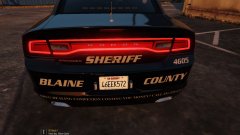
Wow....Just realized I misspelled competition.... -
 Thanks! Fits it very well!
 -
From the album: Chargers
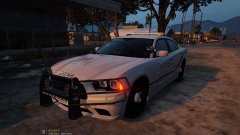
Pretty much complete...May make the rambar duller....Lemme know what you guys think! -
-
.png.dd7a44831b34b568892f4c2bcc77591c.png) Is there anything you can't make? Keep the great work man!
Is there anything you can't make? Keep the great work man! -
-
From the album: On the water
-
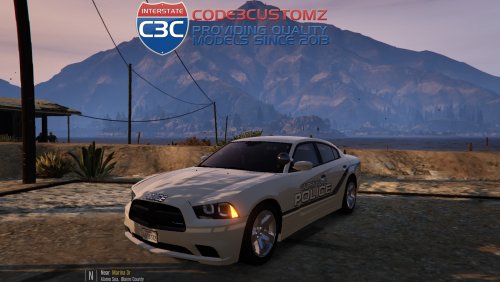 I would love to man,but the steel rims that are currently for download,keep messing up on me. Whenever some come out that works,I will add it!
- 11 comments
- 9 reviews
-
-
- 1
-
-
I am so happy to bring this DOdge Charger for you guys to enjoy!It is based off my local PD. It is highpoly though. Though it shouldn't, you may have problems loading it.But,that's only if your PC is really crappy.I'm really happy with how this Charger came out!I would download the following plugin to add more lighting to the charger: http://www.lcpdfr.com/files/file/9909-emergency-strobes-now-with-wig-wag-lights/ Credits: -Model ripped by (DMN) -Converted and modified into 2013 dodge charger by (Codex12) -Textures & edits by (Codex12) Updated in 1.2.0 -Seats are from simraceway & modified by (Codex12) -Steeringwheel are from simraceway & modified by (Codex12) -Steal rims gamemodels.ru converted, & edited by (Codex12) -Dial textures by Carper - 2006-14 Dodge Charger Mopar PPV Hubcaps by Fartknockr | Converted to IV by Bxbugs123 | Converted to V by Fartknockr - Mopar PPV Rim made by GerryStudio, Edited & converted for GTA IV by Bxbugs123 | Converted to V by Fartknockr - Rim & Hubcap textures by Bxbugs123 | Color Editing for V by Fartknockr -Stalker radar by CAP N' Crunch with edits by Gump -Unity Spotlight by BxBugs123 -Both antenna's made by Gump -Whelen Avenger by Trumapak -Whelelen Dominator by tomcat8492 -Whelen TIR3 by sebrion -Console by Sheriff Van Dyke -Livery by getinmybelly0627 -ToughbookCF31 by Ridgerunner FAQ: Q:OoooooOOooOOOoooo my gat!My lights are dull! How do I fix this? A:Turn your PostFX to ultra and your display shader to high/ultra. Q:OoOOooo my gat!Where do I install? A:mods/x64e.rpf/levels/gta5/vehicles.rpf. Q:Can I rename the .YFT and .YTD to a different slot? A:Sure can! Q:I get a boner using this model, is this normal? A:Yes Q:Do the gauges and steering wheel move in this particular model? A:They do! Stay thirsty my friends..
- 11 comments
- 9 reviews
-
-
- 10
-
-
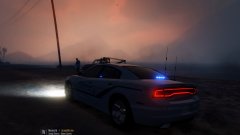
From the album: Chargers
Did my local PD finally! Should be released tomorrow!!BIG shoutout to getinmybelly for making the awesome livery! -
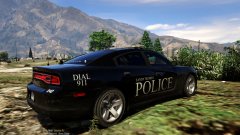
From the album: Chargers
She's finished! -
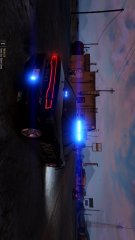
From the album: Chargers
Morale is up at the SSPD as they just got 2 "new" Dodge Chargers to fleet! Funding is always an issue in Sandy Shores. Get a sneek peak here: -
-
-
 Did you test the car after the windows fix. That's why they weren't working...because of the smoked glass was blocking the light from emitting ;)
- 60 comments
- 21 reviews
-
-
- 1
-
-
I believe this was a picture from testing the certain lights and patterns before they put them into use and they never ended up using them. Now...PoliceWomen......If you would look at the FIRST folder in the download NAMED "BLACK WINDOWS FIX"........You can fix the glass problem. As for the lighting,that's how these vehicles are set up in real life,so, I modeled it to their counterparts....
- 60 comments
- 21 reviews
-
-
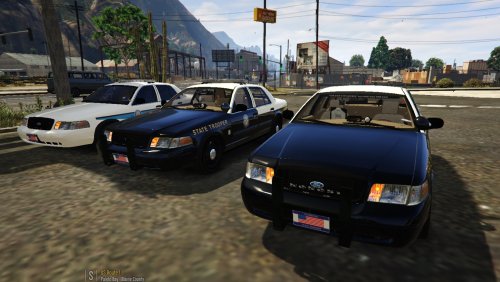
This pack contains 3 2011 Crown Victoria's with the Florida Highway Patrol. Police slot:Javelin FBI:Slicktop Police4:FDOT Whelen Liberty Credits: -Model is Ford Crown Victoria from Driver SF, converted to GTA IV by F5544, modified by KevinDV, Cj24, & OfficerUnderwood -Wheels from NFS:MW and converted by trewq34, Textures by GreenAid -Interior Parts by Ubisoft, modified by OfficerUnderwood -Door Handles by Lund -Liveries by SoberDrunk -Whelen Liberty by EVI with textures by KevinDV and edited slightly by Gump -Code 3 Javelin and Wingman by Lccop -Radar Unit by CAP N' CRUNCH -Console by Sheriff Van Dyke -Unity Spotlight by Bxbugs123 -ToughbookCF31 by Ridgerunner -Setina PB200 by CEO -Antenna's by Gump,Priman and Vertex3D -Feniex Cobra by RoegonTV -Panasonic Arbitrator by johnclark1102 -Put together by Gump Stay thirsty my friends..
- 60 comments
- 21 reviews
-
-
- 18
-

.png.160c99fdb07bb46e9ab51ef8b8ddf558.png)
.png.dd7a44831b34b568892f4c2bcc77591c.png)
