


Creators: Due to background reprocessing of files, approvals and file security checks may be delayed. Thanks for your patience.


Lazerus
Members
-
Joined
-
Last visited
Everything posted by Lazerus
-
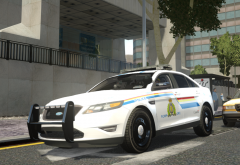
From the album: LCPDFR in game shots
I had thought I had the lines right from a picture I thought <- key word, had of the rcmp design on the ford interceptor but they were wrong, thankfully Mcawsome6934 pointed it out. So I fixed them up, and also.. fixed up the mirrors as they were suppose to be black, not white *smacks head* -
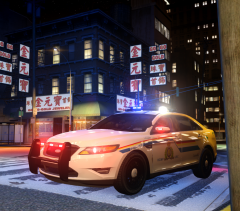 Well, looks like I'm eating hot coal tonight, must be old age, or I was looking at something else but I cant find no picture now with that design... so I'm totally wrong here. I swear I was looking at a ford interceptor with this design, oh well I can admit when I'm wrong. Now I feel like a smuck. My apologies McAwesome.
 -
Ill dig through my cop pic's, there's a half dozen in there (should really sort them out sometime :P), and ill pm you a link of it. Oh I know you weren't, most of the pics I have of those models were of which the lines go towards to corner of the lights. Some were abit further on top of the light and some were lower on the light.. which made it hard to choose, even some of the decals for "supervisor" ect were all different depending on detachment. But I was thinking about it on my shift tonight and ill prob make the change to how most models represent.
-
Actually its all based on division/detachment. I've downloaded a handful of different pics of rcmp interceptors and there lines are all different.. so I went with this look from one of the pics I have. Most do meet up with the headlight corner, but some go higher up the headlight and some lower. Really wish there was one design to follow. Found this out with most of the rcmp vehicles, even Tahoe's are very different depending on detachment.
-
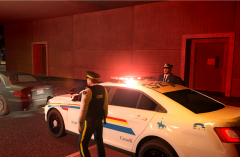
From the album: LCPDFR in game shots
Yet another traffic stop.. say it isn't so :P -
From the album: LCPDFR in game shots
Just wrapping up a traffic stop. -
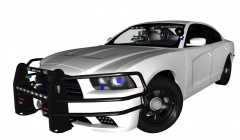 I haven't been much of a charger fan lately but ill say this much, you put some mirror lights on it, be pretty sick. Though Id have to see what you have in the back end ;)
 -
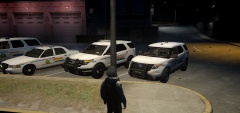
From the album: LCPDFR in game shots
Love me those explorers :) -
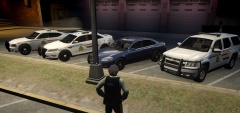
From the album: LCPDFR in game shots
Only thing I may change out is the charger, but I really like the setup I have for it. -
I'm Canadian, and yes it doesn't really make much sense in having a Canadian police force governing an American city butttt... luckly I can remod the buildings a few other things to allow this to happen. I'm really into the whole RCMP theme atm, not sure why, its just what I'm liken atm. Before I was doing a fictional Alaska State Trooper theme, was fun. But I like to mix things up at times. When I get things all done up, ill take some pics :) in case anyone cares on what I've done. Also thanks guys for all the help, much appreciated. Slowly starting to do some stuff now yay :)
-
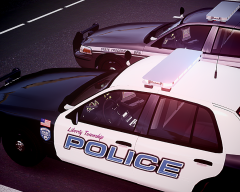 n shit! ohh man, you sold me =D more seriously nice work! :)
 -
(high five) Thanx bro, much appreciated! Laz
-
Yeah I was digging in there all night last night trying to find it, ill still keep looking, just thought someone may know them off by heart and could just list where they were to make it a bit easier hehe, but ty for the help. MUCH appreciated. But yeah looking for all exterior "anything relating to" LCPD that I can tinker with. -posters -exterior images of the stations that I can redo up -think there's a statue or something as well that has the lcpd logo on it and some sort of writing all over it.
-
Oh nice find! thnx
-
Those one I know of, which are in the loadingscreens, I've tinkered with them :) but just after that where you get to the main gta iv load screen, where you have to click start ect. Has nicko on the page with kind of city backdrop also on the page has the expansion start too.. ill go get a screen so you can see what i'm trying to say hahah. here is what I ment, this page. Thought it be with the loadingscreens but not :( http://s180.photobucket.com/user/locutusofborg010/media/GTAIV2014-03-1821-45-36-63_zps61e517eb.png.html
-
So been trying to find these with little success. Trying to find.. - all the images for police buildings, posters so I can adjust them to something other then LCPD. I know there in the files somewhere but for the life of my I cant find them. - the main pictures ect for when you get into GTA IV. Where you have Nicko and the Expansion load screen, just after the initial credits. I want to edit this to something other. Maybe even changing the button effects as well for Start ect. Thanks to whom ever helps me :) Cheers Laz
-
 '?do=embed' frameborder='0' data-embedContent>>
 -
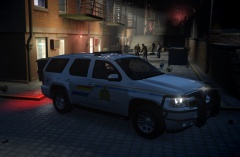 eh I hear that. :) pretty sexy
 -
From the album: LCPDFR in game shots
Checking things out on patrol, down by the water front. -
From the album: LCPDFR in game shots
Just cruising around, looking for trouble. -
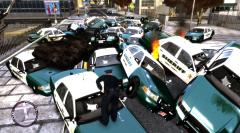 sure blame it on the spawn but not the fact there is a 20% discount on donuts just down the street
 -
I've recently made tons of RCMP skins for a wide range of vehicles, strictly personal use that is. I maybe able to help you out. Id just have to edit one of my CVI skins for what you ask, not a big deal :) You can check my gallery out if you like, as I've posted a few screenshots. On a side note there is a few slicktop models to choose from out there.
-
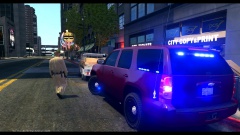 stopped him due to lack of blue lights on the vehicle :P
 -
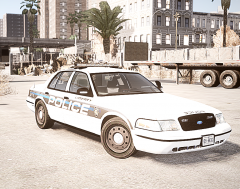 Nice! :)
 -
Looks pretty decent, will it also have a rambar version to for those that like rambars on their cvi's.. such as myself ^_^

