


Lazerus
Members
-
Joined
-
Last visited
Everything posted by Lazerus
-
Thanx guys for all the help. I think its time for me to do the upgrade to 1.0, I just hate updating because things tend to get wacky for me and then I have to usually reinstall everything entirely, and that's no fun. I may just have to use what I can and switch out for things I truly want in my fleet rather having 6-9 cars on the go.. Again appreciate all the help guys
-
only files in the LCPDFR folder I have are, "audio" , "GUID", "installed version". I'm running the older version of lcpdfr, not the latest.
-
So tried to find the lcpdfr.ini file, with no such luck. There was one in the main gta folder, but all it contained was game script material.
-
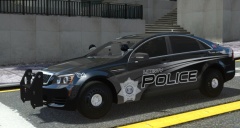 Cheers :)
 -
Alright ill take a peek at this hopefully that'll be my salvation, thanx guys for the help
-
Thnx bro, even though when I looked at the picture after I uploaded, just realised that I missed a layer that was visually set off in photoshop lol, but fixed that now :P
-
any chance you know were to find the pullover script? I'm guessing its encoded into the game itself, just even thought too that you would have to set the model into the respond code 1 star = police and admiral 2 star= ect....
-
From the album: My screens/publications/ect
So just finished the caprice skin, just have the Tahoe to do up then just maken 4 liveries for each model. Then the pack should be complete and ready for you all. Cheers -
Ok so, been trying to turn a civilian model to a police "tagged" vehicle in game. So looked up some information, and I changed "admiral" into the police group spawn list in the "cargrp" file. So it does spawn at the police station. I've also added it into my ELS file, so els does work on it. Now the problem I'm getting, maybe its program related, is that when I try to pull people over, it doesn't work. or I turn the siren on, vehicles don't pull off to the side. So obviously still there has to be something to do to make it a full cop "tagged' vehicle. Does anyone know how to do it, and or.. is it even possible. Does the game just recognize the police,police2,polpatiot,pstockade,noose,nstockade ect as police only vehicles? Cheers Laz
-
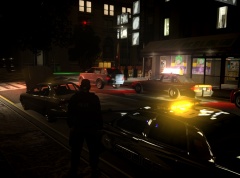
From the album: My screens/publications/ect
tsk tsk. stopped and helped this poor guy, little engine over heat. -
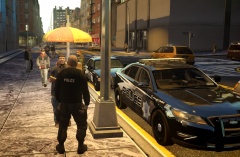
From the album: My screens/publications/ect
So far I have explorers, cvi's, chargers, Taurus's, all done up. Few more to go. Figured Id take a break and grab something to eat :P -
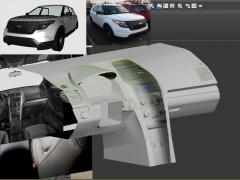 Very NICE! always do great work EVI.
 -
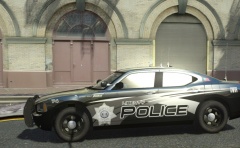 ^ alright guys, will do. Thnx bro :)
 -
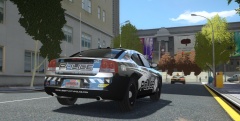
From the album: My screens/publications/ect
Redid the back end a bit, just minor retouch ups. -
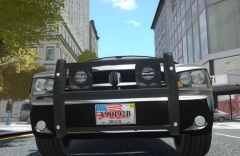
From the album: My screens/publications/ect
Update: Made new plates for the "theme". very Merica F yeah :P lol, thoughts? -
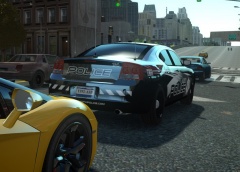 Ty, I've always kept the plates the same, maybe its time to change it up. Ill toy up some designs. Cheers
 -
Thnx :) Possibly. Just doing a few minor retouches to it. Nothing major but if everyone likes, might make a pack out of it.
-
From the album: My screens/publications/ect
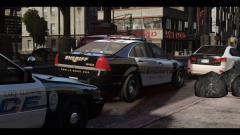
testing out a new skin, always find I cant lock down a nicely done black/white look. Made this one a bit aggressive like, Thoughts? -
From the album: My screens/publications/ect
testing out a new skin, always find I cant lock down a nicely done black/white look. Made this one a bit aggressive like. Thoughts? -
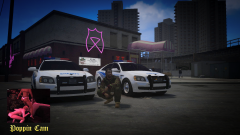 ummm not that I was looking there to begin with but... what is that in his crotch region lol... I hope.. that's not what I think it is.. lol
 -
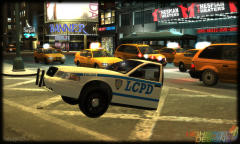 installed a cloak on it, nicely done bugs
 -
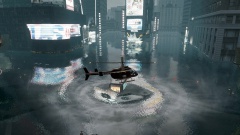 I just want to apologise to the city of Liberty City, I forgot to turn my bath tub water off, really.. I'm truly sorry.
 -
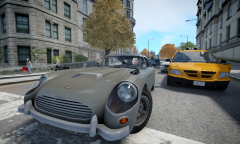 I'm sure she drives like a rocket from hell haha. But no I'm sure shes perfect bro. Yeah that would be pretty sick. On another note thought of doing like a themed bond trailer for this baby? You did awesome on the Robocop one.
 -
 Looks good BErad, been working on a black and white skin for sometime, cant seem to get the look I want, but you pulled this off really nicely, nice work
 -
Ment to comment on this murph, nice job bro.

