


Creators: Due to background reprocessing of files, approvals and file security checks may be delayed. Thanks for your patience.


Lazerus
Members
-
Joined
-
Last visited
Everything posted by Lazerus
-
 Thnx
Thnx -
From the album: My screens/publications/ect
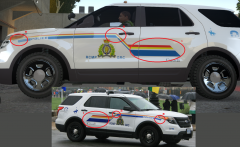
Ok so had some good feedback on my last redo's, so redid the line again. 1. Fixed the back end lines as they were abit small compared to the real version. Made them taller then before, and also made them longer to how the real model shows. 2. Fixed the angle point "end" so that its closer to the door handle, as shown in the real model picture. 3. Just made sure the curve of the lines made to end where its suppose to end from the real version pic things to fix still.. Just the RCMP GRC I think needs to be a bit bigger. Overall I think I nailed it, thoughts, feedback.. -
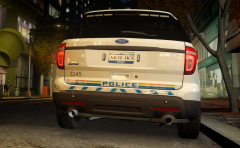 Yeah wanted to go the way its ment to go and tried to see if I could remove the ford logo but as its linked up with the front emblem, I was like poo :(. I tried just having the lines up there without the police but it looked too funny and not realistic.
 -
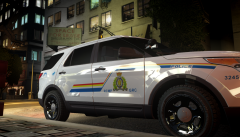 Thanx for the feedback guys, will change it up :)
 -
From the album: My screens/publications/ect
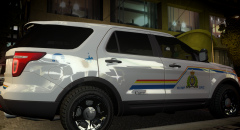
Just another shot to show the side of the truck and skin. -
From the album: My screens/publications/ect
Redid the whole thing again, lines were not accurate, but now are. I think it looks much sharper. -
From the album: My screens/publications/ect
I wanted to put the "Police" decal up where it should, but due to having the ford logo there. So looked at some RCMP Tahoe designs, which did have the "Police" and related decals on the bottom of the rear door. So when with that. Also added reflective material on the bumper caution decal. Not that rcmp have that on theirs but, I thought it give it some character to it. -
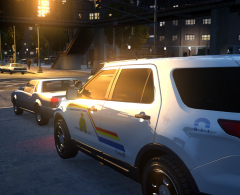 Yeah just trying to work out the front lines now, trying to get them as sharp and as accurate as I can. This is the one I'm using for reference, same one? '>
 -
Yeah its a work in progress atm. Have to redo the lines to the front as there way to big and the angle is off. Its a tricky design :P
-
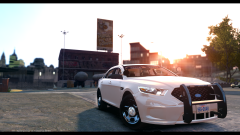 Ahhh, ok cool, thanx a bunch. Have to give this a shot.
 -
How do you take pictures like this in game. Cant figure it out. Its like your actually taking a shot of the car. For some reason I have to angle it each time to try to hide my character and the menu "popups".
-
From the album: LCPDFR in game shots
-
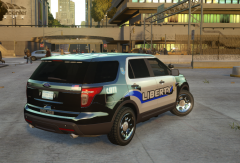 I did a little bit. I wanted the lights on my vehicles to come out brighter then they were with just ice's setup. More realistic. Other then that, things are "factory set" hahah. Police under liberty, ill give it a shot, thanks for the feedback ^_^
 -
Its icenhancer 2.1 :)
-
Just coincidence. I made this one from scratch. still tinkering with adding a few other little things to it.
-
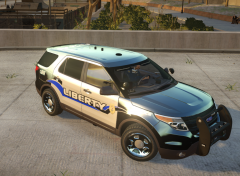 Cheers
 -
Thanks Adrian.
-
From the album: My screens/publications/ect
What do you guys think, any good thus far? -
From the album: My screens/publications/ect
What do you guys think, look good or not? -
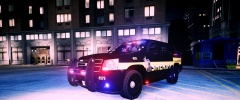 holy smokes... that's a truck. *drools*
 -
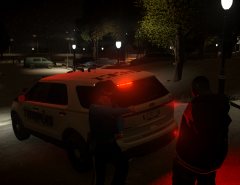
From the album: LCPDFR in game shots
Ran through a red light then tried to pawn it up to the fact he thought it was green. Nothing new in Liberty City. -
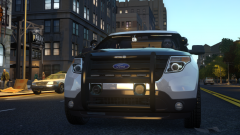
From the album: LCPDFR in game shots
Routine city patrol.. is it coffee break yet? -
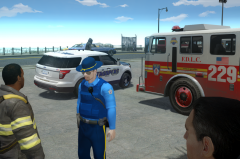
From the album: LCPDFR in game shots
Out on patrol, thought id chat with the boys for abit. -
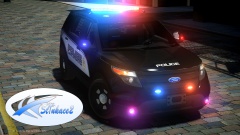 love to see what lighting you have on the back end, looks good though. I'm a sucker for these models
 -
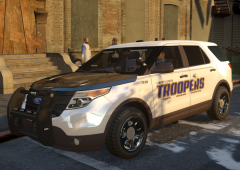 Yeah its a pretty sexy enb, have to get a few more shots, its ice :)


