


Lazerus
Members
-
Joined
-
Last visited
Everything posted by Lazerus
-
Do you happen to know if there's a script out there already that does this, if not, not a big deal, but just trying to increase the realism a little for game play. Cheers though.
-
*twiddles thumbs* guess its not possible
-
There's a readme in the file which explains how. - open sparkiv - find the model/cdimages tab, then click on vehicles.img (always backup what your about to edit!) - find the particular model vehicle that associates with the skin your about to update, so find police.wtd, or noose.wtd ect... - click edit on the wtd file, find the police sign segments within the file, export (first if you haven't yet for backup), then import the skins from the selected folder. - click save and close top right, then rebuild and save, load game and your good to go.
- 18 comments
- 7 reviews
-
-
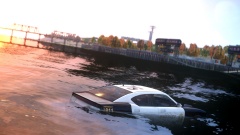 Did you not read the instructional handbook that came with the vehicle, that specific model isn't the amphibious one, ohh carry lol hahah.
 -
Ok so finally, believe it or not downloaded the TowService script which is awesome btw. Anyways, trying to get the ELS lights to work on the trucks when they arrive on scene. Is it possible. I'm not very good at script code so I'm kind of lost. So I made a "biff" els file, so the lights do turn on when I'm driving, now the trick is to get them to turn on when I call for the tow truck in game. Here is the current setup of the ELS file for biff truck [ CRUISE ] DisableAtLstg3 = off UseExtra1 = on UseExtra2 = off UseExtra3 = off UseExtra4 = on [ SOUNDS ] HRN_Type = norm HRN_SrnToneForMan2 = yelp SRN_ResetSrnTone = off SRN_AllowToneYelp = off SRN_AllowToneAlt1 = off SRN_AllowToneAlt2 = off [ WNRL ] Type = halo UseScnNotTkd = off ForcePatForLstg = on PatId_Lstg2 = 0 PatId_Lstg3 = 0 [ PRML ] Type = leds ForceDfltPat = on DfltPatId = 0 ExpressModeRandPat = off ForcePatForSrnTones = off PatId_Yelp = 0 PatId_Alt1 = 28 PatId_Alt2 = 0 [ SECL ] Type = leds DisableAtLstg3 = off ForcePatForLstg = on PatId_Lstg1 = 0 PatId_Lstg2 = 28 PatId_Lstg3 = 0 So what if anything can be edited here to allow for my desires :P
-
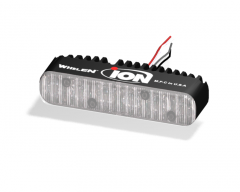 wires.. who needs wires, pshhh that must be some old tech right der ;)
 -
Stealth as in just a solid color for a car, or just faded images on the vehicle. Just asking because some people view stealth a little different. If your looking for something additional just contact me ;)
- 18 comments
- 7 reviews
-
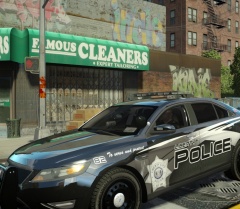 cheers man, just glad you like it :)
 -
-
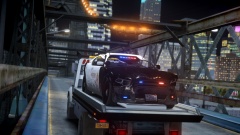 he's dunken too many donuts and not paying attention to the road... =D
 -
 I wants to puts dah lotion on dat, mmm so sexy :P lol, nice work as always vertex
 -
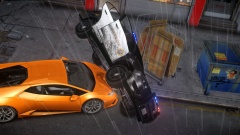 Hhahah, I expect that number to rise before I go to bed later tonight =D
 -
hehe, its been submitted so now just have to wait for it to be approved. And thnx :)
-
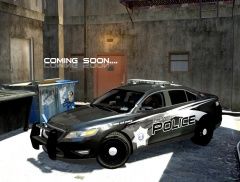
LCPD FICTIONAL SKIN PACK 3 Author: Lazerus This skin pack is a Black/White Theme I made up. It contains skins for CVI, Charger, Tahoe, Caprice, Taurus, Explorer Also includes the templates that I make my skins from. Also made 3 additional skins for models that players requested I make(CVI/Taurus/Explorer). Each template comes with its on unit number and unique plate number. Pictures below are reference to what the skin will look like. I hope you all enjoy, as much as I enjoyed making them. Cheers
- 18 comments
- 7 reviews
-
you know.. I'm starting to get worried about you :P just hasn't been your day for driving :P
-
From the album: My screens/publications/ect
Are you guys ready.. cause its now zipped up and about to be submitted.. so are yeah.. yeah ready? -
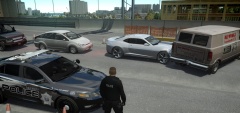
From the album: My screens/publications/ect
X( -
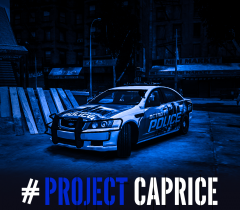 Hey vertex, mind shootin me the skin template for this, and ill add it to my skin pack, pls ty :) disregard, see your car on downloads now
 -
 I appreciate that, means a lot. Just hoping when I get it all done you guys like the results :)
 -
^- shoot me links to models that contain a skin template, and ill do it up for you guys.
-
From the album: My screens/publications/ect
New black/white theme pack, will contain skins *like shown* for, Tahoe, Explorer, Caprice, CVI, Charger, Taurus. -
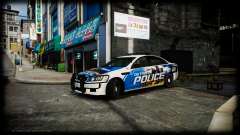 looken good my friend, looken good. Will this be released to public or private use? And will it contain red/blue light setup?
 -
Oh good idea. Ive tried numbers for other things never worked. Ill give this a go, be great to actually be able to check peoples license's. Cheers
-
Good stuff, question. This is something I wanted to see happen with the ELS system for sometime, will keying in peoples names into the computer still change your light setup or has that been resolved with 8.0. I find myself rarely checking peoples licenses since I hate when I type in letters that represent their name, but only to find my light setup changed :P


