



Officer Here
Members
-
Joined
-
Last visited
Everything posted by Officer Here
-
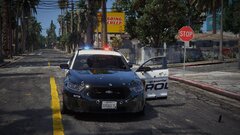
From the album: 10-99 Shots Fired
Officer Under Fire Location: Grove Street -
Crown Victoria Police Interceptor
-
From the album: Los Santos Police Department
Random Picture -
Go to GTA5.exe then right click on the GTA5.exe and select properties then compatibility and select run this Programm with Windows 7.
-
Install radianceV or MSTB developments brighter emergency lights.
-
If you use dlc Addon cars then install custom gameconfig and heap adjuster, pack file limit adjuster. Stop using some graphic mods. Because some graphic mod don't have compatibility with other graphic mods like CoreFX don't have compatibility with other graphic mods. Maybe install first the LA Revo if you use. Maybe install first Redux graphic mod if you use
-
Do you have dxgi.dll in your GTA root folder. Because reshade doesn't work when it name is dxgi.dll rename it to d3d12.dll and the dxgi.asi (optional)
-
Use wayback machine and copy the link of the Script hook v. Or VPN
-
Try uninstall the compatibility patch, because it isn't very necessary. Don't have to install the compatibility patch Theres a lot of videos about how to fix the err sys fileload. On YouTube
-
If you use StopThePed. Then you need to disable Realistic Weapon System RWS by pressing G(default G) to open the Stop The Ped(STP) menu and disable the RWS(usually at the bottom of the menu) .Then you can use LidarGun
-
Newest SimpleHUD 1.2.10 from Venoxity has speed limit sign in the minimap and it has a menu for the simple HUD to configure the size and the x,y from the sign street time.
-
Are you sure it is because of Callout Interface? Maybe download latest ragenativeui 1.9.3 in in GitHub and the latest Callout Interface and read the read.html and install.xml in the .zip folder
-
I edited in the gameconfig.xml the ccombatinfo and increased the pool size from 16 to 100
-
Try reinstalling rage Plugins hook.
-
I don't know how to let smy Cop 1 use eup uniform.but EUPFR basic configuration or EUPFR Ultimate or EUP backup configuration can change the normal Cop into eup uniformed Cop.
-
-
Did you install eup law and order or the serve and rescue after installing eup menu. If you do install the eup law and order and the serve rescue. Go to Grand theft Auto/mods/update/update.rpf/common and look dlclist.xml look into it and look if the eup or sup is in the .xml if not. Add another line and copy the text above and change the word in the > . < And rewrite eup or sup.
-
Your trainerV is maybe outdated.
-
Install gameconfig
-
Try uninstall and reinstall lspdfr.
-
Try install gameconfig in gta5mod or the gameconfig from RDE Team
-
Do you know how to fix this hostage situation not working?
-
Swat response callouts. There's a gang activity Callout. But I don't find callouts that only focuses on gang like Turf.
-
Use EUPFR Ultimate.
-
Tactical Donuts LAPD lspd pack or NYPD lspd pack.




