KM964
Members
-
Joined
-
Last visited
Everything posted by KM964
-
Not a whole lot of police forces use the Durango, which is probably why a police version has not been made...unlike the Tahoe and Explorer, which are widely used. Looks like you're out of luck for now.
-
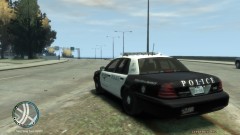
This is my first attempt at a skin, and I wanted to do something easy. Since the current FWPD paintjob has already been done, I decided to do a skin based on the solid white scheme they used about 10 years ago. This skin is optimized for Schaeft's Crown Vic. Attached with the screenshots are pictures of the real-life counterpart.
-
-
-
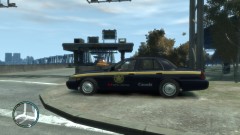
Just alot of mods I've put into my game.
-
From the album: My mods
-
-
I second this. I have a CVPI with that lightbar as my airport security car. It looks great with ELS-H. I also like the lightbar that the CHP uses. Don't know the name of it, though.
-
The reason you're getting that error is because you have to make the game moddable...it's not moddable right out of the box. There are a couple of programs to use, but GTA4-Launcher worked for me. So, remove ALL files that aren't part of the original game (like LCPDFR and xliveless) and run this application. What it does is it patches the filelist document in the game's files. The readme included may say you have to run the application every time prior to launching the game, but I just ran it once....when I was making my game moddable. I've never had to run it since. Also, this will allow you to permanently get your files out of read-only mode. I hope this helps. If it doesn't...well, I'm afraid that's as far as my knowledge can go.
-
I have Windows 8 on my Vaio laptop, and I run GTA4. It was a PITA to get it to run, but I eventually did, and these were the steps I took, in this EXACT order. 1. I recommend to have a fresh install of the game. Since you put xlive in the directory, you may have to uninstall and reinstall. Try these steps first before uninstalling, and if they don't work, uninstall, reinstall, and do them again. 2. After the game is installed, try and run it. You more than likely won't be able to. At least get to the point where you have to enter the product key. 3. Uninstall the GFWL that came with it. 4. Install latest version of GFWL. After this is done, you may want to try to run it again. I recently had my system wiped, and the game ran for me after this step. However, when I first got this computer, it didn't, and I had to download the 1.0.7.0 patch. Only after I did that did it run. 5. If it did not run, download and install the 1.0.7.0 patch.
-
I would, but I'm not on my gaming computer at the moment.
-
I have skins from 10 DFW-area police agencies (Dallas, Mesquite, Plano, Grand Prairie, Fort Worth, Arlington, Grapevine, Kennedale, Highland Park, University Park), two county sheriff's offices (Tarrant and Dallas), and the Texas Highway Patrol. I usually alternate between those, and I usually do traffic and regular patrol.
-
Open your trainer.ini with Notepad and find the section that begins with MenuKey, and simply replace the numbers there with the ones below. MenuKey=114 MenuKeyUp=73 MenuKeyDown=75 MenuKeyCancel=8 MenuKeyScrollUp=76 MenuKeyScrollDown=74 MenuKeyEnter=79 MenuKeyBack=85 HideMenuKey=115 114 is F3 73 is I 75 is K 8 is Backspace 76 is L 74 is J 79 is O 85 is U 115 is F4
-
You'll probably need to go into trainer.ini and change the navigation keybindings....I had similar problems on my laptop and after I did that everything worked fine.
-
It works fine with Windows 8, but it was a PITA to install.
-
Check my sig for my specs. I play the game on high settings with no lag or texture issues.
-
As far as I know, you can't rename it in the wtd file in OpenIV. You have to rename it before you import it, like you would any other file. Also, it should be "police_sign_#", where # represents a number 1-4. So, in your case, since it already has PS1, you would name yours "police_sign_2".
-
Someone should make a Super Troopers ped pack to go along with this. Nice job.
-
This has fail written all over it.
-
-
/thread, I still remember watching this live as it happened. It's literally real-life GTA.
-
In addition to what EliteGaming said, make sure you have SNT 6.4, or the objects won't spawn correctly. Also, it's "load objects from objects.ini".
-
The Crown Vic skin doesn't need to be converted. The model you posted is by chasez, bxbugs, etc., and according to the readme in the skin pack, the Crown Vic skins are optimized for that model. So, install the Crown Vic and replace one of the skins. The others, I'm not sure about.
-
That part will only work with ELS-enabled vehicles. Here is the link to the Google Maps radar mod. http://www.gtagarage.com/mods/show.php?id=9129
-