


Cartres
Members
-
Joined
-
Last visited
Everything posted by Cartres
-
I think instead of arguing the finer points of why ELS V is taking a long time, it's better to link @ruslanchik here, so he can see exactly what Lt.Caine is capable of, and why this is indeed taking as long as it is. I'd also recommend looking at this link, which is a good example of the intense amount of features packed into GTA IV's ELS system. Keep in mind, that you're watching version 8 of the mod, meaning it took up to eight releases on an INCREDIBLY unstable game to get THAT, which effectively revolutionized GTA IV's LCPDFR gameplay. Now consider the fact that Lt.Caine has basically said "No, I want the first release of GTA V's ELS to be as good as ELS 8.5 for GTA IV on release, not after several patches," and consider how much work what would take. That's the type of modder you're looking at here, that's his level of dedication and attention to detail. You may not understand modding, as you so claimed, but you should understand the level of detail, power, and quality went into his mods. The same is happening here.
-
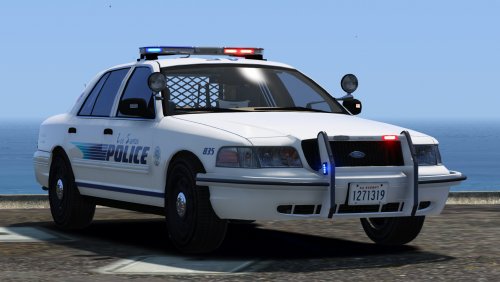 Hey there, @Black Jesus, I was just about to re-add these cars to my game as addons instead of replacements (Which I've done for about 6-7 cars now), and I'm having a bit of trouble. I've renamed the Police2 vehicle to portpolice, and I've modified the provided carvariation name to reflect that change. For the vehicles.meta, I copy/paste the Police information and change the name to reflect the files as well. I placed the vehicle files in patchday11ng, the carvariations information in mpchristmas2 and the Vehicles.meta where it always goes - but I'm getting a crash to desktop whenever I try to load up the game. Any ideas? I'm more than willing to provide screenshots.
- 64 comments
- 29 reviews
-
.thumb.jpg.1db0be3e377ccefdd47e57a95ec56762.jpg) All-blue setup is also not working for me. I went into the texture after unpackaging the OIV, and it looks like the texture includes the standard red and blue light setup for the emergency light textures. Maybe that's the problem? - Edit, saw that Bugs updated the files, and they should work now!
All-blue setup is also not working for me. I went into the texture after unpackaging the OIV, and it looks like the texture includes the standard red and blue light setup for the emergency light textures. Maybe that's the problem? - Edit, saw that Bugs updated the files, and they should work now!- 239 comments
- 70 reviews
-
Anyone who's ever even tried to mod, whether it be GTA V or something else, understands that when you're dealing with volunteers giving their free time to make something for free, there are dozens of sacrifices that have to be made to make time for the project, but also to sacrifice the project for the variety of real life things that just...happen. I know nothing about Lt.Caine personally, nor do I know any of the individuals whom he holds close, but I can tell you that ELS V is probably not the thing he spends every day doing. In fact, it's probably what he does in his free time, for no pay, for US. He doesn't have a team of programmers at his disposal, and he's trying to make this modification as true to life, dynamic, adaptive, enjoyable, easy and BUG-FREE as possible, and I think those are listed in ascending levels of difficulty. Do you think I'd love to know when he's going to release this mod which will likely be a turning point for LSPDFR? Hell yeah I would. Would I like to beg him to let me in on the Alpha so I can run around with ELS cars? You bet I would. But I shouldn't, and we shouldn't, because we owe him our patience. And we owe him our patience because he's not asking for our money. It's as simple as that.
-
Prophet snuck a sneak-peak of ELS into his most recent live-stream (which was really great in and of itself). Check it out:
-
.thumb.png.84adb823f7f653b8d654f1ab13098851.png) Gotta tell you that I love the minimal light setup and the great Explorer you've included with the pack. You've got some great stuff here, but I wanted to make some brief comments. - Even using Radiance V, the lights appear to be washed out slightly; the reds are an orange-ish red and the blues are lighter when I'm used to seeing them darker. You might try adjusting the colors to get more accurate color reproduction (for all of the crappiness of the stock light-bars, their color accuracy with Radiance V is really good; that's what I typically use for a reference). - If you're not going to include an all-blue light option for the vehicles (which is totally fine!), you might consider activating coronas for a more immersive experience. - The lightbar you chose may be an accurate recreation of some that exist in parts of the country, but I wonder if a thinner option might make the models look a little bit more polished (I'm thinking something between what you have and the lightbar that BxBugs used on his Dodge Charger). That's strictly subjective, however. All in all, a nice set of vehicles. Glad to have these as part of my fleet!
Gotta tell you that I love the minimal light setup and the great Explorer you've included with the pack. You've got some great stuff here, but I wanted to make some brief comments. - Even using Radiance V, the lights appear to be washed out slightly; the reds are an orange-ish red and the blues are lighter when I'm used to seeing them darker. You might try adjusting the colors to get more accurate color reproduction (for all of the crappiness of the stock light-bars, their color accuracy with Radiance V is really good; that's what I typically use for a reference). - If you're not going to include an all-blue light option for the vehicles (which is totally fine!), you might consider activating coronas for a more immersive experience. - The lightbar you chose may be an accurate recreation of some that exist in parts of the country, but I wonder if a thinner option might make the models look a little bit more polished (I'm thinking something between what you have and the lightbar that BxBugs used on his Dodge Charger). That's strictly subjective, however. All in all, a nice set of vehicles. Glad to have these as part of my fleet!- 89 comments
- 44 reviews
-
Hey there all! I come from a position LEGITIMATE ignorance on this matter, so I hope none of our amazing vehicle modders take offense as I proceed with this question: Why do only some models feature the corona / environmental lighting (are those even the correct terms?) that light up the environment AROUND the car (a puddle, a tree, street sign, character) when the emergency lights are activated? Bugs' models and a couple of others are capable of doing that, and it just gets me sometimes when I see a car as amazing as that 2016 Police Interceptor Utility with a stunning light setup and...zero environmental effects. Is this something that we can activate / modify in the carvariations or vehicles.dat files post-production? Additionally, is it only possible to have one side red, the other side blue, for these effects? I noticed that on my favorite slicktop CVPI (which has an all-blue light setup, like Boston PD's scheme) has these effects, but only on ONE side of the car. The other side is missing the effects entirely. Looking forward to hearing the community's knowledge on this topic. Thanks in advance!
-
-
 Amazing model, for sure. Is there a chance we could see a version with all blue lights? Well done dude, definitely staying in my Police3 slot for a while.
- 269 comments
- 67 reviews
-
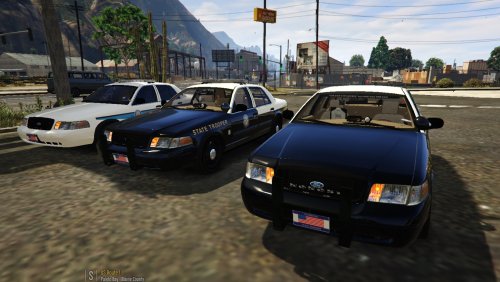 PRAISE. BE. TO. ALL. BLUE. LIGHTS. (That was my initial reason for downloading this pack, but upon using it, I was even more impressed. Stellar job.)
- 60 comments
- 21 reviews
-
 Absolutely stellar job. Is there any chance of this being released with an all blue light setup? That Valor would look stellar with all blues.
- 148 comments
- 34 reviews
-
-

- 1
-
-
-
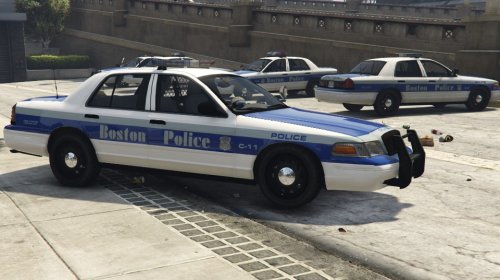 So glad to see Boston Police starting to pop up, but what about a full-blue lighting set?
 -
 Just updated my Ragehook from 28 -> 29. Reinstalling my sirens, and I'm getting the error: vehicles.oac(Line 1): Not supported format version, actual: "10" but expected "11". Any ideas?
- 30 comments
- 12 reviews
-
-
- 2
-
-
I want to bump this so folks can contribute and more developers might see it and wanna take a crack at it! Now that developers are throwing out new callouts, now's a great time!
-
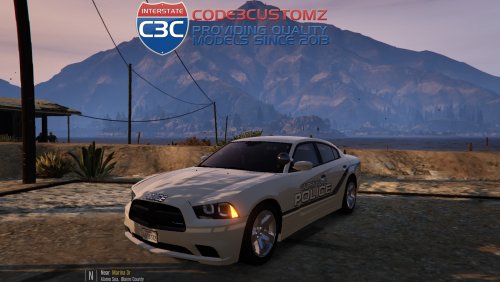
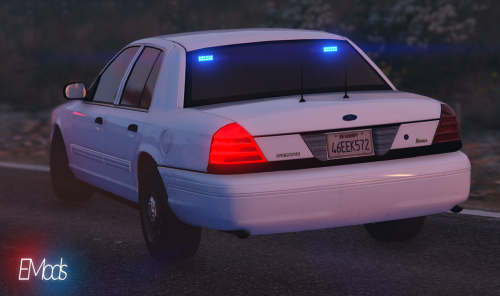
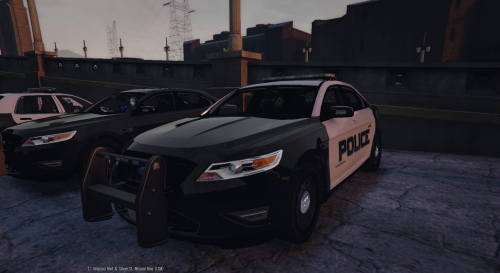 Hey there mate. While replacing Police3 with this vehicle, I put its files in both patchdayng3 and 4 - still getting problems with the lights not working properly. Can you give a little guidance about what's going on here?
- 49 comments
- 8 reviews
-
-
- 1
-
-
 Hey there, thanks for this - worked out well, but now some of my other added cars won't spawn - 'Invalid Car' from the trainer and Rage when I try to bring them in like the the marked Impala. I didn't mess with any of the files for that one, so I'm not sure what's up.
- 137 comments
- 22 reviews
-
Hey there mate - having trouble understanding the install instructions. I couldn't find the file path you stated in the readme, so I went to x64e -> vehicle.rpf and replaced the files there, then did the same for patchday3ng's vehicle.rpf. To my credit, the game loads fine, but the vehicle is...well...it's awful. Clearly something's wrong. Wheels are missing, etc. - can anyone give me some guidance about proper file placement?
- 137 comments
- 22 reviews
-
-
 Love the concept, but I'm running into a couple issues: The textures continuously flash different colors at various points, and the car looks either overly glossy or...I don't know, it's definitely not right. Sometimes, the texture glitches and has rainbow patterns all over it. Very strange. In addition, the lights that are supposed to be blue continue to flash red; this is after also installing both meta files.
- 208 comments
- 59 reviews
-
-
- 1
-
-
-
.thumb.png.e88f1892e13ddb98db35e668d465c34b.png) Added it as you suggested. Lights now work, but the car produces no sound, and the siren still doesn't activate. Again, the car is named chpolice2, files are in the patchday3 vehicles.rpf, and the vehicles.meta and carvariations.meta are both updated with the correct data.
Added it as you suggested. Lights now work, but the car produces no sound, and the siren still doesn't activate. Again, the car is named chpolice2, files are in the patchday3 vehicles.rpf, and the vehicles.meta and carvariations.meta are both updated with the correct data.- 182 comments
- 44 reviews
-
Install went swimmingly - renamed the file chpolice2, and imported the proper vehicle.meta information as well. However, when I spawn the car in game, it has no sound, and and the EMS lights will not turn on - it seems as though it's being treated as a regular car, because the takedowns turn on when I hit the highbeams. Any ideas folks?
- 182 comments
- 44 reviews
-
Love those ideas guys, I added them to the original thread and credited you guys as the original authors. :) Let's keep them coming!
-
Hey there folks, After playing both LCPDFR and LSPDFR for some years now, and also doing my own bevy of research into Police and their work, I was inspired by Stealth's Code 3 Callout pack to simply just suggest a list of 'Code 2' callouts that might be worth developing. I have no experience coding or making the sort of scripts that those in this community have, so I'd rather just list them and let those who are interested run with them. Feel free to add on your own. :) Wellness Check - A simple call from a concerned family member who hasn't heard from their relative in a couple of days, or perhaps the hospital needs to check on a patient who was sent home but is now not responding. In any event, make your way to their residence and determine if they are alright. Dozens of potential scenarios for this callout: 1)They are home, and all is well. 2) They are home, armed, and seem unstable - to be considered dangerous (given that its private property, talking them away from their weapon is a better choice than arresting them). 3) The person isn't at home, and you need to search the general vicinity with the help of a neighbor's clues (i.e. "I think I saw them hopping over the fence back there") 4) They are home, unconscious or possibly dead. Call EMS or the Coroner and launch an investigation accordingly. 5) They immediately begin shooting when you arrive. And so on. Added in a new callout pack! Assist With Traffic Stop - One of the units from your district is requesting backup for a traffic stop he or she feels uncomfortable about. Make your way there, speak to the officer about the situation, and assist as necessary. Potential scenarios: 1) The traffic stop goes according to plan and your assistance was unnecessary. 2) The driver gives the primary officer lip, and resists arrest - assist in subduing him. And so on - Albo has done a fantastic job with traffic stop occurrences, so I know I'm not the only one that knows how haywire a stop can go. Completed by Albo in his callouts mod! Assist Investigation at Homicide Scene - A Homicide occurred just nearby, but you missed the action. The detectives need other uniforms to cordon off the area, speak to witnesses, and canvas the area for evidence - or even the murderer. Potential Scenarios: 1) Witnesses give detailed descriptions, and you have the option of either delivering the reports to the investigators or pursuing the leads yourself - be careful, going solo could be a deadly proposition. 2) The killer returns to the scene - suicide by Cop 3) The killer cannot be found, and witness information isn't enough. You just need to clean up the scene and the investigators will take care of the rest. And so on. Domestic Disturbance - This was always a favorite in LCPDFR, but it became repetitive with how it often led to the same types of scenes. LSPDFR's expanded versatility gives us the ability to add variety to this call. Head over to the residence and try to sort out the disturbance. There are too many potential scenarios to list, but if you folks want me to I can give a couple. Arson Investigation - A fire near by has finally been put out, and the LSFD called your district: They think it was arson. Get to the scene and take the Chief's evidence and accounts, and either begin your investigation or hunt for the suspect yourself. Potential Scenarios: 1) Witnesses saw a man watching the fire from the moment it began, and walked off to a specific car or in a specific direction. He's a suspect, but not necessarily the culpret. Find him and question him. 2) The Arsonist left evidence behind - a serial arsonist's work. Corroborate what you can find and track him down. And so on. Added in a new callout pack! (Outside Los Santos) Open Carry of Firearm - Some folks decided to exercise their Second Amendment Rights, and scared the living hell out of some of the residents. Find these Constitution-loving folks and talk to them. Potential Scenarios: 1) They become aggressive and adversarial, begin threatening officers. 2) They open fire. 3) They take your presence politely and with respect, and the discussions goes on without a hitch. Added in a new callout pack! False Alarm or Real Burglary - Jewelry Stores, Banks and other high-value targets for robbers have automatic defense systems...which can very often be triggered by accident. Los Santos in particular is notorious for having easily tripped alarms; respond to them and give the owner some lip about their faulty systems...or save their life from an actual robber. Potential Scenarios 1) It was an accident! 2) It wasn't... (Diversity can be given to each situation, of course.) That's all I got for now! I'll be adding more to the list as I come up with them, but please respond to let me know what you think, to add your own, or to tell me that these ideas are crazy, unrealistic and could never be accomplished in game. I'm open to everything! :) Cheers all! Additional Callouts: Monitor Protest, by Ed1984 - Demonstrations are part of the First Amendment, and the people of Los Santos have plenty to complain about. Your district has assigned you to protect and monitor the protest so as to avoid violent encounters with other protestors or other disturbances of the peace. Potential Scenarios: 1) Everything goes off without a hitch! 2) A fist fight - or a fight with weapons - breaks out! 3) Terrorist Attacker lights a match or explosive! And so on... Noise Complaint, by Forsakenbacon17 - The city of Los Santos is both crowded and vibrant with life. Sometimes though, people get a little too excited, or their party gets a little out of hand, and the police have to come to spoil the fun. Most folks are respectful about such things, but that isn't always the case. Investigate the complaint, and make sure they don't have any illegal substances while you're at it. Potential Scenarios: 1) They comply, you go Code 4, and all is well. 2) They fight you and you must arrest, or even dispatch them, depending on if they are armed or not. Non-firearms are likely involved, such as a knife or bat. 3) They flee and you must chase them down and arrest them. 4) They comply but soon after you are called back to the scene only to find that they have turned the music up, and you must arrest them. This could also work for a vehicle. A complainant calls in a vehicle on the road playing extremely loud music. You are given a color, make and model, and licence plate, or any combination of these, as maybe the complainant did not get a good luck at the vehicle. You are then given a search radius and must pull over the offending vehicle and have a little chat.

.thumb.jpg.1db0be3e377ccefdd47e57a95ec56762.jpg)
.thumb.png.84adb823f7f653b8d654f1ab13098851.png)
.thumb.png.e88f1892e13ddb98db35e668d465c34b.png)