


Cartres
Members
-
Joined
-
Last visited
Everything posted by Cartres
-
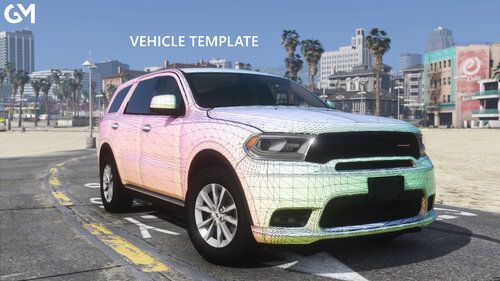 Pleased to endorse this release. My AO maps for base models have never been private or restricted, so I'm glad to make them available to the community publicly.
 -
 There isn't a sufficient allegory to express how revolutionary CP702's newest update is. For developers, this is as staggering a revolution as the first car to modify the carcols file itself. The importance of this discovery and implementation cannot be understated. And the generosity to share it with the community in such a way, likewise.
- 342 comments
- 20 reviews
-
I'm not dead.
-
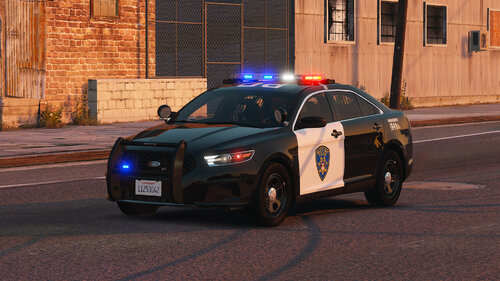 I don't know how this one slipped by, but I want to add my voice once again in celebrating another fabulous release by KLE0. A man with an eye for quality like this deserves proper praise, and I hope to see more in the future. These simple, unabashedly realistic builds, stand as a testament to the fact that quality is not dead.
- 30 comments
- 2 reviews
-
This project will resume in the future. Presently, I have suspended working on the majority of this project due to the unavailability of high quality parts, and the proliferation of lower-quality projects seeking to copy it.
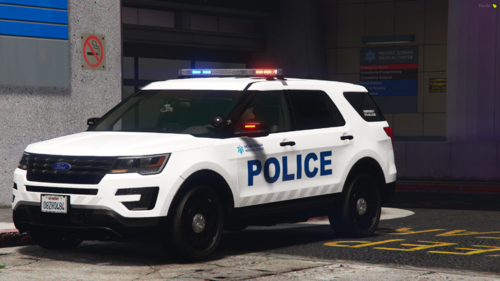 Baltimore's talent and dedication shines through with this release; a competently built, humble, and well imagined vehicle. I happily endorse his work.
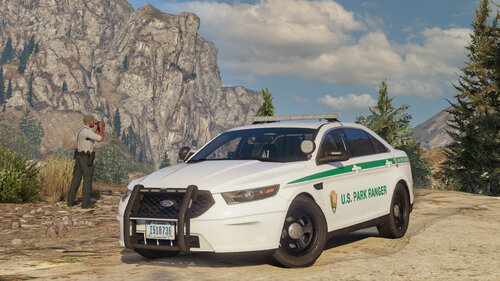 AgentDZN demonstrates that competency and attention to detail is not lost on the modding community. We're all grateful to count him among our ranks. This vehicle comes highly recommended, without a doubt.
- 51 comments
- 13 reviews
-
-

- 1
-
 I just need to say how pleasing it is to see someone carrying the torch of beautiful, high-quality releases. With so many folks looking to get into development either for the money or for other reasons, KLEO's keeping it real with these stunning executions of realistic concepts. Keep it up dude.
- 75 comments
- 9 reviews
-
-
-

- 3
-
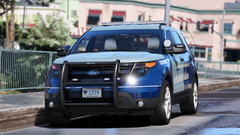 No date as of yet. Many of these vehicles will be remade, given that they are using old parts.
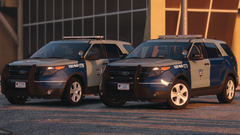 This pack is a massive project, and requires a lot of attention yet. Each vehicle is going to be remade as well. No release date, but it will be released.I only use high-quality base models in my packs, so I will be adding the 2020 when a proper base model is available. It won't be for some time.It will not be done for some time. Expect late summer release.
 Jordan I can't thank you enough! Such a wonderful review. Be sure to look out for an update on the horizon!
- 39 comments
- 16 reviews
Please refer to what 6ix Modifications stated previously - both DLCs should not be named lenox @rp92m- 39 comments
- 16 reviews
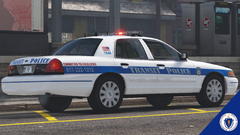
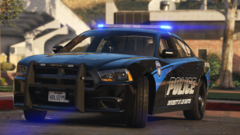
The lighting setup is roughly based off of Somerville here in Massachusetts, but the skin is from a Washington State Department, developed by GetinMyBelly. Overall, it's a fictional setup.Upcoming single-vehicle release.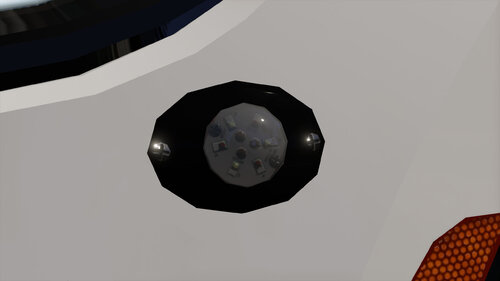 hi can you pls release as fivem ready? Thx......
Thanks for catching that! It must have copied over from when I was updating my other release.
hi can you pls release as fivem ready? Thx......
Thanks for catching that! It must have copied over from when I was updating my other release.- 39 comments
- 16 reviews
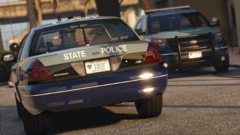
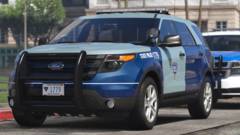
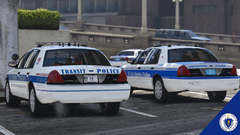
From the album: Project: Boston, Massachusetts
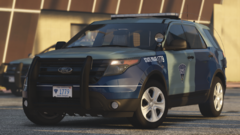
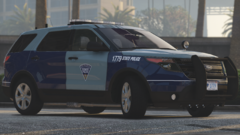
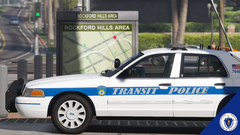
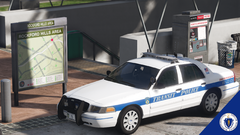
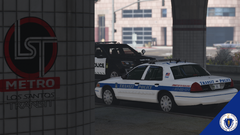
The goal of this upcoming pack is to create the single most accurate, realistic, and true-to-life representation of law enforcement departments found in the Boston and the surrounding neighborhoods / cities.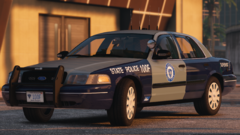
From the album: Project: Boston, Massachusetts
From the album: Project: Boston, Massachusetts

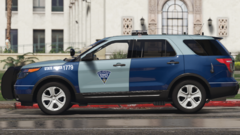


Account
Navigation
Search
Configure browser push notifications
Chrome (Android)
- Tap the lock icon next to the address bar.
- Tap Permissions → Notifications.
- Adjust your preference.
Chrome (Desktop)
- Click the padlock icon in the address bar.
- Select Site settings.
- Find Notifications and adjust your preference.
Safari (iOS 16.4+)
- Ensure the site is installed via Add to Home Screen.
- Open Settings App → Notifications.
- Find your app name and adjust your preference.
Safari (macOS)
- Go to Safari → Preferences.
- Click the Websites tab.
- Select Notifications in the sidebar.
- Find this website and adjust your preference.
Edge (Android)
- Tap the lock icon next to the address bar.
- Tap Permissions.
- Find Notifications and adjust your preference.
Edge (Desktop)
- Click the padlock icon in the address bar.
- Click Permissions for this site.
- Find Notifications and adjust your preference.
Firefox (Android)
- Go to Settings → Site permissions.
- Tap Notifications.
- Find this site in the list and adjust your preference.
Firefox (Desktop)
- Open Firefox Settings.
- Search for Notifications.
- Find this site in the list and adjust your preference.