Legendk456
Members
-
Joined
-
Last visited
Everything posted by Legendk456
-
-
-
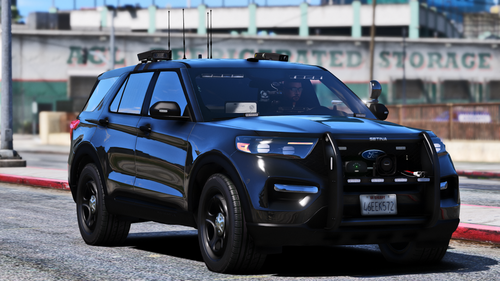 This is great! Any chance for all blue? EDIT: Never mind, I was able to figure it out.
 -
-
 Yeah. And I haven't looked at the code myself, but if there are lines that tell which peds should be in what vehicles (which I assume there has to be something like that), you could create variables that link to the ini which can be changed from there. What's currently there is probably S_M_Y_COP_01 or the equivalent for other departments. You could probably make that a variable and read from the ini where someone can add whichever ped, including MP_M_FREEMODE_01. Not sure how you would add the props and everything, but I'm sure there's a way. Then I'd create a fallback that if the ped wasn't valid, use default S_M_Y_COP_01. That's how I would go about it anyway. Hope this helps!
- 88 comments
- 1 review
-
Gotcha. In the future, would you consider adding custom ped support (with mp_freemode)?
- 88 comments
- 1 review
-
Appreciate it, thanks! Unless I missed it on the site, I would recommend adding a readme for those that aren't as knowledgeable about modding LSPDFR. Just a friendly suggestion though :) Also I am not sure if this is possible, but adding custom peds, or even better, pulling peds and vehicles from the agency.xml for in lspdfr > data. That way, you wouldn't have to customize the vehicles manually, but are able to pull from already customized data.
- 88 comments
- 1 review
-
 Is it possible to edit the peds or vehicles used in the callouts so they match my custom LSPDFR backup and ambient AI?
- 14 comments
- 3 reviews
-
- lspdfr callout
- open source
- legacy
- rph
-
Tagged with:
-
-
-
 Thanks, and I saw that you can cache for performance? Where is this stored at?
- 189 comments
- 9 reviews
-
This doesn't affect speeds on roads like Route 68 correct? Also would this be compatible with MTFO?
- 189 comments
- 9 reviews
-
 I figured out that the values you set for how often an event happens needs to be significantly lower than without LSPDFR Enhanced. Not sure if you use, but it alters time dilation and however it does it, it skews the event timer. Or something conflicts, but I found that lowering the time between events helped tremendously.
- 195 comments
- 23 reviews
-
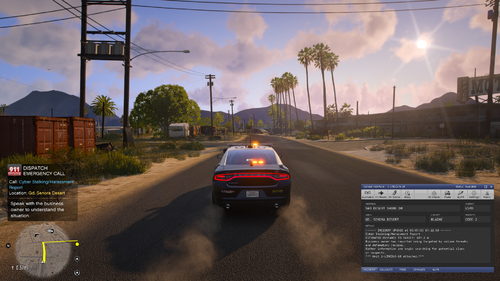 This looks great! Do you have an idea of when callouts will be expanded to areas like Paleto Bay or LS?
- 82 comments
- 10 reviews
-
-
 Maybe I'm dumb, but which pack is this for?
 -
So by any chance does this affect the speed AI drive on 68 on does that have to be done through nodes? Also do you know if this is compatible with MTFO?
- 189 comments
- 9 reviews
-
 Thank you for the update! I find it the AI aren't pitting. What are the conditions that allow them to pit?
- 74 comments
- 3 reviews
-
 I have been on duty about ten times an unfortunately one hasn't been generated. Should it be in the plugins folder next to the dll and pdb files? EDIT: Disregard, I didn't have it in the right folder for some reason.
- 115 comments
- 20 reviews
-
-
-
Is this compatible with Policing Redefined and LSPDFR Enhanced? I seem to not be getting any events, BOLO, or weather. I also have BlueLine Dispatch.
- 195 comments
- 23 reviews
-
 Yes I would love to see this updated to work with Policing Redefined!
 -
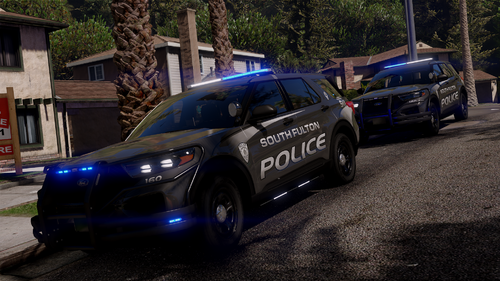 The quality of this is insane! I know this is a VERY tall ask, but would you consider Gwinnett County in the future?
 -
 I posted that, but again I am not quite sure how it is incompatible. So far it seems fine, but I am unsure if maybe there is a niche case where it doesn't work.
- 160 comments
- 20 reviews