



RipplyTiger151
Friends of LSPDFR
-
Joined
-
Last visited
Everything posted by RipplyTiger151
-
PalmBeachGames changed the name of SAPD:FR (The GTA V version) to SAPD:RR because of the name conflict. G17 is making LSPD:FR. Two different groups, two different mods. It shouldn't conflict.
-
 Self-Roleplay :P. (Trust me, its possible) Anyways, looks great Alex! Keep up the good work!
- 9 comments
- 1 review
-
-

- 2
-
-
True^
-
Agreed! EDIT: just saw up a few posts. Maybe that will help?
-
-
Another thing you have to realize is that when you see EVI's Valor most of the time, it isn't fully converted and ready for IV. Most edits are done by the people who use it because it is not given out by EVI with ELS mapped.
- 22 comments
- 4 reviews
-
-
- 1
-
-
That ^^^^^^^ the model used is by EVI, although the ELS mapping (which was probably done by M67v (hence the edits he did) is completely different and is a bit "screwed up".
- 22 comments
- 4 reviews
-
The Valor is definitely by EVI. Dingo may have sent you it, but its not his. Its EVI's. Your part of the reason why EVI "took down" his Sheriff Ped.
- 22 comments
- 4 reviews
-
-
- 3
-
-
So your saying, it is coming in the mail, not that it was in the mail. :P. Don't shoot your eye out (kid)! I guess have fun with it, just not too much. Also, don't kill no one with it.
-
Not bad, lol. Certainly reminds me of the GTA:IV police officers.
-
From the album: Ripply's Works
Tahoe assembled by me. -
Happy Birthday!
-
 Good work Alex!
 -
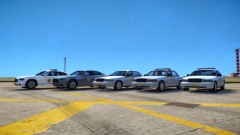
From the album: Ripply's Works
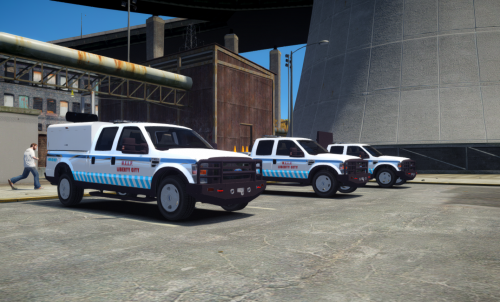
The Iowa State Patrol pack fleet so far. Missing 2 vehicles Vehicle pack will be released exclusively. PM me for details. -
Congratulations to MichaelV on your promotion and a temporary congratulations to those filling in positions. Sad to see Yard go and best of luck to NicolaiB in his new position. Also, welcome back Illusionary!
-
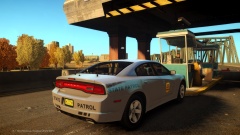 lol
lol -
-
From the album: Ripply's Works
Car assembled and skin created by me. Part of a private pack that is currently in the works. With enough feedback, may be released. -
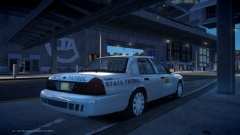
From the album: Ripply's Works
Iowa State Patrol spotted at the international airport. Car assembled by me. Skin by me. Car is pretty much complete. One car in a private pack that is in the works that may be released in the future! -
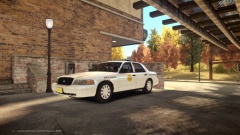
From the album: Ripply's Works
Car assembled by me. Skin by me. Car is pretty much complete. One car in a private pack that is in the works that may be released in the future! -
-
No, but you can keep it clean :P
-
-
-

